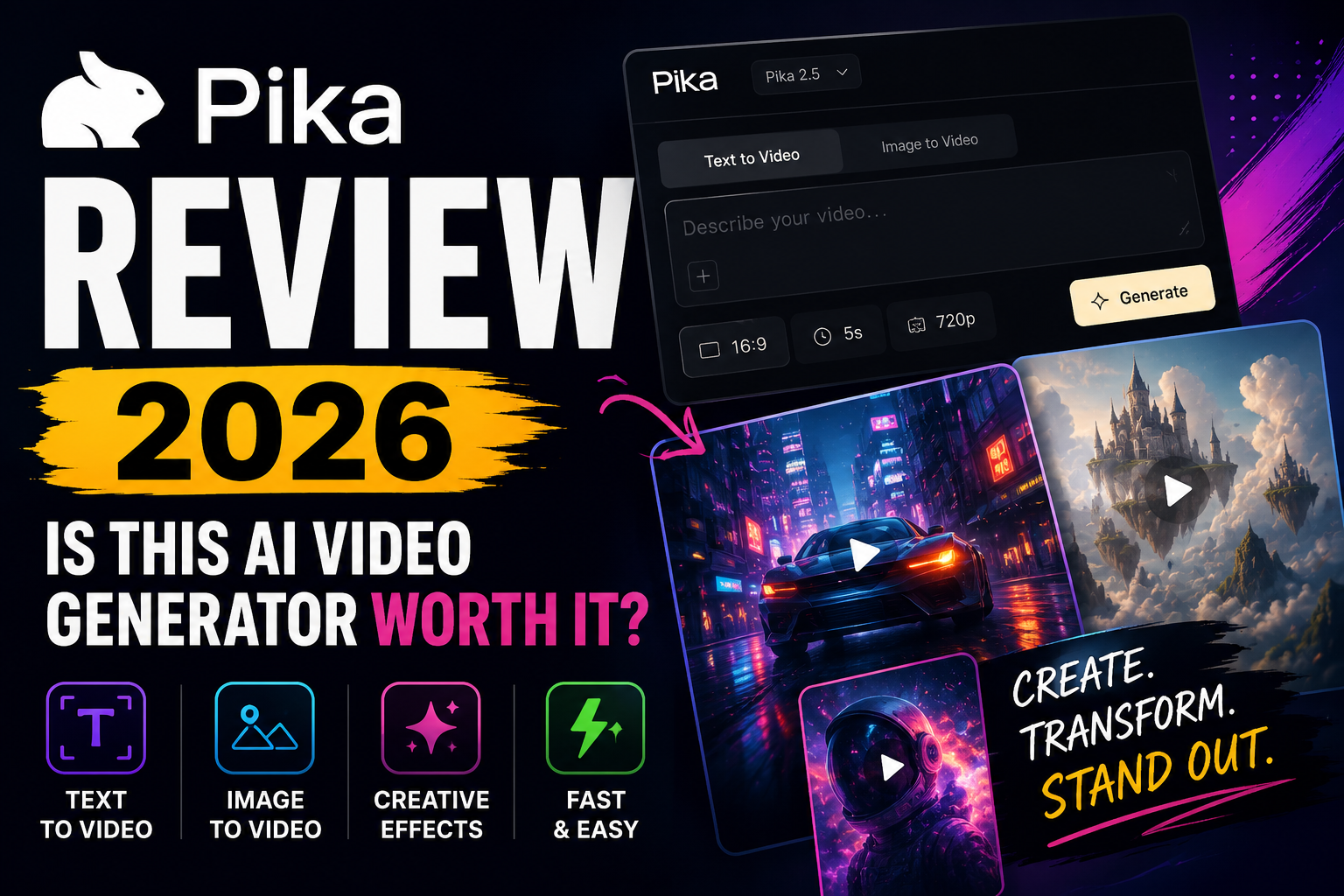
If you’ve spent any time researching AI video generators, chances are you’ve come across Pika, and in this Pika Review we will go over what started as a Discord-based experiment has grown into one of the best-known platforms in the space, attracting creators with its fast workflow and imaginative AI-powered effects.
Today, Pika offers much more than simple text-to-video generation. You can animate still images, transform existing footage, insert or replace objects, create audio-driven performances, and experiment with a growing collection of AI tools—all from your browser.
But popularity alone doesn’t make it the right choice.
Table of Contents
After evaluating Pika’s features, pricing, output quality, real-world use cases, and community feedback, it’s clear that the platform has carved out its own niche. Rather than competing purely on photorealism, Pika focuses on making AI video creation fast, approachable, and genuinely enjoyable. That makes it an excellent option for creators producing content for TikTok, Instagram Reels, and YouTube Shorts, but less appealing for users looking for a complete professional filmmaking workflow.
In this Pika Review, I’ll cover everything you need to know before subscribing, including its features, pricing, strengths, weaknesses, real-world performance, and how it compares with competitors like Runway and Kling AI. By the end, you should have a clear understanding of whether Pika deserves a place in your creative toolkit.
Quick Verdict
| Category | Rating |
| Ease of Use | ⭐⭐⭐⭐⭐ |
| AI Video Quality | ⭐⭐⭐⭐☆ |
| Image-to-Video | ⭐⭐⭐⭐⭐ |
| Creative Effects | ⭐⭐⭐⭐⭐ |
| Professional Workflow | ⭐⭐⭐☆☆ |
| Value for Money | ⭐⭐⭐⭐☆ |
| Beginner Friendliness | ⭐⭐⭐⭐⭐ |
| Overall Score | 9.0 / 10 |
Pika is one of the best AI video generators for creators who want to produce engaging short-form videos without learning complex editing software.
Its biggest strength isn’t necessarily producing the most realistic AI footage available. Instead, it excels at helping creators turn ideas into attention-grabbing videos in just a few minutes. Features such as Pikaffects, Pikadditions, Pikaswaps, and Pikaformance encourage experimentation in ways that few competing platforms currently do.
That said, it’s important to understand what Pika isn’t.
If your workflow revolves around feature-length videos, advanced timeline editing, or highly cinematic AI output, you’ll probably be better served by platforms like Runway or Kling AI.
For creators focused on speed, creativity, and social-first content, however, Pika is one of the easiest recommendations in today’s AI video market.
Pika Review: Pros
- Extremely beginner-friendly interface.
- Excellent image-to-video generation.
- Unique creative tools like Pikaffects, Pikadditions, Pikaswaps, and Pikatwists.
- Perfect for TikTok, Instagram Reels, and YouTube Shorts.
- Commercial use included with paid plans.
- Watermark-free exports on paid subscriptions.
- Fast workflow for testing creative ideas.
- Growing ecosystem with Pika Agent and Pika MCP.
Pika Review: Cons
- Credit-based pricing can become expensive during heavy use.
- Output quality varies between generations.
- Prompt adherence isn’t always consistent.
- Not intended to replace professional editing software.
- Longer videos still require external editing.
- Customer support receives mixed feedback from users.
Who I Recommend Pika For
Pika is an excellent choice if you’re:
- A content creator producing short-form videos.
- An entrepreneur creating marketing assets.
- A freelancer designing promotional content for clients.
- A digital marketer testing multiple advertising concepts.
- An affiliate marketer creating engaging product videos.
- A small business wanting professional-looking videos without a large production budget.
Who Should Look Elsewhere
Pika probably isn’t the best fit if you:
- Need highly realistic AI-generated videos.
- Produce long-form YouTube videos or films.
- Want a replacement for Adobe Premiere Pro or DaVinci Resolve.
- Require highly consistent characters across extended scenes.
- Need frame-by-frame editing precision.
What Is Pika?
Pika is a cloud-based AI video generation platform that allows users to create, animate, and transform videos using artificial intelligence.
Instead of relying on expensive filming equipment or advanced editing software, users can generate videos from text prompts, animate still images, edit existing footage, and apply AI-powered creative effects directly from a web browser.
At the center of the platform is Pika 2.5, the latest generation of Pika’s AI video model. It supports both text-to-video and image-to-video workflows while powering an expanding ecosystem of creative tools designed to simplify modern video creation.
Unlike many AI video generators that compete primarily on realism, Pika has built its identity around creativity and accessibility. Features such as Pikaffects, Pikaswaps, Pikadditions, and Pikatwists allow users to perform visual transformations that would normally require advanced visual effects software or hours of manual editing.
That creative-first philosophy is what separates Pika from much of the competition.
What Can You Create with Pika?
Pika supports a wide range of creative workflows, including:
- AI-generated videos from text prompts.
- Animated videos from still images.
- Object and character insertion into existing footage.
- AI-powered object replacement.
- Alternative scene endings and transformations.
- Audio-driven character performances.
- Extended video sequences using Pikaframes.
- Viral visual effects for social media.
These capabilities make it particularly appealing to creators who prioritize speed, experimentation, and engaging visuals over traditional production methods.
How Does Pika Work?
One of Pika’s biggest advantages is its simplicity.
Even if you’ve never used an AI video generator before, you can usually produce your first video within minutes.
The typical workflow looks like this:
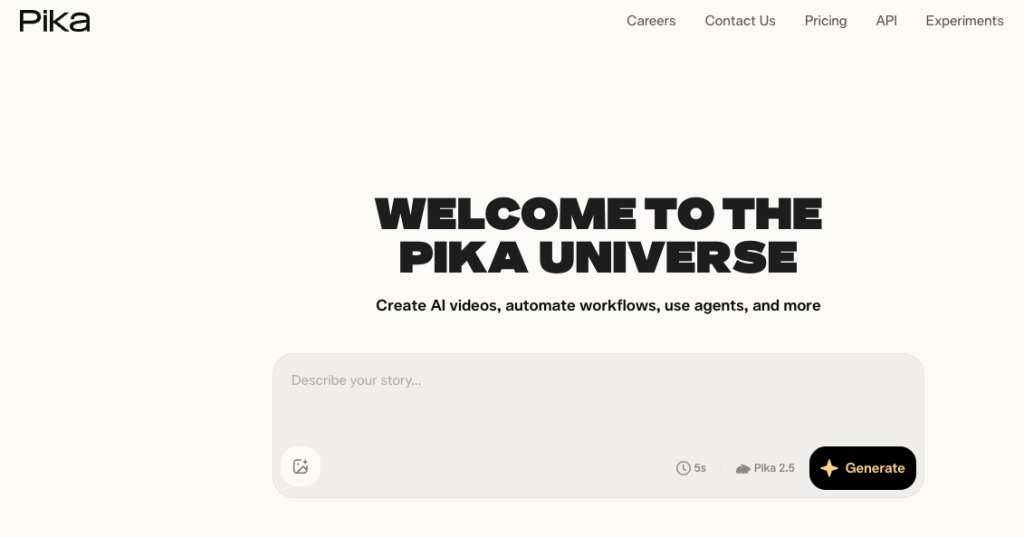
- Create a Pika account.
- Choose a generation mode, such as text-to-video or image-to-video.
- Upload any required media.
- Enter your prompt or creative instructions.
- Adjust settings such as resolution or duration.
- Generate the video.
- Review the result and regenerate if needed.
- Download the finished clip or continue refining it.
Although the workflow is straightforward, it’s worth remembering that AI video generation is rarely perfect on the first attempt.
Like every major AI video platform, Pika works best when you treat generation as an iterative creative process. Small prompt adjustments and multiple generations often produce dramatically better results than expecting the first output to be perfect.
Who Is Pika Best For?
One of Pika’s greatest strengths is accessibility.
Unlike traditional video editing software—which often requires weeks or months to master—Pika is designed for people who want impressive results without a steep learning curve.
That doesn’t mean it’s the right choice for everyone.
Content Creators
If your primary focus is publishing videos on TikTok, Instagram Reels, Facebook Reels, or YouTube Shorts, Pika is one of the strongest AI video generators currently available.
Its emphasis on short-form content, combined with playful AI effects and rapid generation speeds, makes it easy to create videos that grab attention within the first few seconds. Features like Pikaffects and Pikatwists are especially useful for producing memorable visual hooks that help content stand out in crowded social feeds.
Entrepreneurs and Small Businesses
Small businesses rarely have the budget for dedicated production teams.
Pika helps close that gap by allowing entrepreneurs to quickly create:
- Product launch videos.
- Website hero animations.
- Promotional social media content.
- Brand awareness campaigns.
- Product teasers.
- Marketing experiments.
Rather than replacing a professional production studio, Pika dramatically reduces both the time and cost required to create visually engaging marketing content. That makes it especially valuable for businesses trying to grow without investing heavily in video production from the outset.
Digital Marketers
For marketers, speed often matters more than perfection.
Testing ideas quickly is usually more valuable than spending days producing a single polished advertisement that may not perform.
That’s where Pika fits particularly well.
Instead of investing significant time and money into one creative concept, marketers can rapidly generate multiple video variations, compare different approaches, and identify the strongest ideas before committing to a larger production budget.
For campaign ideation and creative testing, that flexibility can be a genuine competitive advantage.
Affiliate Marketers
As someone involved in affiliate marketing, this is one of the areas where I think Pika offers the most practical value.
Affiliate content relies on keeping viewers engaged while explaining products clearly, and custom visuals often outperform generic stock footage.
Pika can help create:
- YouTube intros.
- Social media teasers.
- Animated product images.
- Comparison video hooks.
- Short promotional clips.
- Visual metaphors that simplify complex software.
Rather than replacing genuine product demonstrations, AI-generated footage works best as supporting content that makes reviews and tutorials more engaging. Used responsibly, it can improve production quality without misleading viewers about what a product can actually do.
Who Should Avoid Pika?
Although Pika is one of the easiest AI video generators to learn, it isn’t the ideal platform for every creator.
Many disappointed users simply expected it to do something it was never designed to do.
Understanding its limitations is just as important as understanding its strengths.
Professional Video Editors
If your daily workflow revolves around software such as Adobe Premiere Pro or DaVinci Resolve, Pika should be viewed as a creative companion rather than a replacement.
Professional editing suites still offer capabilities that Pika doesn’t attempt to replicate, including:
- Multi-track timelines.
- Advanced color grading.
- Professional audio mixing.
- Motion graphics.
- Keyframe animation.
- Frame-by-frame editing.
- Detailed export controls.
Pika focuses on AI-powered generation and creative transformations instead of traditional editing.
Many professionals will likely use it to generate assets before completing their projects inside dedicated editing software.
Filmmakers Seeking Maximum Realism
AI video generation has advanced rapidly, but perfect realism remains one of the industry’s biggest challenges.
Pika intentionally leans toward creativity instead of photorealistic filmmaking.
If your goal is producing cinematic scenes with natural character movement, highly realistic environments, and film-quality motion, there are currently stronger options available.
That doesn’t mean Pika produces poor results.
It simply means the platform prioritizes imaginative, social-first content rather than trying to replace professional filmmaking workflows.
Users Creating Long-Form Videos
Another limitation is clip length.
Pika performs best when generating shorter videos that can later be assembled into a longer production.
Creators producing:
- Documentaries.
- Feature films.
- Educational courses.
- Long-form YouTube videos.
will still need editing software to combine multiple AI-generated clips into a finished project.
Pika works best as a content-generation tool rather than an end-to-end production suite.
Budget-Conscious Users
Pika uses a credit-based system, which means frequent experimentation can become expensive.
Generating AI video is rarely a one-click process.
Most successful projects involve:
- Refining prompts.
- Testing different ideas.
- Regenerating scenes.
- Experimenting with camera movement.
- Trying several creative effects.
Every new generation consumes additional credits.
If you expect to create hundreds of videos each month, it’s worth estimating your likely usage before committing to a subscription.
Pika Features
Pika’s feature set is what truly separates it from many competing AI video generators.
Instead of focusing solely on text-to-video generation, the platform has built an ecosystem of creative AI tools that allow users to manipulate videos in ways that previously required advanced editing skills.
Some of these features are genuinely unique.
Others exist elsewhere but are presented in a much more beginner-friendly way.
The real advantage comes from how everything works together inside a workflow that’s approachable for newcomers while remaining useful for experienced creators.
Text-to-Video Generation
Text-to-video remains one of Pika’s core capabilities.
The idea is simple.
Describe a scene using natural language, and the AI attempts to generate a matching video.
Your prompt can include details such as:
- Subject.
- Environment.
- Action.
- Lighting.
- Mood.
- Camera movement.
- Visual style.
- Composition.
For example, instead of filming a drone flying above a futuristic city at sunset, you can simply describe that scene and allow Pika to generate it.
This opens the door for creators who don’t have access to cameras, actors, expensive locations, or production equipment.
Prompt quality, however, has a huge influence on the final result.
Short, vague prompts often produce generic outputs, while more detailed descriptions generally perform much better.
Even then, perfection isn’t guaranteed.
Like every current AI video model, Pika can occasionally:
- Misinterpret prompts.
- Ignore certain instructions.
- Alter objects unexpectedly.
- Introduce visual artifacts.
- Produce inconsistent movement.
The best results usually come from refining prompts over several generations rather than expecting the first attempt to be publication-ready.
Image-to-Video Generation
Image-to-video is arguably where Pika becomes significantly more useful.
Instead of creating an entire scene from scratch, you begin with an existing image and allow AI to introduce realistic movement.
That approach provides much greater control over:
- Character appearance.
- Product placement.
- Composition.
- Brand identity.
- Overall scene layout.
For businesses and creators, this level of control is often far more valuable than relying entirely on text prompts.
An ecommerce business can animate product photography.
A YouTuber can transform artwork into animated B-roll.
A marketer can bring static advertising creatives to life.
An entrepreneur can create eye-catching hero animations for landing pages.
Starting with an existing image reduces much of the unpredictability associated with fully AI-generated scenes, although occasional inconsistencies can still appear in more complex animations.
Pikaffects
Pikaffects is one of Pika’s signature features and arguably the one that has helped the platform stand out the most.
Rather than simply generating videos, Pikaffects lets you create dramatic visual transformations designed to capture attention within seconds.
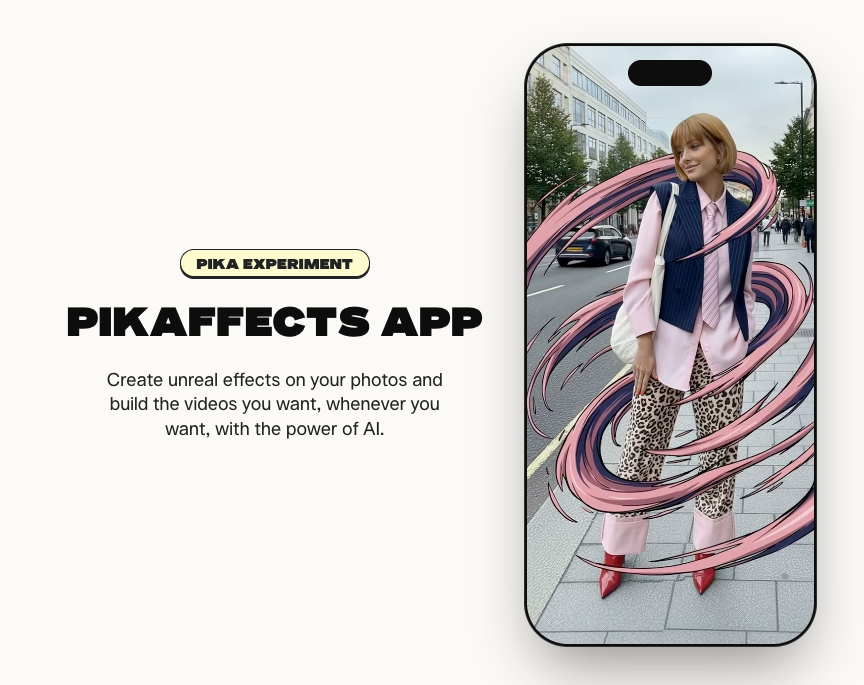
Examples include scenes where subjects:
- Inflate.
- Melt.
- Explode.
- Transform.
- Stretch.
- Dissolve.
- Morph.
- Interact with exaggerated visual effects.
These effects are particularly effective for:
- TikTok.
- Instagram Reels.
- YouTube Shorts.
- Viral marketing campaigns.
- Entertainment content.
Pikaffects isn’t trying to replicate professional visual effects workflows. Instead, it embraces the kind of bold, eye-catching content that performs well on modern social media.
That creative-first philosophy is one of Pika’s defining strengths and helps distinguish it from competitors that focus almost exclusively on realism.
Pikadditions
Pikadditions allows you to insert entirely new objects, people, or visual elements into existing footage using AI.
Instead of manually masking footage and compositing assets, you simply describe what you’d like to add, and the AI attempts to integrate it naturally into the scene.
Possible applications include:
- Adding products to advertisements.
- Introducing new props.
- Inserting fantasy elements.
- Enhancing storytelling.
- Creating visual effects.
For marketers, this makes it much easier to experiment with different creative ideas before committing to a final version.
For creators, it provides another way to produce original content without learning advanced editing software.
As with any AI generation feature, simpler scenes generally produce more convincing results than crowded or fast-moving footage.
Pikaswaps
Pikaswaps focuses on replacing existing objects within a video.
Rather than adding something new, it allows you to substitute one element for another.
For example, you could replace:
- A product.
- Furniture.
- Clothing.
- Vehicles.
- Accessories.
- Environmental objects.
Instead of spending time manually masking and tracking footage, Pika handles much of the work automatically.
This feature is particularly useful for:
- Product demonstrations.
- Advertising concepts.
- Creative experiments.
- Marketing mock-ups.
- Social media content.
Businesses should still carefully review every generated result before publishing, especially when products, branding, or logos are involved.
Pikatwists
Pikatwists lets you completely change how a scene unfolds.
Instead of accepting the original sequence, you can generate alternative outcomes or unexpected story developments.
This opens interesting possibilities for:
- Storytelling.
- Entertainment.
- Educational demonstrations.
- Interactive social content.
- Creative experimentation.
Imagine creating multiple endings for the same scenario or testing different creative concepts without filming every variation separately.
It perfectly reflects Pika’s overall philosophy of encouraging creativity rather than simply automating traditional video production.
Pikascenes
Pikascenes expands creative flexibility by allowing users to develop scenes beyond their original composition.
Instead of treating a generated clip as fixed, the feature helps extend visual narratives while maintaining a similar look and feel.
Potential applications include:
- Expanding stories.
- Exploring alternative environments.
- Building longer visual sequences.
- Adapting content for different platforms.
Although the technology is impressive, it’s worth remembering that maintaining perfect continuity across AI-generated scenes remains one of the industry’s biggest challenges.
Complex scenes can still introduce inconsistencies.
Pikaframes
One limitation shared by most AI video generators is clip length.
Pikaframes attempts to address that problem by helping creators extend existing videos into longer sequences.
Instead of treating every generation as a completely separate clip, it encourages smoother progression between scenes.
This can be especially useful when creating:
- YouTube videos.
- Product demonstrations.
- Educational content.
- Marketing campaigns.
- Longer social media stories.
While it doesn’t completely solve long-form AI filmmaking, it represents a meaningful improvement over generating isolated clips that have no visual continuity.
Pikaformance
Pikaformance introduces audio-driven animation.
Instead of generating movement randomly, it attempts to synchronize a character’s performance with speech or other audio inputs.
Possible use cases include:
- Talking avatars.
- Educational presenters.
- AI characters.
- Marketing spokespeople.
- Entertainment videos.
As AI avatars become increasingly common, features like Pikaformance have the potential to become much more important for businesses and content creators alike.
For now, it’s another example of Pika expanding beyond basic video generation into more interactive forms of AI content.
Pika Agent
Pika Agent represents the platform’s move toward workflow automation.
Rather than requiring users to manually manage every step of the creative process, AI agents aim to simplify repetitive tasks and assist with content generation.
As creators begin producing larger volumes of AI-generated content, automation is becoming increasingly valuable.
Although still evolving, this feature suggests that Pika’s long-term vision extends well beyond simply generating videos.
Pika MCP
Pika MCP is another relatively recent addition to the platform.
Built around the Model Context Protocol (MCP), it aims to improve how AI systems communicate with external tools, applications, and automated workflows.
For most casual users, this won’t be a deciding factor when choosing a subscription.
However, developers and businesses interested in integrating AI video generation into larger automated systems may find it increasingly valuable as the platform continues to mature.
How Good Is Pika’s AI Video Quality?
A long list of features means very little if the final videos aren’t convincing.
Ultimately, every AI video platform is judged by the quality of its output.
Overall, Pika performs well—particularly for short-form content intended for social media. Videos are often visually engaging, movement generally feels smooth, and the platform’s creative effects help produce content that stands out online.
That said, it isn’t perfect.
Like every current AI video generator, Pika still struggles with prompt interpretation, visual consistency, and occasional animation errors.
Prompt Adherence
Prompt adherence refers to how accurately the AI follows your written instructions.
Pika generally performs well with relatively straightforward prompts, especially those involving:
- Simple camera movement.
- Product showcases.
- Stylized scenes.
- Animated objects.
- Creative visual effects.
As prompts become increasingly detailed, however, the model may begin ignoring certain instructions or combining ideas in unexpected ways.
This isn’t unique to Pika—it’s something you’ll encounter across virtually every major AI video platform.
The most reliable workflow is to begin with a focused prompt and gradually refine the output through multiple generations rather than attempting to describe every detail at once.
Motion Quality
Motion quality has improved significantly with recent versions of Pika.
Camera movements generally feel smooth, particularly during slower cinematic sequences, and many of the platform’s signature creative effects blend naturally into the generated footage. The result is content that often feels much more dynamic than a simple animated image.
Where Pika occasionally struggles is with more demanding scenarios involving:
- Complex body movement.
- Hand animations.
- Crowded environments.
- Interactions between multiple characters.
- Intricate object physics.
These remain difficult problems for generative AI as a whole rather than shortcomings unique to Pika.
Fortunately, many of these imperfections are far less noticeable in short-form social content, where viewers tend to focus on the overall creative concept instead of analysing every individual frame.
Visual Consistency
Consistency is one of the biggest challenges facing every AI video generator today.
If you’re creating several clips featuring the same character, environment, or product, maintaining identical details across multiple generations can still be difficult.
Pika performs reasonably well within individual clips.
Across separate generations, however, you may notice changes in:
- Facial features.
- Hairstyles.
- Clothing.
- Backgrounds.
- Lighting.
- Object placement.
For creators making standalone social videos, this usually isn’t a major issue.
For filmmakers or businesses producing narrative content with recurring characters, it can become much more noticeable and may require additional editing to maintain continuity.
Creativity
This is where Pika genuinely separates itself from much of the competition.
Many AI video generators compete almost entirely on realism.
Pika takes a different approach.
Its branded creative tools encourage experimentation, transformation, and visually surprising effects that are specifically designed to grab attention online.
If your goal is producing:
- Viral content.
- Entertaining animations.
- Creative advertisements.
- Eye-catching social media posts.
Pika often feels more imaginative than many competing platforms.
That creative-first philosophy is one of the main reasons it has built such a loyal following among content creators.
Overall Video Quality Verdict
Pika isn’t currently the most photorealistic AI video generator available.
It doesn’t need to be.
Instead, it succeeds by producing engaging, visually appealing content that’s fast to create and well suited to today’s social media landscape.
For creators prioritizing creativity over cinematic perfection, the platform delivers consistently strong results.
Is Pika Easy to Use?
Ease of use is one of Pika’s biggest competitive advantages.
Many AI creative platforms overwhelm new users by exposing dozens of technical controls from the very beginning.
Pika deliberately takes the opposite approach.
Most workflows can be completed in just a few steps, making the platform approachable even for people with no previous experience using AI video software.
Account Setup
Getting started is refreshingly simple.
After creating an account, you’re taken directly into the generation interface without installing software or configuring complicated settings.
Because everything runs in the cloud, there’s no need for a powerful graphics card or high-end workstation.
As long as you have a modern browser and a reliable internet connection, you’re ready to start generating videos.
Interface Design
The interface prioritizes clarity over complexity.
Navigation is straightforward, generation modes are clearly organised, and the most important tools are easy to find.
Rather than overwhelming beginners with endless technical options, Pika focuses on helping users move from idea to finished video as quickly as possible.
That philosophy makes it particularly appealing to entrepreneurs, marketers, and creators who care more about publishing content than mastering editing software.
Learning Curve
One of the reasons Pika has become so popular is how quickly new users can become productive.
Within a short time, most people will feel comfortable creating:
- Text-to-video clips.
- Animated images.
- AI-powered effects.
- Object replacements.
- Scene transformations.
Ironically, the hardest part isn’t learning the interface.
It’s learning how to write better prompts.
Like every AI generation platform, stronger prompts almost always produce stronger results.
Developing that skill will usually improve your videos far more than learning additional settings.
Daily Workflow
For creators producing content regularly, Pika integrates naturally into an existing production process.
A typical workflow might look like this:
Example Workflow for a Content Creator
- Develop a video idea.
- Write a script.
- Generate supporting visuals in Pika.
- Download the finished clips.
- Assemble everything in your preferred editing software.
- Add narration, music, captions, and branding.
- Publish across your chosen platforms.
Rather than replacing every creative tool you already use, Pika works best as one component of a broader content creation workflow.
Ease of Use Verdict
Ease of use is arguably Pika’s greatest strength.
The platform removes much of the complexity traditionally associated with video creation while still offering enough creative flexibility to produce genuinely impressive results.
Whether you’re completely new to AI video generation or simply want a faster workflow, Pika is one of the easiest platforms to recommend.
Pika Pricing
Pricing is one of the most important factors when evaluating any AI video platform.
Pika uses a subscription model based on monthly credits.
Instead of paying separately for every generation, subscribers receive a monthly allocation that can be used across the platform’s supported AI features.
Exactly how many videos you’ll produce depends on several factors, including:
- The model used.
- Video duration.
- Generation settings.
- Selected features.
- Your overall workflow.
Because AI generation often involves experimentation, producing one successful video may require several attempts.
In practice, your real monthly cost depends less on the advertised credit allocation and more on how efficiently you can achieve the results you’re looking for.
Free Plan
Pika’s free plan provides an excellent opportunity to explore the platform before spending any money.
It allows users to:
- Test the interface.
- Experiment with prompts.
- Evaluate video quality.
- Understand the overall workflow.
For casual experimentation, the free tier is often enough.
Creators publishing content regularly, however, will quickly reach its limitations.
Paid Plans
Pika offers several paid subscription tiers designed to accommodate different types of users, from casual creators to professionals producing content every day.
As you move up the pricing ladder, plans generally include:
- Larger monthly credit allocations.
- Watermark-free exports.
- Commercial usage rights.
- Faster generation speeds.
- Priority queue access.
- Additional platform features.
Rather than recommending one plan for everyone, it’s more useful to think about how often you’ll actually create videos.
Someone publishing a few social media posts each month has very different needs from an agency generating dozens of marketing assets every week.
Credits
Credits are effectively the platform’s currency.
Every AI generation consumes a certain number of credits depending on factors such as the selected model, video duration, and the feature being used.
That system naturally rewards efficient prompting.
The fewer generations you need to reach a result you’re happy with, the more value you’ll get from your subscription.
On the other hand, creators who like experimenting with multiple versions before choosing a final clip may find credits disappearing much faster than expected.
Understanding your own workflow is therefore just as important as comparing pricing tables.
Is Pika Good Value?
Overall, Pika offers solid value for creators who publish content consistently.
Its subscription becomes much easier to justify when it helps reduce:
- Production time.
- Outsourcing costs.
- Stock footage purchases.
- Manual editing.
- Creative experimentation.
If you only generate occasional videos each month, however, remaining on the free plan—or considering a more lightweight alternative—may be the better financial decision.
Pricing Verdict
Pika’s pricing is competitive for the audience it’s targeting.
The free plan lowers the barrier to entry, while the paid subscriptions provide enough additional functionality to make upgrading worthwhile for regular creators.
The only real drawback is the credit system.
Like most AI video platforms, experimentation comes at a cost, and users who generate large volumes of content should keep a close eye on monthly credit usage.
Pika Pros and Cons
Every AI video generator has strengths and weaknesses, and Pika is no exception.
Its biggest advantage is how approachable it makes AI video creation.
You don’t need experience with motion graphics, animation, or professional editing software to start producing impressive content.
At the same time, there are limitations every prospective subscriber should understand before paying for a plan.
What I Like About Pika
Extremely Beginner-Friendly
Pika is one of the easiest AI video generators to learn.
From creating an account to exporting your first video, the entire experience feels streamlined and unintimidating.
The interface avoids unnecessary complexity, allowing creators to focus on producing content instead of figuring out complicated software.
For complete beginners, that’s a significant advantage.
Excellent Creative Effects
This is where Pika genuinely stands apart.
Features such as:
- Pikaffects.
- Pikadditions.
- Pikaswaps.
- Pikatwists.
- Pikaframes.
- Pikaformance.
allow creators to produce videos that would otherwise require advanced visual effects software or extensive editing experience.
Rather than feeling like another generic AI video generator, Pika has developed a creative identity that’s immediately recognizable.
Great for Short-Form Content
Pika clearly understands where online video is heading.
Its entire workflow feels built around creating engaging content for platforms such as:
- TikTok.
- Instagram Reels.
- YouTube Shorts.
- Facebook Reels.
- Short promotional campaigns.
Because these platforms reward originality and creativity over perfect realism, Pika’s strengths align extremely well with modern social media content.
Fast Content Production
Traditional video production involves filming, editing, rendering, revisions, and often multiple rounds of feedback.
Pika dramatically shortens that process.
Although AI generation still requires experimentation, moving from an idea to a usable video can often take minutes rather than days.
For creators publishing regularly, those time savings quickly add up.
Commercial Usage on Paid Plans
Businesses need confidence that they can legally use the content they create.
Pika’s paid subscriptions include commercial usage rights, making the platform suitable for client work, advertising campaigns, marketing content, and branded videos.
It’s still worth reviewing the latest licensing terms before publishing commercial projects, but having commercial rights included removes one of the biggest concerns businesses often have when evaluating AI tools.
Where Pika Could Improve
Credit Consumption
The biggest drawback for many users will likely be the credit system.
Creating high-quality AI videos often requires multiple attempts.
Each new generation consumes additional credits.
For creators who enjoy experimenting with prompts, monthly usage can increase surprisingly quickly.
This isn’t unique to Pika, but it’s something every prospective subscriber should factor into their budget.
Output Consistency
Although Pika generally produces impressive videos, consistency can still vary.
Two generations using almost identical prompts may produce noticeably different results.
That unpredictability means users should expect to spend time refining prompts and regenerating clips for important projects rather than assuming every first attempt will be usable.
Limited Long-Form Production
Pika remains optimized for shorter videos.
Producing longer projects still requires combining multiple clips inside traditional editing software.
For filmmakers, educators, and long-form YouTube creators, that additional editing stage remains unavoidable.
Realism Still Trails Some Competitors
Pika intentionally prioritizes creativity over photorealism.
If achieving the most realistic AI-generated footage is your highest priority, platforms like Kling AI or Runway generally have the advantage.
That doesn’t make Pika inferior.
It simply reflects a different design philosophy aimed at creators who value originality, speed, and visual impact more than cinematic accuracy.
Community Feedback on Support
Community feedback regarding customer support is somewhat mixed.
Many users report positive experiences.
Others describe slower response times for subscription, billing, or account-related issues.
As with most SaaS platforms, support quality appears to vary depending on the nature of the request and overall demand rather than following a consistent pattern.
Pros and Cons Summary
| Pros | Cons |
| Extremely easy to learn | Credit usage can become expensive |
| Outstanding creative AI effects | Results aren’t always consistent |
| Excellent image-to-video generation | Prompt refinement is often necessary |
| Great for short-form content | Long-form projects require external editing |
| Fast production workflow | Realism isn’t the strongest in the industry |
| Commercial rights included on paid plans | Mixed reports regarding customer support |
Overall, Pika’s strengths significantly outweigh its weaknesses for the audience it’s designed to serve.
Creators focused on social media, marketing, and rapid content production are likely to get far more value from the platform than users seeking a complete professional filmmaking solution.
Pika Performance for Different Types of Users
Not everyone uses AI video software for the same purpose.
A YouTuber producing educational content has very different needs from an ecommerce business launching a new product, and a freelancer creating client work expects something different again.
One of Pika’s biggest strengths is that it adapts surprisingly well to a variety of creative workflows, even if some audiences benefit more than others.
Entrepreneurs
Entrepreneurs are often expected to wear multiple hats.
They’re responsible for product development, marketing, customer acquisition, and content creation—usually with limited budgets and even less time.
Pika helps simplify video production by making it possible to quickly generate:
- Promotional videos.
- Landing page visuals.
- Product announcements.
- Social media campaigns.
- Startup presentations.
Instead of waiting for a traditional production cycle, founders can test ideas almost immediately, helping them move faster and validate creative concepts before investing additional resources.
Affiliate Marketers
Affiliate marketing depends on consistently publishing content that captures attention and builds trust.
Whether you’re reviewing software, comparing products, or creating tutorials, strong visuals help keep viewers engaged.
Pika is particularly useful for producing:
- Review introductions.
- Animated B-roll.
- Feature demonstrations.
- Comparison visuals.
- YouTube Shorts.
- Promotional social media content.
Rather than replacing authentic product demonstrations, AI-generated visuals work best as supporting content that improves pacing and makes explanations easier to follow.
For affiliate marketers producing content at scale, that can significantly reduce production time.
YouTube Creators
Many YouTubers don’t need AI to generate entire videos.
What they often need is original supporting footage.
Pika performs especially well when creating:
- Cinematic B-roll.
- Scene transitions.
- Animated graphics.
- Visual metaphors.
- Opening sequences.
Most creators will still assemble everything inside Premiere Pro, DaVinci Resolve, or Final Cut Pro.
Pika simply provides unique visual assets that reduce reliance on generic stock footage while making videos feel more original.
Ecommerce Businesses
Product marketing is another area where Pika performs particularly well.
Instead of relying exclusively on static product photography, businesses can quickly create:
- Animated product showcases.
- Lifestyle demonstrations.
- Promotional teasers.
- Seasonal campaigns.
- Social media advertisements.
For ecommerce brands that regularly produce visual content, the platform can dramatically reduce production costs while increasing creative flexibility.
Marketing Agencies
Creative agencies rarely settle on the first concept they produce.
Instead, they generate multiple ideas before presenting recommendations to clients.
Pika supports that process by making rapid experimentation both practical and affordable.
Instead of spending hours producing polished mock-ups, agencies can quickly visualize concepts, compare different creative directions, and gather feedback before committing to full production.
Freelancers
Freelancers can also expand the range of services they offer without hiring additional specialists.
Using Pika, they can create:
- AI-enhanced promotional videos.
- Social media content.
- Animated marketing assets.
- Product showcases.
- Creative client presentations.
For independent creators, that can become a meaningful competitive advantage.
Can Pika Replace Traditional Video Editing Software?
This is one of the most common questions people ask before subscribing.
The short answer is simple:
No—but it isn’t trying to.
Pika doesn’t aim to replace software like Adobe Premiere Pro or DaVinci Resolve.
Instead, it fills a completely different role within the creative process.
Traditional editing software excels at:
- Timeline editing.
- Color correction.
- Audio production.
- Motion graphics.
- Complex transitions.
- Final export and delivery.
Pika excels at:
- Generating original visuals.
- Creating AI animations.
- Producing creative effects.
- Accelerating content production.
- Reducing manual design work.
For many creators, the ideal workflow combines both.
Generate the visuals in Pika.
Then assemble everything inside your preferred editing software.
Viewed that way, Pika becomes far more valuable than if you expect it to replace a professional editor entirely.
Pika vs Runway
One of the biggest purchasing decisions isn’t whether to buy Pika.
It’s whether to choose Pika or Runway.
Although both platforms generate AI videos, they’re designed for noticeably different audiences.
Ease of Use
This is one category where Pika has a clear advantage.
Its interface is simpler, less intimidating, and designed for users who want to create videos quickly without navigating dozens of editing controls.
Runway offers considerably more production tools, but that additional power comes with a steeper learning curve.
Winner: Pika
Video Quality
Both platforms are capable of producing impressive results.
However, they prioritize different goals.
Runway leans toward cinematic quality, filmmaking workflows, and professional production.
Pika emphasizes engaging, creative, and highly shareable content for social media.
If realism is your priority, Runway generally has the advantage.
If creativity and speed matter more, Pika becomes a compelling alternative.
Winner: Depends on your priorities
Creative Features
This is where Pika clearly distinguishes itself.
Features such as:
- Pikaffects.
- Pikadditions.
- Pikaswaps.
- Pikatwists.
- Pikaformance.
encourage experimentation in ways that feel purpose-built for modern social media.
Runway certainly includes powerful AI editing capabilities, but its focus is broader and more production-oriented.
If your goal is creating memorable, attention-grabbing content, Pika has the edge.
Winner: Pika
Professional Workflow
Runway offers a much more complete production ecosystem.
Its editing tools, project organization, collaboration features, and broader workflow make it considerably better suited to professional creators and larger teams.
Pika simply isn’t intended to replace an editing suite.
Winner: Runway
Which Should You Choose?
Choose Pika if you:
- Primarily create short-form content.
- Prioritize creativity.
- Want the easiest possible learning curve.
- Produce social media marketing videos.
- Enjoy experimenting with AI effects.
Choose Runway if you:
- Work professionally with video.
- Need more advanced editing tools.
- Value cinematic realism.
- Produce longer-form content.
- Want a complete AI production workflow.
If you’d like to learn more about Rnnway before deciding, read my detailed Runway Review.
Pika Alternatives
Pika is one of the strongest AI video generators available today, but it’s far from the only option.
Depending on your priorities—whether that’s realism, editing capabilities, pricing, or ease of use—another platform may be a better fit.
Here are the main alternatives worth considering.
Runway
Runway remains one of Pika’s biggest competitors.
Unlike Pika, which focuses heavily on creative social media content, Runway is built around a more comprehensive AI production workflow.
Its strengths include:
- High-quality AI video generation.
- Professional editing tools.
- Advanced camera controls.
- Collaborative workflows.
- AI-powered video editing.
If you’re creating commercial projects or professional productions, Runway is often the better choice.
For creators who simply want fast, engaging social content, however, Pika usually feels easier to learn and quicker to use.
Kling AI
Kling AI has become one of the most talked-about AI video generators thanks to its impressive realism and natural-looking motion.
Compared with Pika, Kling generally performs better when creating:
- Cinematic scenes.
- Realistic human movement.
- Detailed environments.
- Film-style visuals.
The trade-off is that Kling places less emphasis on creative editing features and stylized effects.
Creators focused on visual realism may prefer Kling, while those prioritizing speed and experimentation are likely to enjoy Pika more.
For a closer look at its features, strengths, and pricing, read my complete Kling AI Review.
Luma AI
Luma AI is another strong competitor, particularly for creators interested in cinematic visuals and realistic camera movement.
Its strengths include:
- High-quality scene generation.
- Smooth camera motion.
- Strong visual realism.
- Creative storytelling.
Although Luma AI continues to evolve rapidly, its overall workflow feels more focused on producing polished visuals than generating viral social media content.
Hailuo AI
Hailuo AI has attracted attention for producing surprisingly high-quality AI videos while remaining relatively accessible to beginners.
Many users appreciate:
- Strong prompt adherence.
- Natural movement.
- Consistent image quality.
- User-friendly workflow.
As the AI video market continues to evolve, Hailuo AI is becoming an increasingly serious alternative for creators comparing multiple platforms.
Which Alternative Is Best?
There isn’t a single “best” AI video generator.
The right choice depends on what you’re trying to create.
If your priority is:
- Creative social media videos → Pika
- Professional AI filmmaking → Runway
- Maximum realism → Kling AI
- Cinematic storytelling → Luma AI
- Balanced beginner experience → Hailuo AI
Each platform continues to improve at an impressive pace, so today’s differences may become much smaller over the next few years.
Frequently Asked Questions
Is Pika free?
Yes.
Pika offers a free plan that allows new users to explore the platform, generate videos, and test its core capabilities before upgrading to a paid subscription.
The free tier has usage limits, so creators producing content regularly will likely need a paid plan.
Is Pika good for beginners?
Absolutely.
Ease of use is one of Pika’s biggest strengths.
Its clean interface, simple workflow, and intuitive controls make it one of the easiest AI video generators for complete beginners.
Can Pika create realistic videos?
Yes, but with some limitations.
Pika is capable of generating impressive-looking videos, although it generally prioritizes creativity and visual impact over maximum photorealism.
If realism is your primary goal, platforms such as Kling AI or Runway may produce stronger results.
Can I use Pika commercially?
Paid subscriptions include commercial usage rights, making the platform suitable for marketing, business, and client work.
Before publishing commercial projects, it’s still a good idea to review Pika’s latest licensing terms to ensure they align with your intended use.
Is Pika worth paying for?
For creators who publish videos consistently, I’d say yes.
The platform significantly reduces the time required to create engaging visual content, and its creative effects help produce videos that stand out online.
If you only create occasional videos, however, the free plan may be enough.
Does Pika replace video editing software?
No.
Pika is designed to generate videos, animations, and creative effects—not to replace professional editing software.
Most creators still finish their projects in applications such as Adobe Premiere Pro, DaVinci Resolve, or Final Cut Pro after generating assets with Pika.
Which is better: Pika or Runway?
It depends on your priorities.
Choose Pika if you want:
- Simplicity.
- Creative effects.
- Fast social media content.
- Beginner-friendly workflows.
Choose Runway if you need:
- Professional editing tools.
- Cinematic quality.
- Advanced production workflows.
- Team collaboration.
Neither platform is objectively better—they simply target different types of creators.
Final Verdict: Is Pika Worth It?
After spending time evaluating Pika’s features, workflow, pricing, and overall user experience, it’s clear why the platform has become one of the leading names in AI video generation.
It isn’t trying to compete by offering the most advanced editing suite or the highest level of photorealism.
Instead, Pika succeeds by making AI video creation accessible, enjoyable, and remarkably fast.
For content creators, entrepreneurs, affiliate marketers, and businesses that regularly publish short-form videos, it’s an excellent tool for turning ideas into engaging visuals without the traditional costs and complexity of video production.
That doesn’t mean it’s perfect.
The credit-based pricing requires careful management, results can occasionally be inconsistent, and long-form productions still benefit from traditional editing software.
Even so, those limitations are shared by most AI video generators currently on the market.
For the audience it’s built to serve, Pika delivers an outstanding balance of creativity, usability, and speed.
Overall Rating: 9.2/10
If your goal is creating eye-catching videos for social media, marketing campaigns, YouTube content, or affiliate promotions, Pika is one of the easiest AI video generators to recommend in 2026.
If you’re looking for a platform focused on professional filmmaking or maximum realism, you’ll probably be better served by alternatives like Runway or Kling AI. If you’re deciding between those two platforms instead, my Kling AI vs Runway comparison breaks down their differences in detail.
For everyone else, Pika offers one of the most enjoyable AI video creation experiences available today.
3 thoughts on “Pika Review (2026): Is This AI Video Generator Worth It?”