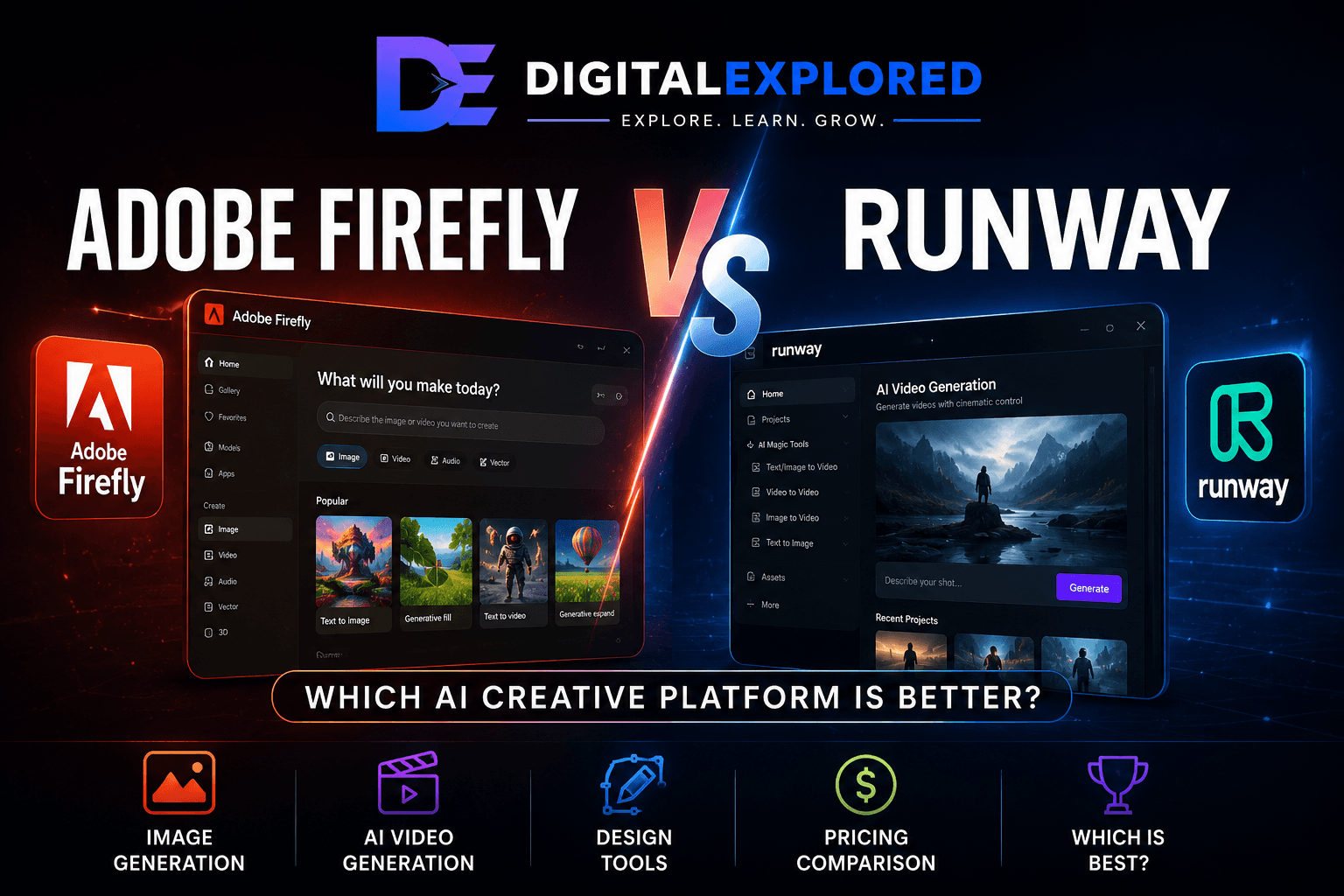
Adobe Firefly vs Runway looks like a straightforward AI video comparison at first. Spend a little time with both platforms, though, and that comparison starts to fall apart.
Yes, both can generate AI video.
But they’re built around very different ideas of what happens before and after you generate it.
Adobe Firefly has grown into a much broader creative AI ecosystem. It now covers image generation, video, generative image editing, vectors, audio, localization, creative ideation, and access to supported third-party AI models.
More importantly, those capabilities connect with Adobe’s wider creative environment, including tools such as Photoshop and Illustrator.
Runway takes almost the opposite approach.
Rather than trying to cover every part of creative production, it goes much deeper into AI video.
Generating footage is only part of the appeal. Runway also gives creators tools for transforming and manipulating moving images through capabilities such as video-to-video, masking, motion tracking, object removal, background removal, frame interpolation, and AI-assisted visual effects.
That difference matters.
If you’re a designer creating campaign graphics, occasionally generating video, modifying images, and finishing work in Photoshop, Runway’s video depth might be unnecessary.
If you’re producing AI films and spend most of your time generating, transforming, and refining footage, Firefly’s vector generation and broader design tools probably aren’t what you’re paying attention to.
There’s also an unusual wrinkle in this comparison:
Firefly can provide access to supported Runway models.
At first, that sounds like it could make a separate Runway subscription unnecessary.
It doesn’t—at least not for everyone.
Using a Runway model through Firefly gives you access to that generation capability inside Adobe’s environment. It doesn’t suddenly give Firefly all of Runway’s native video-production tools.
So the real choice isn’t simply:
Adobe Firefly or Runway?
It’s:
Do you need Firefly’s creative breadth, Runway’s video depth, or enough of both that using the two together makes sense?
That’s the question we’ll answer throughout this comparison.
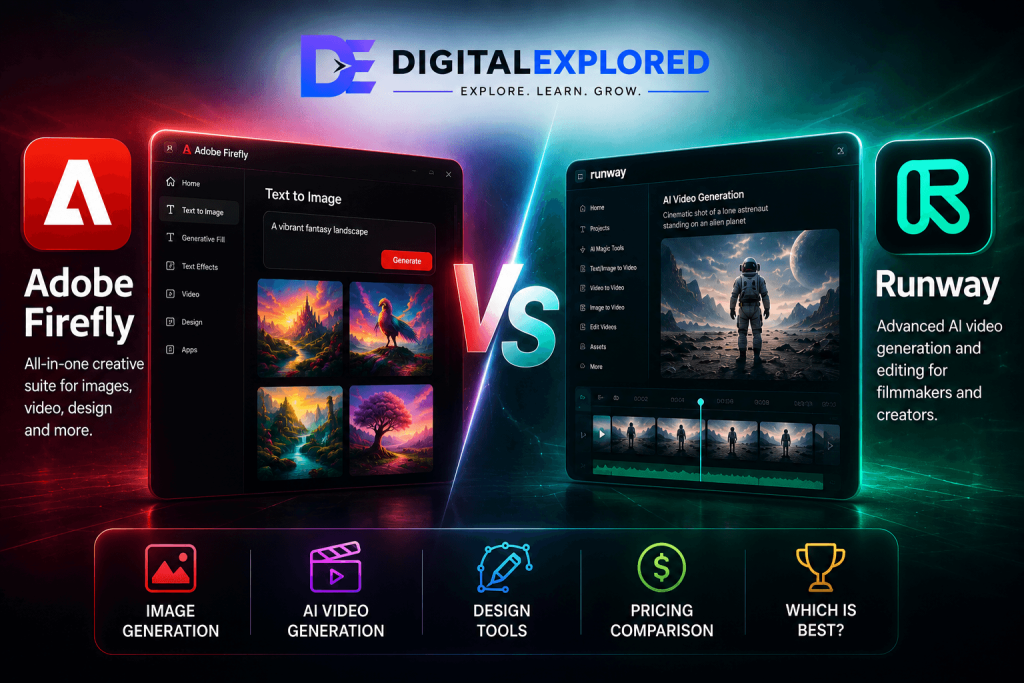
Table of Contents
Adobe Firefly vs Runway: Quick Verdict
If you want the shortest possible answer, here it is:
Choose Adobe Firefly for broader creative production. Choose Runway for deeper AI video production.

| Category | Winner |
| Overall Creative Breadth | Adobe Firefly |
| AI Image Workflows | Adobe Firefly |
| Generative Image Editing | Adobe Firefly |
| AI Video Specialization | Runway |
| Video-to-Video | Runway |
| AI Video Editing | Runway |
| Creative Cloud Workflow | Adobe Firefly |
| Multi-Model Flexibility | Adobe Firefly |
| Dedicated Video Workflow | Runway |
| Existing Adobe Users | Adobe Firefly |
| Video-First Creators | Runway |
| Multi-Format Marketing | Adobe Firefly |
| Filmmakers and AI Video Specialists | Runway |
Adobe Firefly is the better fit if your work moves between different creative formats.
A project might begin with a moodboard, move into image generation, require some Generative Fill work, expand into video, need audio or localization, and eventually end up in Photoshop, Illustrator, or another Adobe application.
That’s where Firefly makes sense.
Runway becomes more compelling when most of those other steps disappear and the job is primarily about video.
You might generate footage, animate an image, transform an existing clip, isolate a subject, track movement, remove unwanted elements, and continue developing the sequence.
For a deeper look at its individual tools and overall experience, read my Adobe Firefly review.
Runway is designed around that kind of workflow.
There’s one important caveat worth establishing immediately.
Using Runway Through Firefly Isn’t the Same as Using Runway
Firefly’s partner-model ecosystem can give you access to supported Runway models.
That’s useful.
But model access and platform access aren’t the same thing.
If you generate using a supported Runway model inside Firefly, you’re still working inside Firefly.
You don’t automatically gain Runway’s complete native environment for:
- Video-to-video
- Motion tracking
- Masking
- Object removal
- Background removal
- Frame interpolation
- AI video transformations
- Runway-specific project workflows
This becomes particularly important if you’re considering Firefly as a way to eliminate a separate Runway subscription.
For occasional Runway-powered generations, it might.
For serious Runway users, probably not.
We’ll examine that distinction in much more detail later.
Adobe Firefly vs Runway at a Glance
The easiest way to understand these platforms is to stop treating them as two versions of the same product.
They aren’t.
| Feature | Adobe Firefly | Runway |
| Primary Identity | Multi-format AI creative platform | AI video creation and production platform |
| AI Image Generation | Yes | Supporting capability |
| AI Video Generation | Yes | Core strength |
| Image-to-Video | Yes | Core strength |
| Video-to-Video | More limited/workflow-dependent | Major strength |
| Generative Image Editing | Major strength | Not primary focus |
| Video Editing/Transformation | Part of broader Adobe ecosystem | Major native focus |
| Vector Generation | Yes | Not primary focus |
| Audio | Yes | More video-centric |
| Localization | Yes | Not central |
| Partner Models | Major platform feature | Native Runway models |
| Creative Cloud Integration | Major advantage | External workflow |
| Best Suited To | Multi-format creators | Video-first creators |
The simplest way to put it is:
Firefly goes wider. Runway goes deeper.
Firefly makes more sense when a single project might require an image, an edited product photo, a vector graphic, a short video, sound effects, translated content, and additional work inside Adobe software.
Instead of treating AI generation as a separate stage, Adobe is increasingly trying to integrate it into the larger creative process.
Runway concentrates much more heavily on moving images.
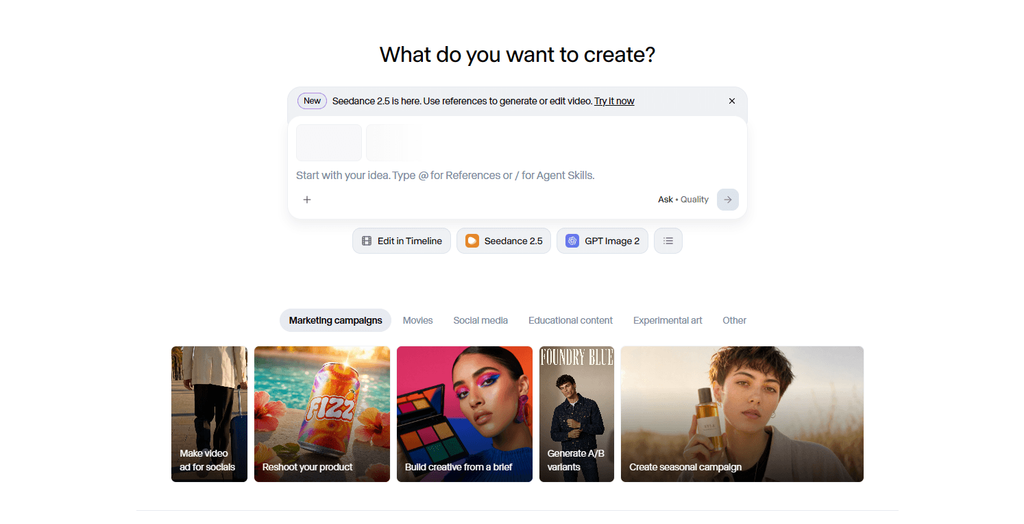
You can generate a clip and then keep working with that clip through transformations, masking, motion tracking, object or background removal, visual effects, and other AI-assisted video tools.
This is why a basic feature checklist can be misleading.
Both platforms can generate AI video.
That doesn’t mean they give you the same experience once the video exists.
The more useful question is:
Do you need more types of creative output, or do you need more depth when working with video?
For the first, Firefly has the advantage.
For the second, Runway is generally the stronger fit.
[Insert Workflow Diagram: Adobe Firefly Creative Breadth vs Runway Video Depth]
What Is the Biggest Difference Between Adobe Firefly and Runway?
The fundamental difference is consolidation versus specialization.
Adobe Firefly is increasingly designed to consolidate different forms of generative creation into one ecosystem.
Runway specializes much more heavily in AI-powered video production.
That sounds like a small distinction.
In practice, it changes almost the entire buying decision.
Adobe Firefly Is Built Around Creative Breadth
Firefly covers considerably more than AI video.
Its ecosystem includes capabilities across:
- Image generation
- Generative image editing
- Generative expansion
- Video generation
- Image-to-video
- Vector generation
- Speech
- Sound effects
- Soundtracks
- Translation and dubbing
- Moodboarding and ideation
- Partner-model access
Then there’s Adobe’s existing software ecosystem.
Generative Fill and Generative Expand can become part of Photoshop workflows.
Vector generation becomes more useful when the resulting assets can continue into Illustrator.
Adobe Express provides a more accessible environment for quickly turning generated assets into marketing content.
And the broader Adobe ecosystem gives creators somewhere to take AI-generated assets once the generation itself is finished.
That’s a major part of Firefly’s appeal.
Consider a marketing campaign.
You might need:
- Product imagery for a landing page.
- Several advertising graphics.
- Social media variations.
- A promotional video.
- Supporting audio.
- Different aspect ratios.
- Localized versions for international audiences.
Firefly’s advantage isn’t necessarily that Adobe provides the absolute best specialist model for every one of those jobs.
It’s that the platform can support more of them within the same broader creative environment.
For someone constantly moving between media formats, that can save a surprising amount of friction.
Runway Is Built Around Video Depth
Runway’s strengths become much clearer when most of those other requirements disappear and the task becomes:
Make and manipulate video.
Its capabilities go well beyond typing a prompt and receiving a generated clip.
The supplied research establishes video-focused tools including:
- Video-to-video
- Motion tracking
- Masking
- Object removal
- Background removal
- Frame interpolation
- AI-assisted transformations
- Visual effects
- Video-oriented project workflows
That makes Runway particularly relevant for filmmakers, AI-video creators, motion-heavy advertising, and anyone whose work doesn’t end when the first generated clip appears.
A filmmaker might start with a reference image and animate it.
Then they might transform existing footage, isolate an element, track movement, remove something from a scene, experiment with visual effects, and continue developing the sequence.
That’s a fundamentally different workflow from creating assets for a multi-format marketing campaign.
For a closer look at the platform on its own, read my Runway review.
Breadth vs Video Depth
The difference becomes easiest to understand when you ask one question:
What happens after you generate something?
With Firefly, the answer might involve another media format.
Generate an image.
Edit it.
Expand it.
Animate it.
Create supporting audio.
Translate the finished content.
Then move into Adobe’s professional applications for additional refinement.
With Runway, you’re much more likely to stay focused on the moving image itself.
Generate the footage.
Transform it.
Mask something.
Track movement.
Remove an object.
Change the visual treatment.
Continue developing the video.
Neither approach is inherently better.
A graphic designer who occasionally needs an AI-generated clip could find Runway unnecessarily specialized.
A filmmaker who spends most of the day generating and transforming footage could find much of Firefly’s additional breadth irrelevant.
That’s why simply counting features doesn’t tell you which platform is better.
The platform that covers more of your actual production workflow is the one that matters.
Adobe Firefly vs Runway Features
Once you compare the individual features, the difference between the two platforms becomes much more concrete.
Firefly’s strongest capabilities spread across several types of creative work.
Runway concentrates more heavily on moving images.
| Capability | Adobe Firefly | Runway | Advantage |
| Image Generation | Strong | Supporting capability | Firefly |
| Generative Image Editing | Major strength | Not a primary focus | Firefly |
| Text-to-Video | Yes | Major strength | Runway |
| Image-to-Video | Yes | Major strength | Runway |
| Video-to-Video | More limited/workflow-dependent | Major strength | Runway |
| Video Object Removal | Not a primary standalone Firefly strength | Yes | Runway |
| Motion Tracking | Not established as an equivalent core feature | Yes | Runway |
| Automatic Video Masking | Not established as an equivalent core feature | Yes | Runway |
| Frame Interpolation | Not a major documented Firefly capability | Yes | Runway |
| Vector Generation | Yes | Not a primary focus | Firefly |
| Sound Effects | Yes | Less comprehensive in supplied research | Firefly |
| Speech Generation | Yes | Less comprehensive in supplied research | Firefly |
| Translation and Dubbing | Yes | Not a major documented focus | Firefly |
| Creative Ideation | Firefly Boards | More video-production focused | Firefly |
| Partner-Model Access | Major feature | Native Runway environment | Depends |
| Adobe Integration | Major strength | External workflow | Firefly |
| Dedicated AI-Video Production | Capable | Core focus | Runway |
It would be easy to count the number of rows each platform wins and declare a champion.
That would miss the point.
A feature only matters when it contributes to something you actually need to produce.
Firefly’s advantages cluster around:
Design, multi-format creation, image workflows, and Adobe integration.
Runway’s advantages cluster around:
AI video generation, transformation, manipulation, and production.
That pattern is far more useful than the raw number of features each platform offers.
Which Is Better for Image Generation?
For image-centric workflows, Adobe Firefly is the more natural choice.
Firefly started with generative imagery and has since developed into a much broader image-production environment.
You can generate new images, work with reference material, modify existing assets, extend compositions, explore different models, and then continue refining the results through Adobe’s creative ecosystem.
Runway can absolutely work with still images.
But they’re often serving a different purpose.
Inside Runway, the image frequently exists because you’re eventually going to turn it into video.
Adobe Firefly for Image Generation
Firefly supports workflows involving:
- Text-to-image generation
- Reference-guided generation
- Image variations
- Generative Fill
- Generative Expand
- Background replacement
- Image-to-video
- Partner image models
The editing capabilities are what make this particularly useful.
Generating an image is rarely the final step in professional work.
A marketer might generate a campaign concept and realize that 90% of it works.
Instead of throwing the entire generation away because one area is wrong, they can modify that section with Generative Fill.
The same asset can then be expanded into another aspect ratio and refined further in Photoshop.
That creates a much more practical workflow than endlessly regenerating entire images in search of one perfect result.
Firefly’s partner-model strategy adds another layer.
Depending on current availability, users can access supported third-party models alongside Adobe’s own models.
So Firefly’s image proposition isn’t simply:
“Use Adobe’s image model.”
Increasingly, it’s:
“Choose an appropriate model and then continue working with the result inside Adobe’s ecosystem.”
That’s a much stronger proposition.
Runway for Images
Still imagery plays an important role in Runway too, but usually within a moving-image workflow.
An image might become:
- The starting frame for a video
- A visual reference
- A character reference
- A scene reference
- An animation input
- Part of a larger video project
For someone creating still assets specifically so they can animate them, that’s completely reasonable.
But it doesn’t give Runway the same image-production depth as Firefly’s combination of generation, generative editing, Adobe integration, and vector workflows.
Image Generation Verdict
Winner: Adobe Firefly
Choose Firefly if still images represent a substantial part of your creative workload.
Choose Runway if images mainly exist as inputs or supporting assets for the video you’re ultimately trying to create.
Which Is Better for Image Editing?
This category favors Firefly even more clearly.
Generative image editing is one of Adobe’s strongest practical applications of AI because it improves workflows designers already perform instead of asking them to replace those workflows entirely.
Generative Fill
Generative Fill allows you to modify a selected area of an existing image with AI.
That sounds simple, but it’s enormously useful.
Instead of regenerating an entire asset because one part is wrong, you can target the problem directly.
You might use it to:
- Remove an unwanted object
- Add something to a scene
- Replace a background
- Modify one part of a composition
- Repair an awkward section
- Create alternative visual elements
Consider an ecommerce photograph.
The product itself looks exactly right, but the background doesn’t fit your new campaign.
Regenerating the entire image introduces unnecessary risk.
The AI could alter the packaging.
It could distort the product.
It might change the colors, logo, proportions, or text.
Generative Fill allows you to preserve the part that’s already correct and change the part that isn’t.
For commercial creative work, that’s often much more useful than generating another entire image.
Generative Expand
Generative Expand solves another common production problem:
One good image rarely fits every placement.
A square social media creative might also need to become:
- A 16:9 website banner
- A display advertisement
- A presentation graphic
- A wider social-media asset
You could crop aggressively and hope the composition survives.
Or you can extend the image beyond its original boundaries and let AI generate the additional visual information needed to fill the new canvas.
For marketers producing the same campaign across several platforms, this can save a significant amount of manual work.
Runway Has a Different Editing Strength
Runway’s AI editing advantages exist primarily on the video side.
It isn’t trying to compete directly with a Firefly-and-Photoshop workflow for professional still-image manipulation.
That’s an important distinction whenever someone asks which platform has “better AI editing.”
If you mean:
“I have a photograph or graphic and need to change it.”
Firefly is the stronger option.
If you mean:
“I have moving footage and need to track, mask, transform, or remove something.”
The answer starts moving strongly toward Runway.
Image Editing Verdict
Winner: Adobe Firefly
For still-image editing, Firefly’s combination of generative tools and Adobe integration gives it the clear advantage.
:::
Which Is Better for AI Video Generation?
This is where the advantage starts shifting toward Runway.
Both Adobe Firefly and Runway support AI video generation, including text-to-video and image-to-video workflows. But video occupies a very different position inside each platform.
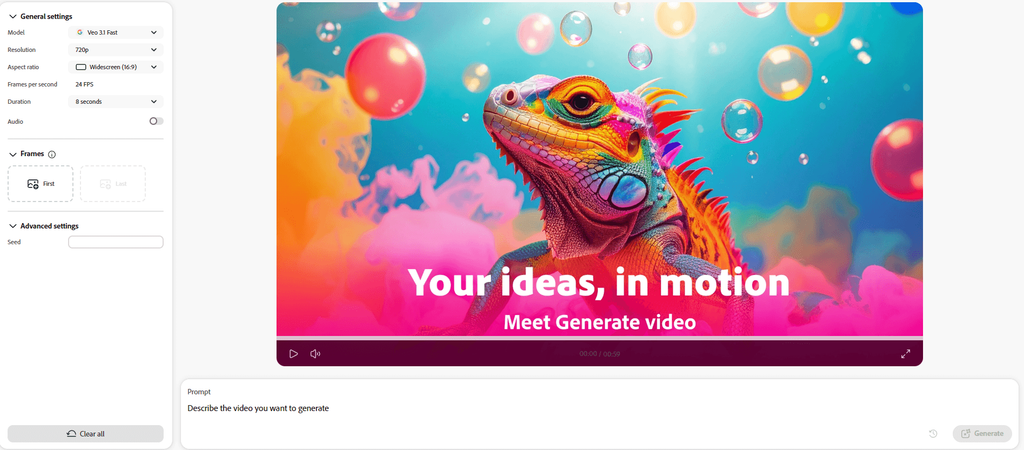
If you’re comparing more than these two platforms, I’ve also ranked the best AI video generators based on their overall capabilities.
For Firefly, video is one part of a much larger creative toolkit.
For Runway, video is the toolkit’s center of gravity.
That difference becomes increasingly important once you move beyond generating a single clip.
Text-to-Video
Both platforms allow you to describe a scene in natural language and generate video based on that prompt.
Firefly’s text-to-video capabilities can work well for things such as:
- Advertising concepts
- Social media content
- B-roll
- Campaign visuals
- Storyboards
- Product promotions
The real appeal, however, is how easily that footage can become part of a larger Adobe-centered project.
Imagine you’re creating a product campaign.
You’ve already generated and edited the campaign’s still imagery in Firefly. Now you need several short clips for social media.
You can generate those clips, create supporting audio, potentially localize the finished content, and continue refining the wider project through Adobe’s creative applications.
In that situation, Firefly’s video generator doesn’t have to exist independently.
It’s simply another tool within the production process.
Runway approaches text-to-video differently.
Generating the footage is much closer to the beginning of the workflow rather than the end.
Once a clip exists, Runway’s wider video toolkit gives you more ways to continue working with it.
That makes Runway particularly attractive when you’re not simply looking for a usable five- or ten-second clip.
You’re trying to build something from it.
Image-to-Video
Both platforms can also animate existing images.
Again, the difference is less about whether the feature exists and more about what surrounds it.
Firefly’s image-to-video workflow makes sense when the starting image already belongs to a larger Adobe workflow.
You could:
- Generate an image.
- Refine the composition.
- Correct a problematic area with Generative Fill.
- Expand the image if necessary.
- Animate the finished version.
That’s a compelling workflow when the still image itself matters.
Runway approaches the same feature from the opposite direction.
The image is often simply the starting point.
Once it’s moving, the project becomes video—and that’s where Runway’s deeper toolkit becomes more valuable.
A useful rule is:
If the image is the center of the project and video is an extension of it, Firefly makes more sense.
If the image is the starting point for a deeper video-production workflow, Runway is usually the stronger choice.
Which Has Better AI Video Quality?
This is one area where it’s tempting to make a sweeping claim that the available research doesn’t actually support.
There isn’t controlled head-to-head testing in the supplied material using identical:
- Prompts
- Reference images
- Model settings
- Generation parameters
- Evaluation criteria
So declaring that one platform simply produces “better-looking video” would go beyond the evidence.
What we can compare confidently is video capability and workflow depth.
And there, Runway has the advantage.
Runway is more specialized around AI video and provides a broader native environment for continuing to manipulate footage after generation.
Firefly can generate AI video, but its bigger advantage is how that video connects with images, design, audio, localization, and Adobe’s wider ecosystem.
AI Video Generation Verdict
Winner: Runway
That doesn’t mean every Runway generation will look better than every Firefly generation.
It means that if AI video itself is your primary creative output, Runway provides the more purpose-built environment around it.
Video-to-Video: A Major Runway Advantage
Video-to-video is where the specialization gap becomes much harder to ignore.
Text-to-video starts with words.
Image-to-video starts with a still image.
Video-to-video starts with something much more useful in certain professional workflows:
Existing footage.
Instead of asking AI to invent all of the movement from scratch, you can use footage that already contains motion and transform its visual appearance or treatment.
That opens up a very different set of creative possibilities.
Runway’s research-backed capabilities make video transformation one of its major strengths.
Potential uses include:
- Stylizing existing footage
- Transforming live-action material
- Developing visual-effects concepts
- Creative experimentation
- Building AI-assisted sequences
- Reworking footage without starting from zero
Imagine you’ve already filmed the exact movement you need.
The timing works.
The camera movement works.
The subject’s performance works.
You don’t necessarily want an AI model to recreate all of that from a prompt.
You want to preserve the underlying motion while changing the visual result.
That’s where video-to-video becomes considerably more useful than another text-to-video generation.
The supplied Firefly research doesn’t establish an equivalent standalone video-to-video workflow with the same depth.
That doesn’t mean Adobe’s wider ecosystem can’t support sophisticated video production.
It means this specific AI-video capability is much more central to Runway.
Video-to-Video Verdict
Winner: Runway
For filmmakers and serious AI-video creators, this can matter far more than whether both platforms technically offer text-to-video.
Which Is Better for AI Video Editing?
Runway wins here as well, although the word editing needs some clarification.
Neither platform should automatically be treated as a complete replacement for mature professional video-editing software.
We’re specifically comparing their AI-assisted tools for manipulating and developing video.
That’s where Runway’s specialization becomes particularly obvious.
Its documented toolkit includes capabilities such as:
- Motion tracking
- Automatic masking
- Object removal
- Background removal
- Frame interpolation
- Video transformations
- AI-assisted visual effects
These aren’t features designed primarily to help you generate the first clip.
They’re useful because the footage already exists and you need to do something with it.
Motion Tracking
Motion tracking follows an element as it moves through a video.
That can become important when you’re applying:
- Effects
- Graphics
- Masks
- Visual modifications
- Other elements that need to remain connected to a moving subject
The supplied research establishes motion tracking as part of Runway’s video-production toolkit.
An equivalent standalone Firefly capability wasn’t established.
Advantage: Runway
Automatic Masking
Masking is one of those production tasks that can become tedious very quickly.
You may need to isolate a person, object, or part of a scene across many frames before you can apply an effect or modification.
AI-assisted masking can reduce some of that repetitive work by helping identify and separate those elements.
Again, this is a documented Runway strength rather than an equivalent standalone Firefly video feature in the supplied research.
Advantage: Runway
Object and Background Removal
This is a particularly good example of how different the two platforms really are.
Ask:
Which platform is better at removing an object?
The answer depends entirely on what kind of object you’re talking about.
From a still image?
Firefly.
From moving video?
Runway.
Adobe’s combination of Firefly and Photoshop provides the stronger workflow for modifying still imagery.
Runway’s documented video tools make it the more natural choice when the object or background exists across moving footage.
So the comparison breaks down like this:
Still-image object removal: Adobe Firefly
Video object removal: Runway
The same broad principle applies throughout this comparison.
Firefly’s strongest editing advantages live around images and Adobe’s wider creative ecosystem.
Runway’s strongest AI-native editing advantages live around video.
Frame Interpolation
Runway also supports AI-assisted frame interpolation.
This can generate intermediate frames between visual states, with potential uses involving:
- Smoother motion
- Transitions
- Animation enhancement
Equivalent functionality wasn’t established as a major standalone Firefly feature in the supplied material.
Advantage: Runway
AI Video Editing Verdict
Winner: Runway
Firefly can absolutely participate in a sophisticated Adobe video workflow.
But that’s slightly different from what we’re comparing here.
Runway provides the more concentrated AI-native environment for manipulating moving imagery.
If you’re generating an occasional promotional clip, you may never need that depth.
If your work revolves around AI video, it can be one of the biggest reasons to choose Runway.
Which Is Better for Graphic Design?
Now the advantage swings firmly back toward Adobe.
Winner: Adobe Firefly
And unlike some categories in this comparison, this one isn’t particularly close.
Graphic design is also a perfect example of why treating Firefly and Runway exclusively as competing AI video generators misses so much of what separates them.
Firefly’s design-oriented capabilities include:
- Generative Fill
- Generative Expand
- Text-to-vector
- Image generation
- Background replacement
- Creative variations
- Photoshop workflows
- Illustrator workflows
- Adobe Express integration
- Firefly Boards
Runway simply isn’t built around traditional graphic-design production to the same degree.
Text-to-Vector Matters More Than It Sounds
At first glance, vector generation might look like another small box to tick on a feature comparison.
For designers, it can be much more important.
A vector graphic isn’t simply another generated picture.
Vectors can be resized and manipulated without behaving like a flattened raster image, making them particularly useful for professional design work.
A designer might need:
- Icons
- Illustrations
- Decorative graphics
- Campaign elements
- Pattern concepts
- Scalable artwork
Being able to generate something that fits naturally into an Illustrator workflow creates a different kind of value from simply producing another image.
The AI output doesn’t need to be treated as finished.
It can become raw material for the designer.
Photoshop Changes the Comparison
Photoshop makes Firefly’s advantage even more obvious.
AI-generated assets frequently need correction.
Maybe the composition is nearly right, but the lighting needs adjustment.
Maybe one object looks strange.
Maybe the generated background works, but the product needs to remain untouched.
Maybe typography needs to be added manually.
Maybe several generated elements need to be composited together.
Firefly doesn’t require the AI to solve every one of those problems.
It can accelerate part of the process and then hand control back to the designer.
That’s a very different philosophy from treating AI generation as the final product.
Runway assets can obviously still be exported and used in Photoshop or other Adobe applications.
The difference is that you’re now moving between separate platforms rather than working through the same Firefly-and-Adobe relationship.
Graphic Design Verdict
Winner: Adobe Firefly
If graphic design is a significant part of your work, Firefly is the much more natural starting point.
Runway becomes relevant when those designs need to evolve into sophisticated AI-video projects.
Which Is Better for Audio?
Based on the supplied research, Adobe Firefly has the stronger documented feature set.
Firefly’s broader creative ecosystem includes AI-assisted capabilities for:
- Generating speech
- Generating sound effects
- Generating soundtracks
Audio might seem secondary in a comparison dominated by image and video generation.
In actual production, it isn’t.
A promotional video may need narration.
An AI-generated scene may feel completely lifeless without appropriate sound effects.
A social clip may need background music.
Once you start producing finished content instead of isolated AI demonstrations, visuals are only one part of the project.
Firefly’s advantage is being able to address several of those needs within the same broader creative environment.
The supplied Runway research doesn’t establish equivalent breadth across speech, sound effects, soundtracks, translation, and dubbing.
That doesn’t mean Runway has no audio-related capabilities whatsoever.
It means the evidence supports Firefly as the stronger integrated option in this category.
Audio Verdict
Winner: Adobe Firefly
This is another category where Firefly’s value comes from breadth rather than extreme specialization.
Which Is Better for Translation and Dubbing?
This is another clear Firefly advantage based on the supplied research.
Firefly’s localization capabilities extend into workflows involving:
- Audio translation
- Video translation
- AI dubbing
If you only publish content in one language, this might be completely irrelevant.
If you distribute content internationally, it can become one of the platform’s most valuable capabilities.
Consider a marketing team launching the same campaign across several countries.
Producing the original campaign is only the beginning.
The finished content may then need to be adapted for different audiences.
Traditionally, that can mean separate transcription, translation, voice recording, synchronization, and editing workflows.
AI-assisted localization can reduce a significant amount of that work.
The same applies to individual creators.
A YouTuber, for example, could potentially adapt existing content for audiences who speak different languages rather than treating every localized version as an entirely separate production.
Runway’s supplied research doesn’t establish comparable localization functionality as a major part of its platform.
Translation and Dubbing Verdict
Winner: Adobe Firefly
This category also highlights why Firefly can be the better platform even though Runway has the stronger dedicated AI-video environment.
If the job is:
Create and manipulate AI video.
Runway’s specialization matters more.
If the job is:
Create a complete campaign and adapt it across images, video, audio, and languages.
Firefly’s broader ecosystem becomes much harder to ignore.
Which Is Better for Creative Ideation?
Adobe Firefly has the stronger documented workflow for structured visual ideation.
The main reason is Firefly Boards.
Boards gives teams a collaborative environment for moodboarding, concept development, and creative exploration.
That’s important because creative projects rarely begin with someone sitting down and writing the perfect prompt.
They usually begin with a mess.
Reference images.
Screenshots.
Half-developed ideas.
Different visual styles.
Feedback from several people.
A campaign direction that everyone likes except for one part nobody can quite explain.
Boards gives that early creative process somewhere to happen.
Teams can explore:
- Campaign directions
- Visual styles
- Moodboards
- Story concepts
- Advertising ideas
- Photoshoot concepts
- Brand directions
- Product-launch visuals
Instead of waiting until you’ve decided exactly what to create before involving AI, Firefly allows generative tools to participate earlier in the process.
That’s particularly useful for agencies and marketing teams.
You can explore several directions before committing significant production time or budget to one of them.
Runway’s Approach to Ideation
Runway can obviously be used experimentally too.
You can generate visual concepts, animate references, transform footage, and test different creative approaches before deciding what belongs in the final project.
But the supplied research doesn’t establish a direct equivalent to Firefly Boards as a dedicated collaborative moodboarding and ideation environment.
Runway’s emphasis stays closer to producing and manipulating the actual moving image.
Firefly reaches further upstream into deciding what the creative should become in the first place.
Creative Ideation Verdict
Winner: Adobe Firefly
For an individual AI-video creator, this advantage may not matter much.
For an agency or marketing team developing campaigns collaboratively, it can matter considerably.
:::
Adobe Firefly Partner Models vs Native Runway
This is one of the most important—and easiest to misunderstand—parts of the Adobe Firefly vs Runway comparison.
Firefly’s partner-model strategy means Adobe users can access supported third-party models without necessarily leaving the Firefly environment. That includes supported Runway models where available.
At first glance, the obvious question is:
If I can use Runway through Firefly, why would I pay for Runway separately?
For some creators, you might not need to.
But for anyone who relies heavily on Runway’s wider video-production ecosystem, there’s a significant difference between accessing a Runway model and using the Runway platform.
Model Access Isn’t Platform Access
When you select a supported Runway model inside Firefly, Adobe provides access to that model through Firefly’s interface.
What you don’t automatically receive is Runway’s entire native production environment.
That distinction matters because Runway’s value extends well beyond the underlying generation model.
Its broader toolkit includes capabilities such as:
- Video-to-video
- Motion tracking
- Masking
- Object removal
- Background removal
- Frame interpolation
- AI video transformations
- Runway-specific project workflows
So if all you want is occasional access to a particular Runway generation model, using it through Firefly may be perfectly sufficient.
If your workflow depends on what happens after the initial generation, native Runway becomes considerably more valuable.
When Firefly Access May Be Enough
Imagine you’re a graphic designer who primarily works in Photoshop and Illustrator.
Most of your projects involve still images, layouts, campaign assets, and branding. Occasionally, however, you need an AI-generated video for a social campaign.
In that situation, maintaining another subscription purely for occasional Runway generations might not make much sense.
Using a supported Runway model through Firefly could allow you to access the generation capability you need while keeping the wider project inside Adobe’s ecosystem.
Your workflow might look like this:
- Develop the concept in Firefly Boards.
- Generate the campaign imagery.
- Refine the images using Generative Fill.
- Create an AI video using a supported Runway model.
- Generate supporting audio.
- Continue refining the campaign through Adobe applications.
Here, Runway is essentially providing one generation engine inside a much larger Firefly workflow.
That’s exactly where Adobe’s partner-model strategy becomes compelling.
When Native Runway Makes More Sense
Now consider an AI filmmaker.
You aren’t generating one promotional clip every few weeks.
You’re constantly:
- Generating video
- Transforming existing footage
- Testing visual treatments
- Masking subjects
- Tracking movement
- Removing objects
- Interpolating frames
- Developing AI-assisted sequences
In that workflow, accessing a Runway model through Firefly only gives you part of what you need.
The model is useful.
The platform surrounding the model is arguably more important.
That’s where a direct Runway subscription remains much easier to justify.
Can Firefly Replace a Runway Subscription?
For some users, yes.
For others, definitely not.
Firefly may replace Runway if:
- You only need occasional Runway-powered generations.
- Video isn’t your primary creative medium.
- You already spend most of your time inside Adobe.
- You don’t rely on Runway’s native video-production tools.
- Consolidating AI models into one environment matters more than having the deepest possible video workflow.
Native Runway makes more sense if:
- AI video is central to your work.
- You frequently use video-to-video.
- You need motion tracking or masking.
- You manipulate generated footage extensively.
- You rely on Runway-specific production workflows.
The distinction is simple:
Firefly can potentially replace your need for access to a Runway model.
It doesn’t necessarily replace your need for the Runway platform.
Creative Cloud Integration
Adobe’s existing creative ecosystem is one of Firefly’s biggest structural advantages.
Runway can produce excellent assets.
But those assets will often eventually move into another application for final production.
Firefly is increasingly embedded into the environment where that finishing work already happens.
Photoshop
Photoshop is probably the strongest example.
A Firefly-generated image doesn’t have to be accepted as-is.
You can continue working with familiar professional tools for:
- Layers
- Masks
- Compositing
- Retouching
- Color correction
- Typography
- Manual adjustments
Generative Fill and Generative Expand become particularly useful because AI is incorporated directly into this editing process.
Instead of choosing between AI generation and traditional editing, you’re combining them.
That makes Firefly especially attractive to professional designers who want AI to accelerate their workflow without giving up precise manual control.
Illustrator
Firefly’s vector capabilities create a similar advantage for Illustrator users.
AI-generated vector elements can become starting points rather than finished assets.
A designer can generate an initial concept and then manually refine:
- Shapes
- Colors
- Composition
- Individual elements
- Overall styling
For graphic designers, that’s considerably more useful than receiving a flattened AI image that doesn’t fit naturally into an existing vector workflow.
Adobe Express
Adobe Express extends the ecosystem toward creators and small businesses that don’t necessarily need Photoshop or Illustrator.
It can help turn generated assets into:
- Social media posts
- Promotional graphics
- Advertising content
- Campaign variations
That gives Firefly relevance across both professional and more accessible content-production workflows.
Where Runway Fits
Runway doesn’t have an equivalent relationship with Adobe’s creative applications.
You can absolutely generate something in Runway and bring it into Photoshop, Premiere, After Effects, or another application.
But that requires moving between platforms.
For many creators, that’s completely acceptable.
If Runway produces the workflow or functionality you need, an extra export and import step isn’t necessarily a meaningful problem.
The difference becomes more noticeable when you’re repeatedly moving assets back and forth across several stages of a project.
Creative Cloud Integration Verdict
Winner: Adobe Firefly
If Adobe applications already form the backbone of your creative workflow, Firefly’s integration is one of the strongest reasons to choose it.
Which Is Easier to Use?
Both platforms are accessible enough for beginners to start generating content without extensive technical knowledge.
The difficulty comes later.
Firefly becomes more complex because of breadth.
Runway becomes more complex because of depth.
Adobe Firefly Learning Curve
Creating your first Firefly image is simple.
You can enter a prompt, adjust a few controls, and begin experimenting without understanding the underlying technology.
But the platform now contains far more than a basic image generator.
As you move deeper into Firefly, you may need to understand:
- Which Adobe model to use
- Which partner model to use
- How different models consume credits
- Which tool fits a particular task
- How Firefly connects with Adobe applications
- Which commercial terms apply to partner models
So Firefly has an interesting learning curve.
It’s easy to start, but increasingly complicated to master.
A beginner can generate something almost immediately.
A professional trying to optimize a multi-model workflow has much more to learn.
Runway Learning Curve
Basic Runway generation is also relatively approachable.
The learning curve becomes steeper when you move into its more sophisticated video-production capabilities.
Understanding how to use:
- Video-to-video
- Motion tracking
- Masking
- AI transformations
- Object removal
- Frame interpolation
effectively requires more experimentation than simply entering a text prompt.
But there’s an important difference.
Most of that complexity points in the same direction: video production.
Runway is deep, but its depth is concentrated.
Firefly is broad, and its complexity spreads across several creative disciplines.
Which Is Easier for Beginners?
For basic generation, both are approachable.
If you’re primarily creating still images and marketing assets, Firefly is likely to feel more natural.
If you’re specifically learning AI video, Runway provides a more focused environment.
There isn’t a meaningful universal winner here because “ease of use” depends heavily on what you’re trying to create.
Winner: Tie
Pricing and Credit Systems
Both Firefly and Runway use subscription and credit-based structures, which makes direct price comparisons more complicated than simply looking at monthly fees.
The most important concept is this:
Don’t evaluate either platform solely by cost per generation. Evaluate cost per usable result.
Generative AI is inherently iterative.
You may need several attempts before producing something you’re willing to publish.
That means a generation that technically costs a certain number of credits may effectively cost several times that amount by the time you’ve produced a usable asset.
Adobe Firefly Credits
Firefly provides monthly generative credits depending on your plan.
Those credits can be used across eligible premium capabilities, including supported partner models.
Credit consumption can vary according to:
- The feature
- The selected model
- Media type
- Whether you’re using an Adobe or partner model
This flexibility is useful, but it makes budgeting more complicated.
You aren’t necessarily spending credits on one consistent generation type every month.
One project might involve images.
Another could involve premium video.
Another might rely heavily on a partner model.
And unused monthly credits generally don’t accumulate indefinitely.
For users with inconsistent generation patterns, that matters.
Runway Credits
Runway also uses credits for AI generation.
The difference is that those credits exist inside a much more video-focused ecosystem.
For creators who primarily generate video, that can make usage easier to conceptualize.
You’re paying for a platform specifically designed around the medium consuming most of your credits.
Firefly’s Consolidation Advantage
Firefly’s pricing becomes more interesting when you would otherwise maintain several separate AI subscriptions.
Suppose your workflow requires:
- Image generation
- AI image editing
- Video generation
- Audio generation
- Access to multiple AI models
Paying for individual services for every one of those tasks can become expensive quickly.
If Firefly consolidates enough of them into one subscription, the total economics may work in Adobe’s favor even if an individual generation isn’t always cheaper.
Runway’s Specialist Advantage
Runway’s pricing becomes easier to justify when AI video represents most of your workload.
If you don’t care about vector generation, Firefly Boards, generative image editing, or broader Adobe functionality, paying for those capabilities doesn’t necessarily provide additional value.
A specialist platform can be more economical when you actually use its specialist features.
Pricing Verdict
There is no universal winner.
Firefly offers better potential value for multi-format creators and existing Adobe users.
Runway offers better potential value for creators whose workload is dominated by AI video.
The correct comparison depends on your actual monthly usage rather than the advertised subscription price alone.
Commercial Use and Professional Work
Commercial use deserves particular attention because these platforms take different approaches to the broader professional environment around AI.
Adobe has made commercially oriented generative AI a major part of Firefly’s positioning.
Its proprietary Firefly models have been developed around training sources such as licensed material, Adobe Stock, and public-domain content where copyright has expired.
For businesses and agencies concerned about how generative AI fits into professional production, that approach can be meaningful.
Adobe also supports Content Credentials, adding provenance information to digital assets and helping establish how content was created or modified.
The Partner-Model Caveat
There’s an important qualification.
If you use a Runway model—or another third-party model—through Firefly, you shouldn’t automatically assume Adobe’s proprietary Firefly training approach applies.
Partner models retain their own:
- Training methodologies
- Licensing arrangements
- Commercial terms
- Intellectual-property considerations
- Data policies
This distinction becomes especially important for agencies and enterprises.
Using a model inside Firefly doesn’t transform that model into an Adobe-developed Firefly model.
Runway for Professional Production
Runway’s professional advantage appears in a different place.
Its deeper AI-video capabilities make it highly relevant for filmmakers, agencies, production teams, and commercial creators working extensively with moving imagery.
For these users, production capability itself may outweigh Firefly’s broader ecosystem advantages.
Commercial Workflow Verdict
The answer depends on what “professional” means in your workflow.
For design-heavy organizations, multi-format marketing teams, and Adobe-centric creative departments, Firefly has a strong advantage.
For professional AI-video production, Runway’s deeper native toolkit can be more important.
Winner: Depends on Workflow
Performance Comparison
Feature lists tell you what each platform can theoretically do. Performance is where you start to see which one actually fits a working creative process.
The supplied research doesn’t include controlled benchmark testing using identical prompts and settings, so it wouldn’t be responsible to declare one platform universally superior in raw generation quality.
What we can compare is how each platform performs within the workflows it was built to support.
Adobe Firefly Performance
Firefly performs best when several different creative tasks need to connect.
Its strongest areas include:
- Generative image editing
- Image creation
- Vector generation
- Multi-format workflows
- Creative Cloud integration
- Partner-model flexibility
- Audio and localization
The platform becomes particularly efficient when generation isn’t the final step.
Imagine you’re producing a campaign image.
You generate the initial concept, replace one problematic element with Generative Fill, expand the composition into another aspect ratio, create additional campaign assets, and then continue refining everything in Photoshop.
The important performance metric isn’t how quickly Firefly generated the first image.
It’s how quickly you moved from an idea to a finished asset.
That’s where Adobe’s ecosystem can provide a meaningful advantage.
Runway Performance
Runway’s strongest performance characteristics emerge when the workflow stays centered on video.
Its research-backed capabilities extend beyond initial generation into:
- Video transformation
- Motion tracking
- Masking
- Object removal
- Background removal
- Frame interpolation
- AI-assisted visual effects
For a video-first creator, these tools reduce the need to treat every generation as an isolated clip.
You can continue developing the footage after it exists.
That makes Runway particularly valuable for projects where iteration involves manipulating the video itself rather than moving into completely different media formats.
Raw Quality vs Workflow Performance
This distinction is worth emphasizing.
A platform could theoretically produce the strongest result from one particular prompt while still being the less efficient choice for your overall project.
If you need to create an image, edit it, resize it, animate it, add audio, and prepare several campaign variations, Firefly’s broader workflow may matter more than a small difference in isolated generation quality.
If you need to generate a clip and then spend hours transforming and manipulating that footage, Runway’s video depth becomes far more important.
Performance Verdict
For multi-format creative production: Adobe Firefly
For specialized AI-video production: Runway
There isn’t enough evidence in the supplied research to declare a universal winner for raw output quality.
Adobe Firefly vs Runway for Different Users
The easiest way to make the final decision is to stop comparing features and start comparing users.
The platform that makes sense for a graphic designer may be completely wrong for an AI filmmaker.
Best for Graphic Designers: Adobe Firefly
This is one of the clearest recommendations in the comparison.
Graphic designers benefit from Firefly’s combination of:
- Image generation
- Generative Fill
- Generative Expand
- Vector generation
- Photoshop integration
- Illustrator integration
AI becomes another layer within an established design workflow rather than an isolated generation tool.
Winner: Adobe Firefly
Best for AI Filmmakers: Runway
Runway is the stronger choice when moving imagery is the center of the creative process.
Its deeper video toolkit provides capabilities beyond initial generation, including video-to-video, masking, motion tracking, object removal, and other AI-assisted transformations.
Those features become considerably more important when you’re building sequences rather than occasionally generating individual clips.
Winner: Runway
Best for YouTubers: Depends on Your Content
This one is much closer.
A YouTuber producing thumbnails, promotional graphics, occasional B-roll, narration, and localized content could get substantial value from Firefly.
A channel built heavily around AI-generated video, cinematic sequences, or experimental visual storytelling may benefit much more from Runway.
Choose Firefly if your YouTube workflow spans several creative formats.
Choose Runway if AI video is central to the channel.
Best for Marketing Teams: Adobe Firefly
Marketing campaigns rarely require only video.
Teams often need:
- Social graphics
- Website imagery
- Advertisements
- Videos
- Audio
- Multiple aspect ratios
- Localized versions
Firefly’s breadth makes it particularly well suited to this environment.
Firefly Boards can also support the ideation stage before final production begins.
Winner: Adobe Firefly
Best for Agencies: Depends on the Agency
A branding or full-service marketing agency is likely to benefit more from Firefly.
A video-production agency may get considerably more value from Runway.
The decision comes down to the type of client work you’re actually producing.
Best for Existing Adobe Users: Adobe Firefly
If Photoshop, Illustrator, Adobe Express, or other Adobe applications already form the foundation of your workflow, Firefly has an obvious structural advantage.
You aren’t introducing AI through an entirely separate ecosystem.
You’re adding generative capabilities to tools and processes you already use.
Winner: Adobe Firefly
Best for AI Video Specialists: Runway
If most of your working day involves generating and manipulating AI video, Runway’s specialization is much more valuable than Firefly’s broader feature set.
Features such as vector generation and localization may be useful occasionally, but they don’t compensate for losing deeper video functionality if that’s what your workflow depends on.
Winner: Runway
Best for Small Businesses: Adobe Firefly
Small businesses frequently need several different kinds of creative assets without having dedicated specialists for each one.
Firefly’s broader toolkit can support website imagery, advertising assets, social content, promotional video, and other marketing materials from one ecosystem.
Adobe Express can make that workflow particularly accessible.
Winner: Adobe Firefly
Adobe Firefly vs Runway: Which Should You Choose?
By now, the decision should be much clearer.
You shouldn’t choose between these platforms based on which one has “more AI.”
Choose based on which one removes more friction from the work you actually do.
Choose Adobe Firefly If:
- You work across images, video, audio, and vectors.
- You regularly use Photoshop or Illustrator.
- Generative image editing matters to your workflow.
- You produce multi-format marketing campaigns.
- You need translation or dubbing capabilities.
- Firefly Boards would help your ideation process.
- You value access to multiple supported AI models.
- AI video is only one part of your creative workload.
Firefly is fundamentally the better choice for creative breadth.
Choose Runway If:
- AI video is your primary creative medium.
- You regularly use video-to-video.
- You need motion tracking or masking.
- You remove objects or backgrounds from moving footage.
- You want deeper AI-assisted video transformations.
- You’re producing AI films or video-heavy commercial work.
- Runway’s native production environment matters more than access to its generation models elsewhere.
Runway is fundamentally the better choice for video depth.
Consider Using Both If:
There is also a third option that shouldn’t be ignored.
Firefly and Runway can complement each other.
A workflow could involve:
- Developing campaign concepts in Firefly.
- Generating and refining still imagery.
- Creating vectors or additional design assets.
- Moving selected visuals into Runway.
- Building more sophisticated AI-video sequences.
- Returning to Adobe’s ecosystem for final production.
For professionals whose work genuinely spans both areas, forcing yourself to choose one platform may create unnecessary limitations.
The question then becomes whether the productivity gains justify maintaining both subscriptions.
Final Verdict
Adobe Firefly and Runway are both powerful AI creative platforms, but they’re solving different problems.
That is the most important conclusion from this entire comparison.
Adobe Firefly is the stronger multi-format creative ecosystem.
Its advantages include:
- Generative image editing
- Image generation
- Vector generation
- Audio tools
- Localization
- Firefly Boards
- Partner-model access
- Creative Cloud integration
For designers, marketers, small businesses, agencies producing multi-format campaigns, and existing Adobe users, that combination is difficult to ignore.
Runway is the stronger dedicated AI-video environment.
Its advantages include:
- Deeper AI-video workflows
- Video-to-video
- Motion tracking
- Masking
- Video object removal
- Background removal
- Frame interpolation
- AI-assisted video transformations
For filmmakers, AI-video specialists, and creators who spend most of their time working with moving imagery, that specialization is more important than Firefly’s broader creative toolkit.
The fact that Firefly can provide access to supported Runway models doesn’t eliminate this distinction.
A model is only one component of a platform.
If you simply want occasional Runway-powered generation while remaining inside Adobe’s ecosystem, Firefly may be enough.
If you need the deeper production tools surrounding that model, native Runway remains the better choice.
Overall Recommendation
Choose Adobe Firefly for breadth.
Choose Runway for video depth.
Use both when your workflow genuinely requires both.
Trying to identify one universal winner misses what makes these platforms valuable in the first place.
The better platform is the one that covers more of your actual production process.
Frequently Asked Questions
Is Adobe Firefly better than Runway?
It depends on what you’re creating.
Adobe Firefly is better suited to multi-format creative workflows involving images, generative editing, vectors, audio, localization, and Adobe applications.
Runway is better suited to specialized AI-video production and manipulation.
Is Runway better than Adobe Firefly for AI video?
Based on the feature depth documented in the supplied research, Runway provides the stronger dedicated AI-video environment.
Its advantages include video-to-video, masking, motion tracking, object removal, background removal, frame interpolation, and other video-focused capabilities.
That doesn’t establish that every Runway generation has objectively better visual quality than every Firefly generation.
Is Adobe Firefly better for graphic design?
Yes.
Firefly’s combination of image generation, Generative Fill, Generative Expand, vector generation, Photoshop integration, and Illustrator integration makes it much better suited to graphic-design workflows.
Can Adobe Firefly use Runway models?
Firefly can provide access to supported third-party models, including supported Runway models where available.
However, availability can vary by feature and model.
Does using Runway through Firefly replace Runway?
Not necessarily.
Using a supported Runway model through Firefly provides access to that generation capability inside Adobe’s environment.
It doesn’t automatically provide Runway’s complete native production toolkit.
If you rely heavily on features such as video-to-video, motion tracking, masking, object removal, or other Runway-specific workflows, a direct Runway subscription may still make sense.
Which is better for YouTube?
It depends on the channel.
Firefly is likely to be more useful for creators who need thumbnails, graphics, occasional AI footage, audio, and other supporting assets.
Runway is more attractive for channels built heavily around AI-generated video and visual storytelling.
Which is better for marketing?
Adobe Firefly has the advantage for broad marketing workflows because campaigns frequently require multiple media formats rather than video alone.
Its image tools, generative editing, video, audio, localization, Boards, and Adobe integrations can all contribute to the same campaign.
Which is better for filmmakers?
Runway is generally the stronger choice for filmmakers whose workflow centers on AI-generated and AI-manipulated video.
Its deeper video-production capabilities are more relevant to that type of work.
Which is easier to use?
Both are relatively approachable for basic generation.
Firefly becomes more complex as you move across different media types and partner models.
Runway becomes more complex as you explore its deeper video-production capabilities.
The easier platform therefore depends on what you’re trying to create.
Which offers better value?
Neither platform is universally better value.
Firefly can make more financial sense for creators who use several creative formats or already work inside Adobe’s ecosystem.
Runway can provide better value when AI video accounts for most of your workload.
Should I subscribe to both Adobe Firefly and Runway?
Only if your workflow benefits enough from both platforms to justify the additional cost.
A creator who needs Firefly’s design and multi-format capabilities alongside Runway’s deeper AI-video toolkit may benefit from using both.
For many users, however, choosing the platform that matches their primary creative medium will be more economical.
Conclusion
The Adobe Firefly vs Runway decision becomes much easier once you stop treating them as interchangeable AI video generators.
They overlap, but their priorities are fundamentally different.
Adobe is building Firefly into a broad generative layer across creative production.
Runway is building a much deeper environment around AI video.
That gives Firefly an advantage when your work moves between ideation, images, generative editing, vectors, video, audio, localization, and professional Adobe applications.
It gives Runway an advantage when you want to stay focused on moving imagery and continue manipulating that footage long after the initial generation.
For designers, marketers, Adobe users, and multi-format creators, Adobe Firefly is the stronger overall choice.
For AI filmmakers and video-first creators, Runway is the stronger choice.
And for professionals who genuinely need both creative breadth and specialized video depth, the two platforms can make more sense together than either does alone.
Ultimately, don’t choose based on which platform has the longest feature list.
Choose the one that removes the most steps between your idea and the finished work.