Google Veo vs Runway is one of the hottest comparisons in AI video generation today, and it’s easy to see why. Both platforms can produce remarkably realistic AI-generated videos, but they were built with different goals in mind. Google Veo focuses on delivering cinematic video quality powered by Google’s expanding AI ecosystem, while Runway aims to provide an all-in-one creative workspace where you can generate, edit, organize, and export videos without leaving the platform.
That difference in philosophy makes this comparison more interesting than it first appears.
If you’re trying to decide which tool deserves your investment, there isn’t a single right answer. The better option depends on the kind of videos you create, how your workflow is structured, and whether you value cutting-edge video generation or a smoother production process from start to finish.
In this comparison, we’ll cover:
- The key differences between Google Veo and Runway
- Which platform produces higher-quality AI videos
- How their editing capabilities compare
- Which workflow is easier to learn and use
- Pricing and overall value for money
- Which platform is the better fit for creators, marketers, businesses, and developers
- Our final recommendation based on different use cases
By the end, you should have a much clearer idea of which platform fits your needs.
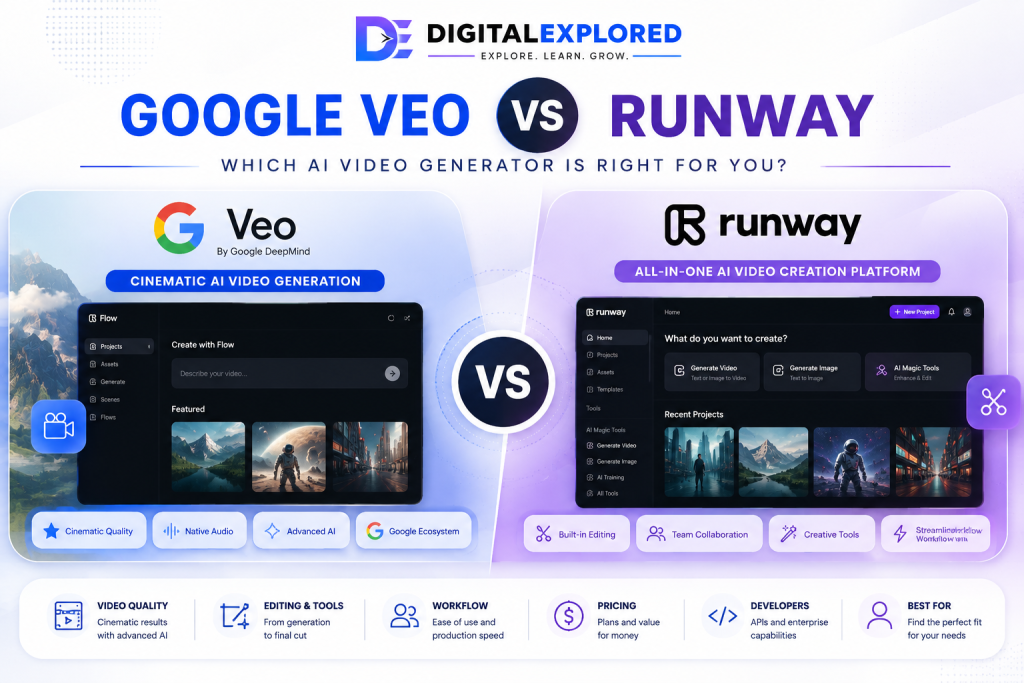
Table of Contents
Google Veo vs Runway at a Glance
| Category | Google Veo | Runway |
| Best For | Cinematic AI video generation, developers, enterprise users | Content creators, marketers, agencies, collaborative production |
| AI Video Quality | Excellent | Excellent |
| Native Audio Generation | ✅ Yes | More limited |
| AI Video Editing | Basic compared to dedicated editors | Extensive built-in editing tools |
| Image-to-Video | ✅ | ✅ |
| Video-to-Video | Limited | ✅ Strong support |
| Collaboration | Limited | Excellent |
| Browser Workspace | Multiple Google products | Unified platform |
| API Access | Yes | Available on applicable plans |
| Enterprise Features | Excellent | Excellent |
| Ease of Use | Moderate learning curve | Easier for most users |
| Overall Workflow | Flexible ecosystem | Streamlined all-in-one production |
Quick Verdict
Both Google Veo and Runway deserve their place among today’s best AI video generators, but they shine in different areas.
Choose Google Veo if your priorities are:
- Cinematic video quality
- Native audio generation
- Advanced prompt understanding
- Integration with Google’s AI ecosystem
- Enterprise deployment or developer APIs
Choose Runway if you care most about:
- Editing AI-generated videos without leaving the platform
- Faster production workflows
- Team collaboration
- Creative flexibility
- An all-in-one production environment
Neither platform wins every category.
If you’re still exploring your options, our guide to the Best AI Video Generators compares the leading platforms available today.
Instead, each reflects a different vision of what AI-powered video creation should be. Google Veo focuses on pushing the limits of AI-generated video quality, while Runway is built to make the entire production process faster and more efficient.
What Is Google Veo?
Google Veo is Google’s flagship family of AI video generation models developed by Google DeepMind.
If you’d like a deeper look at Google’s platform, features, pricing, and real-world capabilities, read our Google Veo Review.
Rather than existing as a standalone application, Veo powers video creation across several Google products, allowing different types of users to access the same underlying technology through interfaces tailored to their specific needs.
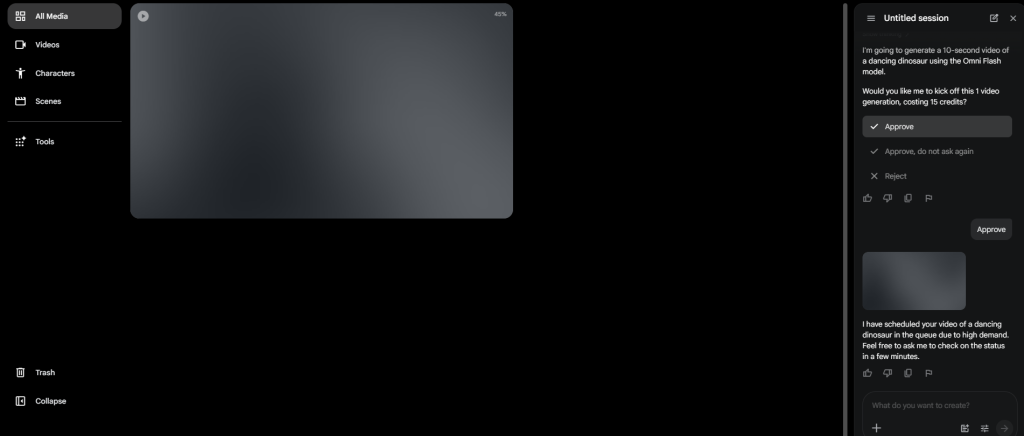
Today, Veo is available across products such as:
- Gemini
- Google Flow
- Google AI Studio
- Google Vids
- Gemini API
- Vertex AI
Although each interface serves a different audience, they’re all built on the same core video generation model.
This approach allows Google to support everyone from casual creators experimenting inside Gemini to enterprise organizations integrating AI video generation into large-scale cloud applications.
Instead of forcing every user into the same workflow, Google lets you choose the environment that best matches your needs.
What Makes Google Veo Different?
Google Veo has been built around one clear objective: generating exceptionally high-quality AI videos.
Rather than trying to become a complete editing suite, Google has focused its efforts on making the underlying generation model as capable as possible.
Some of Veo’s biggest strengths include:
- Cinematic realism
- Detailed prompt understanding
- Natural camera movement
- Reference-image workflows
- Native audio generation
- Enterprise scalability
- API access for developers
This generation-first philosophy sets Veo apart from many competitors.
Instead of replacing professional editing software, it aims to produce footage that already looks polished before it ever reaches your editor.
For filmmakers, advertisers, and creative professionals, that can significantly reduce the amount of refinement required after generation.
What Is Runway?
Runway takes a very different approach.
For a complete breakdown of its features, pricing, and AI editing tools, check out our Runway Review.
While it also offers powerful AI video generation, the platform positions itself as a complete AI-powered creative workspace rather than simply a video generation model.
Everything happens inside a single browser-based application.
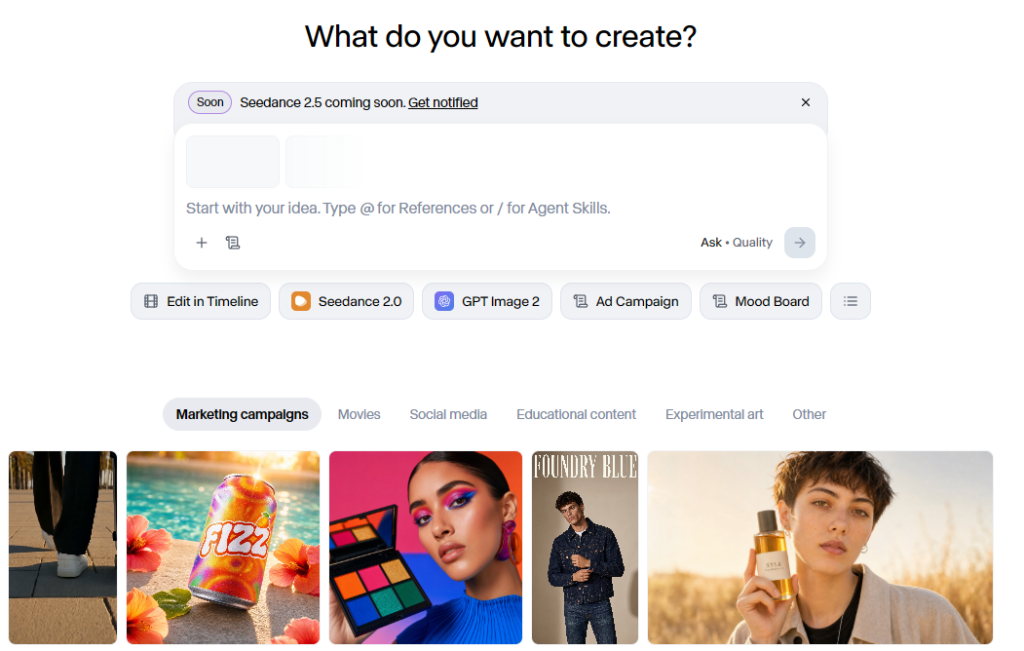
From generating footage and editing clips to organizing projects, collaborating with teammates, and exporting finished videos, the entire workflow stays within one environment.
Rather than spreading its technology across multiple products, Runway keeps nearly every stage of production inside one streamlined interface.
What Makes Runway Different?
Runway’s biggest advantage isn’t necessarily producing the single most cinematic AI-generated clip.
Its real strength lies in making the entire creative process faster and easier.
Inside Runway, you can:
- Generate AI videos
- Edit footage
- Remove unwanted objects
- Replace backgrounds
- Apply AI masking
- Organize projects
- Collaborate with teammates
- Export finished videos
—all without constantly jumping between different applications.
That streamlined workflow is especially appealing for content creators, agencies, marketing teams, and businesses producing videos on a regular basis.
Instead of piecing together several different tools, you can move from idea to finished project inside one workspace.
Two Platforms, Two Philosophies
At first glance, Google Veo and Runway appear to compete head-to-head because both generate AI videos from text prompts.
In practice, they’re solving different problems.
Google Veo is primarily a video generation ecosystem designed to push the quality of AI-generated footage as far as possible.
Runway is primarily an AI production platform designed to simplify everything that happens before and after generation.
Once you understand that distinction, the rest of the comparison becomes much easier.
If your biggest challenge is producing realistic, cinematic footage, Google Veo immediately becomes more attractive.
If your biggest challenge is creating videos quickly, collaborating with others, and managing multiple projects efficiently, Runway starts to pull ahead.
That’s why experienced creators rarely compare these platforms based on feature lists alone.
They compare workflows—and those workflows feel very different in day-to-day use.
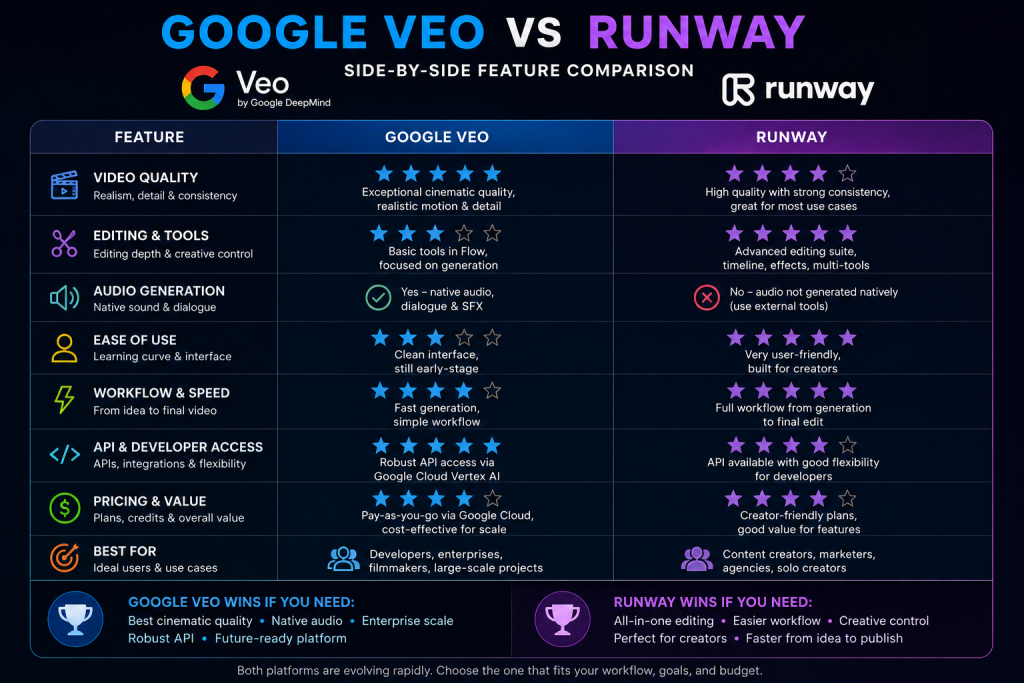
Google Veo vs Runway Feature Comparison
Now that we’ve covered the fundamentals, it’s time to compare the two platforms where it matters most.
Although both can generate AI videos from text prompts and images, they prioritize different parts of the creative process.
Google Veo invests heavily in advancing the quality of its underlying AI model.
Runway focuses on giving creators a complete production environment with generation, editing, and collaboration built into a single platform.
Let’s start with the category that matters most to most users.
AI Video Generation
For many creators, this is the deciding factor.
If your main objective is producing realistic, high-quality AI-generated footage, both platforms perform exceptionally well—but they achieve those results in different ways.
Google Veo
Google Veo was built with cinematic video generation at its core.
Google has invested heavily in areas such as:
- Cinematic composition
- Realistic lighting
- Smooth camera movement
- Prompt fidelity
- Environmental realism
- Native audio generation
- Reference-guided generation
One of Veo’s biggest strengths is how well it understands detailed prompts.
Rather than responding only to basic scene descriptions, it can interpret sophisticated filmmaking instructions covering camera angles, lighting, mood, pacing, movement, and composition.
The result is footage that often feels polished and intentionally directed straight out of the generator.
Runway
Runway also produces excellent AI-generated videos, particularly with its latest generation of models.
With each major update, the platform has continued improving:
- Motion quality
- Prompt adherence
- Visual realism
- Temporal consistency
- Overall output quality
Instead of chasing the highest possible generation quality at all costs, Runway balances realism with practical usability.
Creators can generate footage, adjust prompts, edit results, and continue refining their projects without switching software.
That seamless workflow is one of Runway’s biggest strengths, especially for creators working under tight deadlines.
Winner: Google Veo (Slight Edge)
Both platforms generate impressive AI videos.
However, Google Veo has a slight advantage if your highest priority is pure visual quality.
Its emphasis on cinematic realism, advanced prompt interpretation, and natural camera movement makes it especially attractive for filmmakers, advertisers, and creators producing premium visual content.
Runway remains an outstanding option, but its broader focus means generation quality shares the spotlight with editing and workflow features.
Image-to-Video
Image-to-video generation has quickly become one of the most valuable features in modern AI video software.
Instead of asking the AI to create an entirely new scene from scratch, you can upload an existing image and bring it to life with realistic movement. Both Google Veo and Runway handle this well, but they approach the feature from different angles.
Google Veo
Google Veo uses advanced reference-image workflows to guide video generation.
Rather than simply animating a picture, it uses reference assets to help maintain visual consistency across scenes—a particularly useful capability when you’re working with recurring characters, branded products, or specific environments.
Common use cases include:
- Product demonstrations
- Character animation
- Brand assets
- Storytelling
- Marketing campaigns
For businesses and creators who need consistent visuals across multiple videos, this approach can make a noticeable difference.
Runway
Runway also offers excellent image-to-video generation, but it’s designed to fit seamlessly into the platform’s wider production workflow.
Once you’ve animated an image, you can immediately continue editing, transforming, and refining the footage without exporting it elsewhere.
Popular use cases include:
- Product marketing
- Social media content
- Promotional videos
- Creative experiments
- Commercial projects
Because everything happens within the same workspace, it’s easy to test multiple ideas and refine them quickly.
Winner: Tie
Both platforms deliver strong image-to-video capabilities.
Google Veo places more emphasis on reference-based generation and visual consistency, while Runway focuses on making image animation part of a faster, more streamlined production workflow.
Which one is better depends less on image quality and more on how you intend to use the finished video.
AI Video Editing
This is where the two platforms begin to separate.
Although both can generate AI-powered videos, only one has been built to function as a comprehensive editing environment.
Google Veo
At its core, Google Veo is a video generation model.
Some Google products include editing features, but Veo itself isn’t intended to replace dedicated video editing software.
If you’re producing longer videos, you’ll typically export your generated clips and finish them in applications such as Adobe Premiere Pro or DaVinci Resolve.
For many professionals, that’s not necessarily a drawback.
Editors who already have an established workflow often prefer generating high-quality footage first before polishing everything inside software they’re already comfortable using.
Runway
Editing is one of Runway’s biggest selling points.
The platform includes an extensive suite of AI-assisted editing tools, including:
- Object removal
- Background removal
- Motion tracking
- AI masking
- Video expansion
- Frame interpolation
- Subtitle generation
- Video transformation
Rather than treating editing as a separate stage, Runway integrates these tools directly into the creative process.
You can generate a clip, make adjustments, test new ideas, and continue refining the project without ever leaving the platform.
For creators publishing content regularly, that convenience can save a significant amount of time.
Winner: Runway
If editing is an important part of your workflow, Runway is the clear winner.
Its integrated editing environment dramatically reduces friction and makes it one of the most complete AI-powered creative platforms currently available.
Native Audio Generation
Audio is becoming one of the biggest differentiators between modern AI video generators.
Creating impressive visuals is only half the battle. Dialogue, sound effects, and ambient audio play a huge role in making a scene feel believable.
Google Veo
This is one area where Google Veo has a genuine advantage.
Unlike many AI video generators that produce silent footage, Veo can generate synchronized audio alongside the visuals.
Depending on the workflow, this may include:
- Dialogue
- Ambient sounds
- Environmental effects
- Background atmosphere
- Sound effects
Having audio generated at the same time as the video significantly reduces the amount of post-production required during concept development.
Professional productions will often replace or refine AI-generated audio later, but having synchronized sound from the start speeds up the creative process considerably.
Runway
Runway’s strengths lie elsewhere.
While it offers excellent AI video generation and a polished editing workflow, native synchronized audio isn’t one of its primary competitive advantages based on the supplied research.
Instead, the platform focuses on helping creators generate, edit, and refine visual content as efficiently as possible.
Winner: Google Veo
For filmmakers, advertisers, and creators producing narrative or cinematic content, Google Veo’s native audio generation provides a meaningful advantage by reducing the number of separate tools required during production.
User Interface and Ease of Use
Even the most advanced AI features lose their appeal if the platform is frustrating to use.
For many creators, the overall user experience has just as much impact on productivity as the quality of the generated videos.
This is another area where Google Veo and Runway take very different approaches.
Google Veo provides flexibility through multiple Google products, while Runway keeps the entire creative process inside a single application.
Google Veo
Because Google Veo isn’t a standalone platform, your experience depends on where you choose to access it.
You might generate videos through:
- Gemini
- Google Flow
- Google AI Studio
- Google Vids
- Vertex AI
- Gemini API
Each platform is designed for a different audience and exposes different features.
For example:
- Gemini focuses on conversational AI and content generation.
- Google Flow is aimed at filmmakers and creative professionals.
- Vertex AI targets enterprise deployments.
- Google AI Studio is built for developers and experimentation.
This flexibility is one of Veo’s strengths because you can choose the interface that best suits your workflow.
The downside is that newcomers often spend time figuring out which Google product they actually need.
Compared with a dedicated creative platform, that extra layer of complexity can make the learning curve feel steeper.
Runway
Runway keeps things much simpler.
Everything begins from a single dashboard.
From there, you can:
- Create a project.
- Choose an AI model or editing tool.
- Upload any reference assets.
- Generate your content.
- Edit the results.
- Organize your files.
- Export the finished project.
Because nearly every step happens inside the same workspace, the platform feels easier to learn.
Creators don’t need to switch between multiple services or learn several different interfaces.
For solo creators and small teams, that simplicity makes onboarding much smoother.
Winner: Runway
Neither platform is especially difficult once you’ve spent some time with it, but Runway offers a noticeably more approachable experience for most users.
Its centralized design makes it easier to navigate, easier to learn, and easier to manage ongoing creative projects.
Google Veo’s ecosystem offers greater flexibility, but that flexibility comes at the cost of added complexity.
Workflow Comparison
Looking beyond the interface itself, it’s worth asking a more practical question:
How does each platform fit into a real production workflow?
Generating a good-looking AI clip is only one step in creating professional video content. Most creators also need to:
- Organize assets
- Refine prompts
- Edit footage
- Produce multiple versions
- Export finished videos
- Collaborate with teammates
The platform that makes those tasks easier often becomes the better long-term investment.
Google Veo Workflow
A typical Google Veo workflow looks something like this:
- Choose the Google product that best fits your project.
- Enter prompts or upload reference images.
- Generate one or more video clips.
- Review the results.
- Regenerate or extend scenes if necessary.
- Export the footage.
- Complete editing in external software if needed.
If you’re already working inside Google’s ecosystem, this process feels fairly natural.
Developers can integrate Veo into automated workflows through APIs, while enterprise teams benefit from Google’s cloud infrastructure and deployment tools.
For many creators, however, finishing a project still involves moving between several applications before the final video is complete.
Runway Workflow
Runway keeps almost everything inside a single creative workspace.
A typical project usually follows this sequence:
- Create a project.
- Write your prompt.
- Generate footage.
- Edit the results.
- Apply AI enhancements.
- Organize project assets.
- Export the finished video.
Because generation and editing happen within the same application, there’s far less need to constantly move files between different programs.
That makes rapid iteration much easier.
For example, a marketing team creating multiple versions of an advertisement can generate footage, make revisions, and export several variations without ever leaving the platform.
Winner: Runway
If workflow efficiency is your highest priority, Runway takes the lead.
Its all-in-one approach keeps creative momentum flowing by minimizing interruptions throughout the production process.
Google Veo remains an outstanding generator, but it works best as part of a broader creative ecosystem rather than as a complete production suite.
Integrations and Ecosystem
One of the biggest differences between these platforms has nothing to do with AI generation itself.
It comes down to the ecosystems surrounding them.
Google Veo and Runway have adopted almost opposite strategies.
Google Veo
Google Veo benefits from being part of one of the largest AI ecosystems in the world.
It integrates with:
- Gemini
- Google Flow
- Google AI Studio
- Google Vids
- Gemini API
- Vertex AI
- Google Cloud
That gives creators, developers, businesses, and enterprise organizations multiple ways to access the same underlying AI technology through tools built for different workflows.
For companies already invested in Google’s ecosystem, that’s a significant advantage.
Instead of introducing another standalone platform, Veo becomes another component of existing infrastructure.
Developers can build AI-powered applications, while enterprise organizations gain access to Google’s cloud scalability, governance features, and deployment capabilities.
Runway
Runway takes a much more focused approach.
Rather than integrating deeply with a broad ecosystem of external services, it concentrates on making its own platform as complete as possible.
Within a single workspace, users have access to:
- AI video generation
- AI-powered editing
- Project organization
- Collaboration tools
- Creative asset management
The goal isn’t to connect dozens of different services.
It’s to remove the need for them altogether.
For many creators, that’s exactly what makes Runway so appealing.
Winner: Depends on Your Workflow
If you’re already using Google’s products—or need enterprise deployment, APIs, and cloud infrastructure—Google Veo offers considerably more flexibility.
If your priority is simply producing videos as efficiently as possible inside one application, Runway delivers the more streamlined experience.
API and Enterprise Capabilities
While many solo creators won’t spend much time thinking about APIs, they’re a major consideration for businesses and developers.
This is another area where Google’s wider ecosystem gives it an advantage.
Google Veo
Google Veo supports enterprise workflows through:
- Gemini API
- Google AI Studio
- Vertex AI
Organizations also benefit from:
- Google Cloud infrastructure
- Identity management
- Enterprise governance
- Centralized billing
- Scalable deployment
These capabilities make Veo particularly attractive for companies building AI-powered products or integrating video generation into larger software systems.
Runway
Runway also provides enterprise-focused capabilities, including:
- Organizational deployment
- Administrative controls
- Security features
- Collaboration tools
- Dedicated support
- API access on applicable plans
Its enterprise offering is designed primarily for creative teams that need to collaborate efficiently while producing large volumes of content.
Winner: Google Veo
For developers and enterprise organizations, Google Veo offers the stronger overall package.
Its integration with Google Cloud and Google’s mature developer ecosystem extends far beyond AI video generation, making it an excellent choice for large-scale deployments.
Google Veo vs Runway Pricing
Pricing often plays a major role when choosing AI software, but comparing Google Veo and Runway isn’t as straightforward as comparing two typical SaaS subscriptions.
The platforms follow very different pricing philosophies.
Google Veo is available through several Google services, each with its own pricing model.
Runway follows the familiar subscription approach that most SaaS users already understand.
Google Veo Pricing
Instead of a single pricing plan, Google Veo can be accessed through services such as:
- Gemini subscriptions
- Google Flow credits
- Gemini API usage
- Google AI Studio
- Vertex AI
- Google Vids
- Enterprise agreements
The overall cost depends on factors including:
- Which Google service you’re using
- Your subscription tier
- Whether your usage is personal or commercial
- API consumption
- Enterprise deployment needs
- Geographic availability
This flexibility allows individuals, businesses, and enterprise customers to choose the access model that best suits them.
The downside is that estimating long-term costs can be more difficult.
Someone occasionally generating videos in Gemini will have a very different experience from an enterprise customer running large-scale workloads through Vertex AI.
Runway Pricing
Runway uses a much more traditional SaaS pricing model.
Plans typically include:
- AI generation credits
- Access to different AI models
- Export capabilities
- Collaboration features
- Higher usage limits on premium plans
Runway also offers a free plan, making it easy for new users to explore the platform before committing to a paid subscription.
For many creators, this approach is easier to understand because monthly costs remain relatively predictable.
Instead of navigating several different Google services, the main variable is simply how many AI credits you consume.
Which Offers Better Value?
Google Veo offers better value if you:
- Already subscribe to Google’s AI ecosystem
- Need enterprise deployment
- Require API access
- Prioritize premium video quality over editing features
Runway offers better value if you:
- Produce videos regularly
- Want built-in editing tools
- Prefer predictable monthly costs
- Like an all-in-one production platform
Winner: Runway for Simplicity, Google Veo for Flexibility
Runway wins when it comes to pricing simplicity.
Its subscription model is easier to understand, easier to budget for, and more familiar to most users.
Google Veo provides greater flexibility across different types of users, but that flexibility also makes pricing considerably more complex.
Performance Comparison
Feature lists are helpful, but they don’t always tell you what it’s actually like to use a platform.
The real test is how Google Veo and Runway perform when you’re creating videos day after day. Whether you’re producing YouTube content, running marketing campaigns, or building commercial projects, reliability and workflow matter just as much as raw AI capabilities.
Let’s compare the areas that have the biggest impact on the finished result.
Output Quality
Both platforms consistently generate impressive AI videos, but they prioritize different aspects of quality.
Google Veo
Google Veo is clearly designed with cinematic realism as its primary objective.
Its biggest strengths include:
- Detailed lighting
- Realistic environments
- Natural camera movement
- Strong visual storytelling
- Excellent prompt fidelity
The footage it produces often feels closer to professionally filmed scenes than traditional AI-generated animation.
For filmmakers, advertisers, and creators working on premium visual content, that extra level of polish can make a noticeable difference.
Runway
Runway also delivers excellent visual quality, particularly with its latest AI models.
Rather than focusing solely on maximum realism, the platform aims to balance quality with production efficiency.
Creators can quickly generate multiple variations, make edits, refine scenes, and continue working without interrupting their workflow.
That flexibility is one of Runway’s biggest advantages, especially for creators producing content at scale.
Winner: Google Veo
When judging pure generation quality, Google Veo has a slight edge.
Its emphasis on cinematic realism and sophisticated prompt interpretation gives it the advantage for users whose top priority is producing visually stunning AI-generated footage.
Prompt Accuracy
Prompt adherence has become increasingly important as AI video generation continues to improve.
The more accurately a model interprets your instructions, the less time you’ll spend regenerating clips or rewriting prompts.
Google Veo
Google Veo has been built to understand highly detailed natural-language prompts.
You can specify elements such as:
- Camera movement
- Lighting
- Mood
- Shot composition
- Character actions
- Dialogue
- Environmental sounds
This allows creators to write prompts much like they would describe a scene to a film crew.
Its understanding of filmmaking terminology is one of its biggest competitive strengths.
Runway
Runway also responds well to descriptive prompts.
Creators commonly specify:
- Subjects
- Environments
- Camera movement
- Lighting
- Artistic styles
- Overall mood
One advantage of Runway’s workflow is that editing tools are immediately available after generation.
Instead of spending excessive time trying to perfect every prompt, creators can quickly refine the resulting footage inside the platform.
Winner: Google Veo
Both platforms perform well, but Google Veo generally has the advantage when interpreting detailed cinematic instructions and translating them into polished scenes.
Motion Realism
Realistic movement remains one of the hardest problems in AI video generation.
Even beautiful visuals lose their impact if the motion feels unnatural.
Google Veo
Google continues to prioritize:
- Natural movement
- Environmental interaction
- Cinematic pacing
- Realistic camera behaviour
- Smooth scene transitions
These improvements help generated footage feel closer to live-action cinematography than computer-generated animation.
Runway
Runway has also improved dramatically with each new generation of its models.
Recent updates have focused on:
- Better temporal consistency
- Smoother animation
- Improved realism
- More reliable prompt adherence
The platform performs particularly well for commercial marketing videos and social media content, where natural-looking movement is essential.
Winner: Slight Edge to Google Veo
Both platforms perform extremely well.
However, Google Veo’s stronger emphasis on cinematic realism gives it a small advantage for dramatic storytelling, narrative filmmaking, and high-end advertising content.
Character Consistency
Maintaining the same character across multiple scenes is still one of the biggest technical challenges in AI video.
Neither Google Veo nor Runway has completely solved it.
Google Veo
Google has introduced reference-image workflows designed to improve consistency across:
- Characters
- Products
- Environments
- Objects
These features significantly improve continuity, although perfect consistency across longer productions still isn’t guaranteed.
Runway
Runway faces many of the same challenges.
While each new model has improved consistency, maintaining identical character appearances across extended projects often requires additional prompt refinement and multiple generations.
Winner: Tie
Neither platform completely solves long-form consistency.
Both continue to improve, but creators producing narrative projects should still expect to spend some time refining outputs and selecting the best generations.
Camera Movement and Cinematic Controls
Camera movement is one of the easiest ways to tell whether an AI-generated video feels polished or artificial.
Subtle tracking shots, pans, zooms, and cinematic framing can dramatically improve realism, and both Google Veo and Runway support this type of prompting.
The difference lies in how central those controls are to each platform.
Google Veo
Google Veo has clearly been built with filmmakers in mind.
Its prompting system allows you to describe not only what happens in a scene, but how the scene should be filmed.
You can specify details such as:
- Camera angles
- Camera movement
- Shot composition
- Lighting
- Atmosphere
- Lens style
- Scene progression
Rather than treating these as optional details, Veo is designed to interpret filmmaking terminology as part of the prompt itself.
For creators familiar with cinematography, that provides an impressive level of creative control.
Runway
Runway also supports cinematic prompting and virtual camera movement.
Creators can influence:
- Camera motion
- Framing
- Perspective
- Overall visual style
However, these controls are designed to complement Runway’s broader editing workflow rather than define the platform.
Since users can immediately edit generated footage afterwards, camera movement becomes just one part of a larger creative pipeline.
Winner: Google Veo
Runway performs very well, but Google Veo’s stronger emphasis on cinematic prompting and filmmaking language gives it a slight advantage for creators aiming to produce movie-quality visuals.
Google Veo vs Runway Pros and Cons
Every AI video platform involves trade-offs.
Neither Google Veo nor Runway is perfect, and understanding their strengths and weaknesses makes it much easier to choose the right tool.
Google Veo Pros
- Exceptional cinematic AI video generation
- Native synchronized audio generation
- Excellent prompt interpretation
- Advanced reference-image workflows
- Deep integration with Google’s AI ecosystem
- Strong enterprise deployment options
- Developer APIs through Gemini and Vertex AI
- Premium audiovisual output
Google Veo Cons
- No single dedicated application
- Different features are spread across multiple Google products
- More complex pricing structure
- Limited built-in editing compared with dedicated creative platforms
- Character consistency can still vary during longer projects
- Larger productions typically require external editing software
Runway Pros
- Unified all-in-one production platform
- Extensive AI-assisted editing tools
- Excellent browser-based workflow
- Strong collaboration features
- Built-in project management
- Frequent model improvements
- Beginner-friendly onboarding
- Minimal need to switch between applications
Runway Cons
- Credit-based usage can become expensive for heavy users
- Output quality can vary depending on prompt quality
- Subscription costs increase on higher usage tiers
- Requires an internet connection
- Character consistency still isn’t perfect
- Doesn’t completely replace professional non-linear editing software
Google Veo vs Runway: Which Is Better for Different Users?
This is where the comparison becomes much more practical.
Rather than asking which platform is objectively better, it’s far more useful to ask which one fits your workflow.
The answer depends on what kind of content you create, how often you publish, and which parts of the production process matter most to you.
Best for Beginners
Winner: Runway
If you’re completely new to AI video generation, Runway is the easier platform to start with.
Everything happens inside one dashboard, making it simple to understand the production process without having to navigate several different services.
Google Veo isn’t difficult once you’re familiar with it, but deciding whether you should use Gemini, Google Flow, AI Studio, or another Google product adds an extra layer of complexity that many beginners simply don’t need.
If your goal is to start creating videos quickly, Runway offers the smoother introduction.
Best for Content Creators
Winner: Runway
Most content creators care about publishing consistently rather than squeezing every possible improvement out of AI generation quality.
Runway supports that style of workflow exceptionally well.
Inside one platform, you can:
- Generate videos
- Edit footage
- Organize projects
- Export finished content
That streamlined approach makes it much easier to produce content regularly without constantly moving between different applications.
For creators posting several videos every week, those time savings quickly add up.
Best for YouTubers
Winner: Depends on Your Content
For YouTubers, the better platform depends largely on the style of videos you produce.
If your channel focuses on cinematic storytelling, documentaries, travel content, or visually rich B-roll, Google Veo is likely the stronger choice.
Its realistic visuals, sophisticated prompt understanding, and native audio generation make it particularly well suited to premium video production.
If your priority is publishing consistently while editing and refining content as efficiently as possible, Runway offers the more practical day-to-day workflow.
In many cases, the decision comes down to a simple question:
Do you value production quality more, or production speed?
Best for Marketing Teams
Winner: Tie
Marketing teams can benefit from either platform depending on their goals.
Google Veo is excellent for creating polished advertising concepts with cinematic visuals and synchronized audio.
Runway shines when campaigns require:
- Rapid iteration
- Collaborative editing
- Efficient project management
- Quick turnaround times
Many larger marketing teams may even find value in using both platforms during different stages of the production process.
Best for Agencies
Winner: Runway
Creative agencies rarely judge software based solely on generation quality.
Instead, they need tools that simplify the entire production process.
That usually means prioritizing:
- Team collaboration
- Client revisions
- Project organization
- Efficient editing
- Fast production cycles
Runway’s integrated workspace aligns naturally with those requirements, making it an excellent choice for agencies managing multiple projects simultaneously.
Best for Businesses
Winner: Depends on Existing Infrastructure
Businesses already invested in Google Cloud or Google’s wider AI ecosystem will often gain more value from Google Veo.
It integrates naturally with existing infrastructure and offers enterprise-focused deployment options.
On the other hand, organizations focused primarily on marketing production, content creation, and creative collaboration may find Runway easier to introduce into their existing workflow.
Best for Developers
Winner: Google Veo
Developers benefit from Google’s mature infrastructure and extensive API ecosystem.
Support for:
- Gemini API
- Vertex AI
- Google Cloud
- Enterprise deployment
makes Google Veo the stronger option for building AI-powered applications or automating video generation at scale.
If software development and AI integration are important parts of your workflow, Google Veo has a clear advantage.
Best for Enterprise Organizations
Winner: Tie
Both platforms provide strong enterprise capabilities, but they serve different priorities.
Google Veo is particularly attractive for organizations already operating within Google’s cloud ecosystem, where it integrates naturally with existing services and infrastructure.
Runway stands out for enterprise creative teams that need collaboration, project management, and efficient video production across multiple stakeholders.
Ultimately, the better choice depends on whether your organization prioritizes cloud infrastructure or creative workflow efficiency.
Final Verdict
Choosing between Google Veo and Runway ultimately comes down to what you expect from an AI video platform.
Although both rank among the industry’s leading AI video generators, they were designed with different priorities.
Looking for another option? Our Pika Review explores an AI video generator designed for fast, creator-friendly content production.
Google Veo focuses on pushing the boundaries of AI-generated video quality.
Its strengths include cinematic realism, natural camera movement, advanced prompt interpretation, reference-based generation, and native audio capabilities. Combined with Google’s wider AI ecosystem, it’s an outstanding option for filmmakers, developers, enterprise teams, and creators who want the highest possible generation quality.
Runway takes a different approach.
Rather than concentrating solely on generation, it delivers a complete browser-based creative workspace where users can generate videos, edit footage, organize projects, collaborate with teammates, and export finished content without constantly switching between applications.
Neither philosophy is objectively better.
They’re simply solving different problems.
Choose Google Veo if you:
- Want the highest-quality AI-generated video possible
- Create cinematic or narrative content
- Value advanced prompt interpretation
- Need native audio generation
- Already use Google’s AI ecosystem
- Require enterprise deployment or developer APIs
Choose Runway if you:
- Want an all-in-one AI video production platform
- Publish YouTube or social media content regularly
- Need powerful built-in editing tools
- Collaborate with clients or team members
- Prefer a simpler, unified workflow
- Value speed and efficiency throughout production
For many professionals, the choice isn’t necessarily Google Veo or Runway.
Some creators generate their highest-quality footage with Google Veo before refining and assembling projects inside Runway or other editing software. Others rely on Runway as their primary workspace because its integrated tools help them publish content faster with fewer interruptions.
The best platform is ultimately the one that fits naturally into your workflow—not simply the one with the longest feature list.
If cinematic generation quality is your top priority, Google Veo has the edge.
If you’re looking for the most complete AI-powered production platform available today, Runway is the stronger overall package.
Frequently Asked Questions
Is Google Veo better than Runway?
It depends on what matters most to you.
Google Veo generally offers stronger cinematic video generation, more advanced prompt interpretation, and native synchronized audio. Runway, meanwhile, provides a more complete production workflow with integrated editing, collaboration, and project management.
Which AI video generator has better video quality?
Both platforms produce excellent results.
However, based on the supplied research, Google Veo holds a slight advantage in cinematic realism, camera movement, and prompt fidelity.
Is Runway easier to use?
Yes.
Runway’s unified interface makes it easier for most beginners and content creators to learn.
Google Veo is accessed through several different Google products, which can create a steeper learning curve for first-time users.
Can Google Veo edit videos?
Google Veo itself focuses primarily on AI video generation.
While some Google products include editing capabilities, Veo isn’t designed as a comprehensive video editing platform in the same way Runway is.
Does Google Veo generate audio?
Yes.
One of Google Veo’s standout features is native synchronized audio generation, allowing compatible workflows to create dialogue, ambient sound, and sound effects alongside generated video.
Which platform is better for YouTube creators?
That depends on the type of content you produce.
Creators focused on cinematic storytelling and visually rich B-roll will likely prefer Google Veo.
Those publishing videos frequently and prioritizing efficient editing workflows may get more value from Runway.
Which platform is better for businesses?
Businesses already invested in Google Cloud or Google’s AI ecosystem may find Google Veo easier to integrate into their existing infrastructure.
Organizations centered on marketing production, creative collaboration, and rapid content creation may prefer Runway’s all-in-one workspace.
Is Google Veo worth it?
If your workflow prioritizes premium AI-generated video quality, advanced prompting, and Google’s wider AI ecosystem, Google Veo is an excellent investment.
If you also need robust editing tools, collaboration features, and project management in the same platform, Runway may offer better day-to-day value.
Conclusion
The competition between Google Veo and Runway shows just how quickly AI video generation is evolving.
Rather than converging into identical products, the two platforms are moving in complementary directions.
Google Veo continues to advance the underlying quality of AI-generated video through increasingly sophisticated models, cinematic realism, and deep integration with Google’s AI infrastructure.
Runway, meanwhile, is redefining the creative workflow by bringing video generation, editing, collaboration, and project management together inside one intuitive platform.
For creators, marketers, agencies, and businesses alike, the best choice depends less on which platform has the longest feature list and more on which one fits naturally into the way you work.
If your priority is creating the most realistic AI-generated footage possible, Google Veo is difficult to beat.
If your goal is moving from concept to finished video as efficiently as possible, Runway remains one of the strongest all-in-one AI video platforms available today.
2 thoughts on “Google Veo vs Runway: Which AI Video Generator Is Better?”