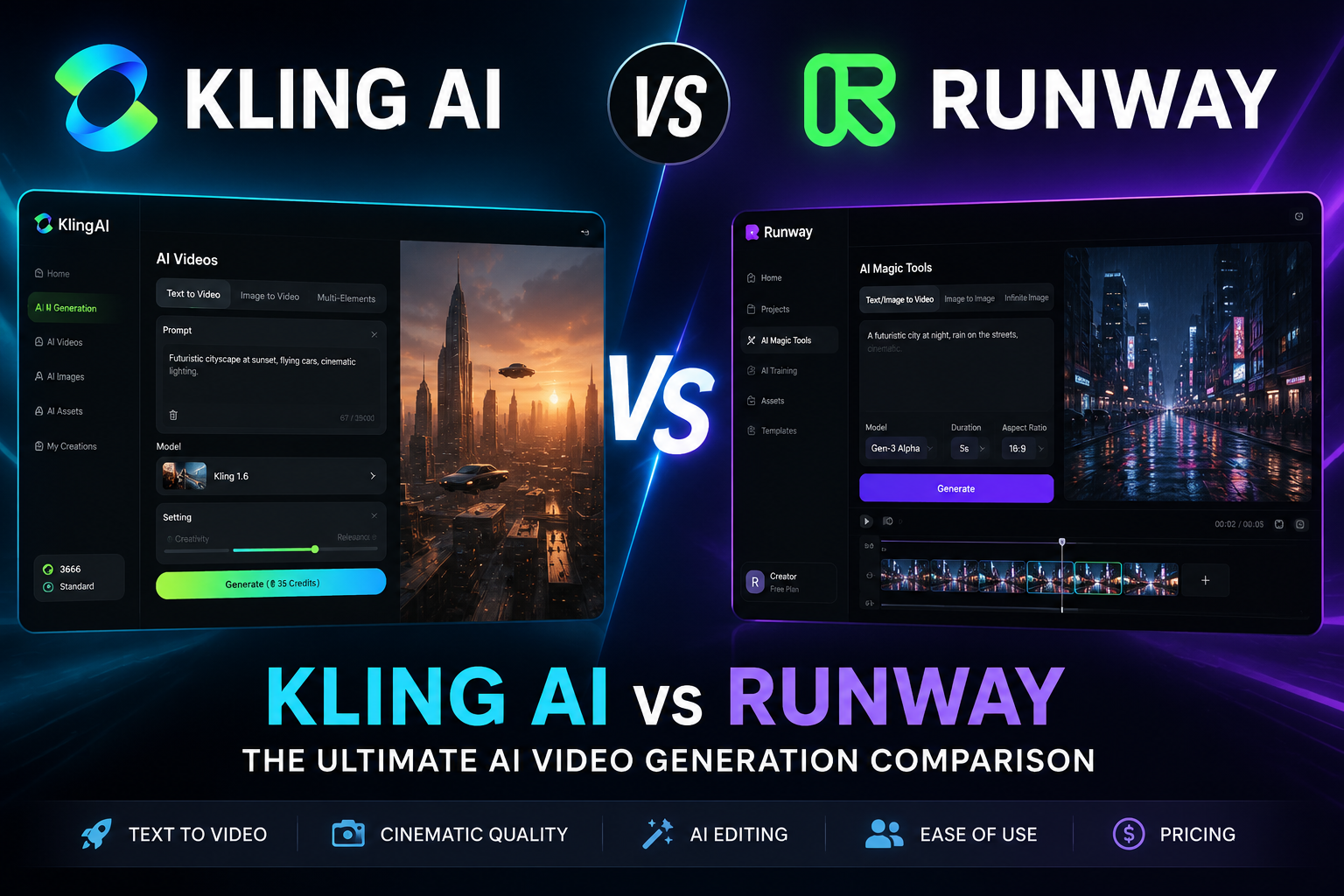
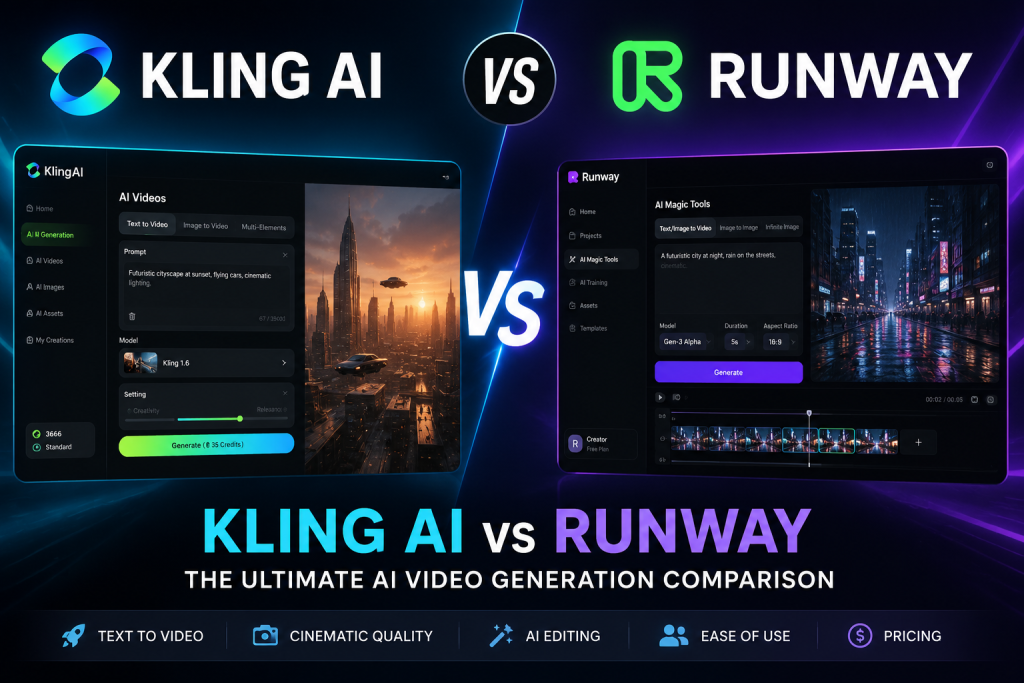
Choosing between Kling AI vs Runway isn’t simply a matter of comparing which platform can generate better-looking videos.
Both can turn text prompts and still images into AI-generated footage. Both offer free access, paid subscriptions, and credit-based generation. And both are capable of producing impressive results.
The difference is what happens around the generation process.
Kling AI is built primarily for creators who want more control over generating AI video. Its strengths include image-to-video, multi-shot sequences, Element Reference, motion controls, native audio, and other tools designed to help creators shape the output before it leaves the platform.
Runway takes a broader approach. Alongside AI video generation, it provides editing tools, video transformations, asset management, cloud projects, and collaboration features that support more of the production process.
That distinction makes the choice surprisingly straightforward.
If your priority is generating AI videos, Kling AI is generally the better fit.
If you want to generate footage and continue editing, organizing, and collaborating on projects inside the same platform, Runway has the stronger overall workflow.
This comparison breaks down the differences in features, video quality, AI editing, ease of use, pricing, performance, and real-world use cases so you can decide which platform makes more sense for the way you actually create content.
Table of Contents
Kling AI vs Runway: Quick Verdict
| Category | Kling AI | Runway | Winner |
| AI Video Generation | Excellent | Excellent | Kling AI |
| Image-to-Video | Major strength | Strong | Kling AI |
| Multi-Shot Generation | Yes | No directly comparable core feature identified | Kling AI |
| Subject and Product Consistency | Element Reference | No directly comparable core feature identified | Kling AI |
| Native Audio | Yes | No comparable core capability identified | Kling AI |
| Motion Controls | Yes | Yes | Depends on workflow |
| AI Editing Tools | Limited | Extensive | Runway |
| Asset Management | Limited | Strong | Runway |
| Team Collaboration | Limited compared with Runway | Strong | Runway |
| Ease of Use for Beginners | More focused | Broader workspace | Kling AI |
| Professional Production Workflows | Generation-focused | Generation, editing, and collaboration | Runway |
| Developer API Access | Clearly documented access and separate pricing | Availability may depend on enterprise arrangements | Kling AI |
The Short Answer
Choose Kling AI if your primary goal is generating AI videos.
It’s the stronger option for image-to-video workflows, short cinematic clips, product visuals, AI B-roll, multi-shot sequences, and creators who want more control during generation.
Choose Runway if AI video generation is only one part of your production workflow.
Its integrated editing tools, asset management, cloud projects, and collaboration capabilities make it better suited to agencies, marketing teams, professional creators, and anyone who wants to handle more of the production process inside one platform.
Best for Different Users
| User Type | Better Choice | Why |
| Beginner | Kling AI | More focused generation workflow |
| Short-Form Creator | Kling AI | Strong AI video generation controls |
| Affiliate Marketer | Kling AI | Product visuals, promotional clips, and AI B-roll |
| Ecommerce Business | Kling AI | Image-to-video and product-focused generation tools |
| Faceless YouTube Channel | Kling AI | AI B-roll, image animation, and short visual sequences |
| YouTube Creator | Depends | Kling for generation; Runway for broader production |
| Agency | Runway | Collaboration, editing, and project management |
| Marketing Team | Runway | Better support for campaign production workflows |
| Professional Creator | Runway | Broader creative production environment |
| Video Editor | Runway | Stronger AI-assisted editing capabilities |
| Developer | Kling AI | Clearly documented API access |
Overall Winner
There isn’t a universal winner because the two platforms solve different problems.
Kling AI wins as the more specialized AI video generator.
Its image-to-video capabilities, Multi-Shot Generation, Custom Multi-Shot controls, Element Reference, Start and End Frames, Motion Control, native audio, and multilingual dialogue make it particularly attractive to creators whose primary objective is producing AI-generated footage.
Runway wins as the more complete AI-powered production platform.
Its combination of generation, editing, video transformation, asset management, cloud projects, and collaboration supports a much broader creative workflow.
The decision comes down to one question:
Do you mainly need to generate AI videos, or do you need a platform that helps manage what happens after those videos are generated?
If it’s the former, choose Kling AI.
If it’s the latter, Runway is likely the better investment.
If you want to check out more AI software reviews, you can go to our Reviews page.
What Is Kling AI?
Kling AI is an AI creative platform developed by Kuaishou Technology.
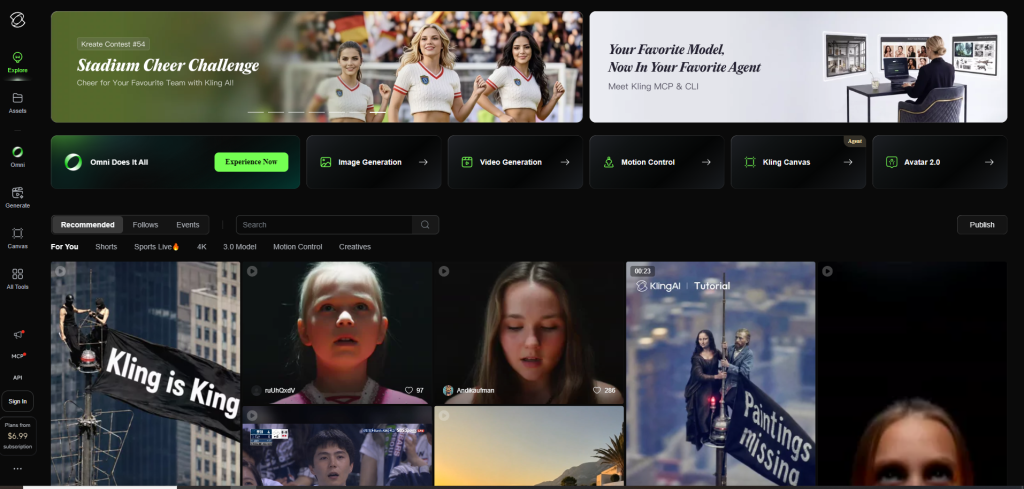
Its core strength is AI video generation.
The platform allows creators to generate videos from text prompts and still images, then refine those results using tools designed to provide greater control over motion, consistency, shot structure, and audio.
Kling 3.0 expands that workflow with features such as Multi-Shot Generation, Custom Multi-Shot, native audio, multilingual dialogue, and longer video generation.
The platform also includes:
- Text-to-video generation
- Image-to-video generation
- Start and End Frames
- Motion Control
- Element Reference
- AI image generation
- AI effects
- Sound generation
- Lip-sync and character speech capabilities
- Developer API access
The important thing to understand is that Kling isn’t trying to become a traditional video editor.
Its value lies in helping creators produce AI-generated visual assets.
You might generate product advertisements, animate existing images, create cinematic scenes, produce AI B-roll for YouTube, or build short multi-shot sequences. Once those assets are ready, longer projects will usually move into separate editing software for final assembly and post-production.
That focus makes the platform particularly attractive to individual creators, affiliate marketers, ecommerce businesses, short-form content creators, and developers who want specialized AI video generation capabilities.
What Is Runway?
Runway is an AI-powered creative platform built around a broader production workflow.
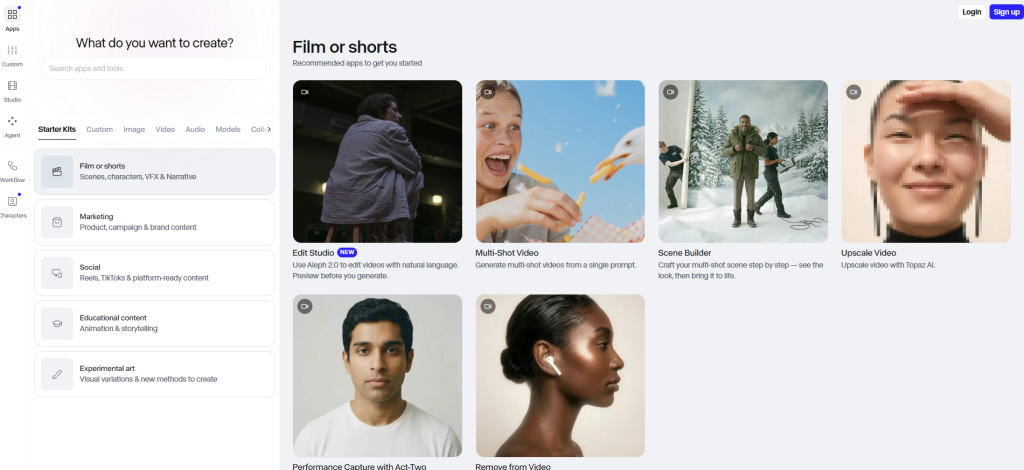
Like Kling AI, it can generate videos from text prompts and images. But generation is only one part of the platform.
Runway also provides AI-assisted tools for editing, transforming, organizing, and managing creative assets.
Its capabilities include:
- Text-to-video generation
- Image-to-video generation
- Video-to-video transformation
- Background removal
- Object removal
- Automatic masking
- Motion tracking
- Video expansion
- Frame interpolation
- Camera motion controls
- Subtitle generation
- AI image generation
- Asset management
- Cloud project management
- Team collaboration
This makes Runway less of a specialized AI video generator and more of an AI-first creative workspace.
A creator can generate footage, remove unwanted elements, transform existing video, organize assets, collaborate with team members, and continue refining a project without immediately moving to another platform.
That broader workflow makes Runway particularly relevant to agencies, marketing teams, businesses, professional creators, video editors, and anyone managing more complex production projects.
It still doesn’t replace advanced editing software in every professional workflow. Editors who need extensive timeline controls and detailed post-production may continue using applications such as Premiere Pro or DaVinci Resolve.
The difference is that Runway can handle more stages of production before another application becomes necessary.
Kling AI vs Runway: The Biggest Difference
The easiest way to understand this comparison is to look beyond individual features.
Kling AI is generation-first.
Runway is workflow-first.
Kling concentrates its strongest tools around creating AI-generated footage.
Image-to-video, Multi-Shot Generation, Custom Multi-Shot, Element Reference, Motion Control, Start and End Frames, native audio, and multilingual dialogue all give creators additional ways to influence what happens during generation.
Runway concentrates on a broader creative process.
You can generate footage, but you can also remove objects, isolate subjects, track motion, expand video, interpolate frames, generate subtitles, organize assets, manage projects, and collaborate with others.
Consider two creators producing the same product advertisement.
The first creator already uses dedicated editing software and simply needs high-quality AI-generated product footage.
Kling AI is likely the better fit. The creator can animate existing product images, guide the motion, create a multi-shot sequence, export the strongest clips, and finish the advertisement elsewhere.
The second creator works within a marketing team that needs to generate concepts, refine footage, manage assets, handle revisions, and collaborate on campaigns.
Runway is likely more valuable. The team can keep more of that process inside one environment.
Neither approach is inherently better.
The right choice depends on where AI generation fits into your existing workflow.
Feature Comparison
This is where the differences between Kling AI and Runway become much more pronounced.
Both platforms can generate videos from text prompts and still images. Beyond those fundamentals, they invest in different parts of the creative process.
Kling AI concentrates on controlling and improving AI-generated output. Its feature set is designed for creators who want more influence over shot structure, motion, subject consistency, audio, and the final generated clip.
Runway combines generation with a wider collection of AI-assisted production tools. Background removal, object removal, automatic masking, motion tracking, video expansion, frame interpolation, subtitle generation, collaboration, and cloud project management extend the platform well beyond generation alone.
The most useful way to compare them is to look at how those features affect real-world workflows.
Text-to-Video Generation
Both Kling AI and Runway support text-to-video generation.
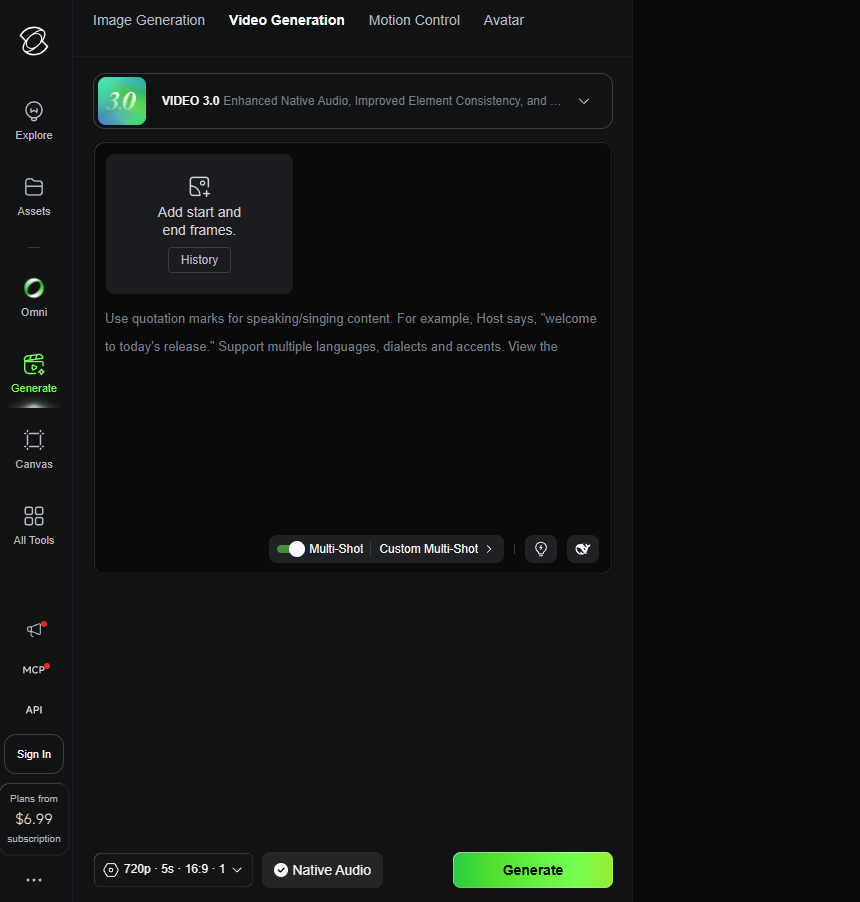
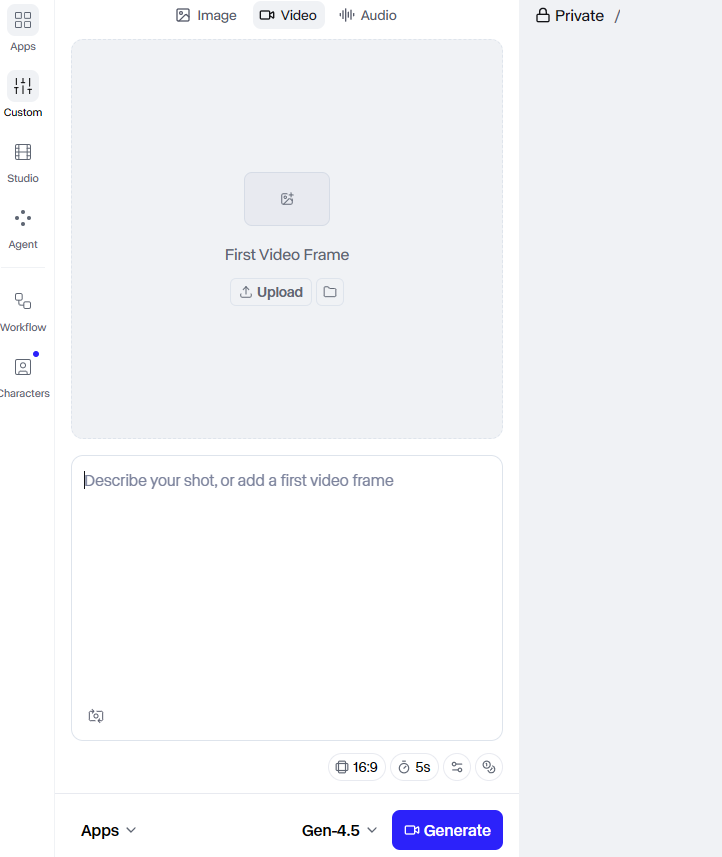
The basic process is familiar: describe the scene you want, configure the available settings, generate the footage, and review the result.
The difference is what each platform helps you do next.
Kling AI
Kling’s text-to-video tools sit inside a generation-focused environment.
The platform is particularly well suited to creators producing short cinematic scenes, advertisements, social content, AI B-roll, and visual storytelling sequences.
Kling 3.0 expands that workflow with Multi-Shot Generation and native audio.
Multi-Shot is particularly useful if you want to create a sequence rather than a single isolated clip. Custom Multi-Shot provides additional control over shot order and duration.
A product advertisement, for example, could move through several planned shots:
- A close-up introducing the product.
- A wider shot establishing the environment.
- A moving camera sequence demonstrating the product in context.
- A final product reveal.
You may still need editing software to assemble longer or more complex projects, but more of the creative structure can be established during generation.
Runway
Runway’s text-to-video capabilities sit inside a broader production environment.
You can generate scenes and continue working with those assets using the platform’s editing, transformation, organization, and collaboration tools.
That becomes useful when an AI-generated clip is only the beginning of the project.
A marketing team could generate several campaign concepts, select the strongest footage, remove unwanted elements, extend scenes, organize assets, manage revisions, and collaborate without immediately moving to another platform.
Motion and Camera Controls
Both platforms give creators ways to influence movement, but the controls sit inside very different workflows.
Kling AI’s Motion Control features are designed to provide more direction over subject movement and camera behavior during generation.
Combined with image-to-video, Start and End Frames, and Element Reference, these controls can be useful when you’re trying to produce a specific cinematic result rather than leaving every decision to the model.
A product advertiser, for example, could begin with a still product image and guide the camera around the subject.
A creator could use Start and End Frames to define where a scene begins and finishes, giving the model clearer visual boundaries for the movement between them.
Runway also provides camera motion controls.
These tools allow creators to introduce virtual camera movements into generated scenes and image-based workflows.
Once again, the meaningful difference isn’t simply whether the feature exists.
Kling integrates motion controls into a generation-focused environment.
Runway places them inside a broader creative workspace where generated footage can continue through additional editing and production stages.
Motion Control Verdict
Neither platform is the clear winner for every user.
Choose Kling AI when you want motion controls as part of a specialized AI video generation workflow.
Choose Runway when camera movement is one component of a larger production process.
AI Image Generation
Both platforms support AI image generation.
Kling includes image generation alongside its video tools, effects, sound capabilities, and other creative features.
The practical advantage is that generated images can become reference material or starting points for AI video workflows without leaving the platform.
Runway also provides AI image generation.
Its advantage is continuity across the wider production process. Images can exist alongside generated footage, uploaded assets, editing tools, projects, and collaborative workflows.
Neither platform wins simply because it can generate images.
The better choice depends on what you intend to do with those images afterward.
AI Image Generation Verdict
Choose Kling AI when image generation primarily supports your AI video workflow.
Choose Runway when generated images are part of a larger project involving editing, asset management, and collaboration.
AI Editing Tools
AI editing is one of Runway’s clearest advantages.
The platform provides tools designed to automate or simplify tasks that would traditionally require manual editing, rotoscoping, masking, or visual effects work.
These capabilities include:
- Background removal
- Object removal
- Motion tracking
- Automatic masking
- Video expansion
- Frame interpolation
- Camera motion generation
- Subtitle generation
- Video-to-video transformation
The value isn’t simply having more features.
Each tool addresses a practical production problem.
Object removal can eliminate unwanted elements from footage.
Automatic masking reduces the manual work required to isolate subjects.
Motion tracking helps attach graphics or effects to moving objects.
Video expansion can extend footage beyond its original frame boundaries, which is useful when adapting content to different aspect ratios.
Frame interpolation generates intermediate frames to produce smoother motion.
Kling offers generation, refinement, effects, sound tools, and other creative capabilities, but it isn’t positioned as a full AI-assisted editing environment.
Creators producing content with Kling will often still need separate software for timeline editing, complex clip assembly, transitions, captions, and more extensive post-production.
AI Editing Verdict
Runway is the clear winner for creators who need integrated AI-assisted editing tools.
Collaboration and Project Management
Collaboration is another area where Runway has a substantial advantage.
Its cloud-based workspace allows teams to organize assets, manage projects, and collaborate on ongoing creative work.
That matters particularly for agencies, production studios, marketing teams, businesses, and freelancers handling client projects.
As production volume increases, organization becomes part of the creative workflow.
Generating footage is only the beginning.
Teams need to manage versions, locate assets, handle revisions, keep campaigns organized, and ensure multiple contributors can work efficiently.
Runway is built with those requirements in mind.
Kling AI can certainly be used by agencies and businesses, but comparable collaboration and project management capabilities weren’t identified as central strengths in the research.
Collaboration Verdict
Runway is the stronger choice for teams and organizations managing ongoing creative production.
API Access
Kling AI provides developer API access with separate API pricing.
That makes the platform relevant beyond individual creators.
Developers, SaaS businesses, and automation teams can integrate AI video generation into their own applications or internal workflows.
Potential use cases include automated content generation, AI video applications, creative workflow automation, and adding video-generation capabilities to existing software.
Runway may provide API access in enterprise contexts, but publicly standardized API pricing wasn’t identified in the available product information.
API Verdict
Kling AI is the clearer choice for developers seeking documented AI video generation API access with separate developer pricing.
Overall Feature Comparison
| Feature | Kling AI | Runway | Advantage |
| Text-to-Video | Yes | Yes | Depends on workflow |
| Image-to-Video | Major strength | Yes | Kling AI |
| Start and End Frames | Yes | No comparable core feature identified | Kling AI |
| Multi-Shot Generation | Yes | No comparable core feature identified | Kling AI |
| Custom Shot Sequences | Yes | No comparable core feature identified | Kling AI |
| Element Reference | Yes | No comparable core feature identified | Kling AI |
| Native Audio | Yes | No comparable core feature identified | Kling AI |
| Multilingual Dialogue | Yes | No comparable core feature identified | Kling AI |
| Motion Controls | Yes | Yes | Depends on workflow |
| AI Image Generation | Yes | Yes | Depends on workflow |
| Video-to-Video Transformation | Available within generation tools | Yes | Runway for broader workflows |
| Background Removal | Not a core strength | Yes | Runway |
| Object Removal | Not a core strength | Yes | Runway |
| Automatic Masking | Not a core strength | Yes | Runway |
| Motion Tracking | Not a core strength | Yes | Runway |
| Video Expansion | No core capability identified | Yes | Runway |
| Frame Interpolation | No core capability identified | Yes | Runway |
| Subtitle Generation | No core capability identified | Yes | Runway |
| Integrated AI Editing | Limited | Strong | Runway |
| Team Collaboration | Limited compared with Runway | Strong | Runway |
| Asset Management | Not a core strength | Yes | Runway |
| Cloud Project Management | Generation-focused workspace | Yes | Runway |
| Developer API | Yes | Availability may depend on enterprise arrangements | Kling AI for clearly documented access |
Feature Comparison Winner
Counting features doesn’t produce a meaningful overall winner.
The two platforms are strongest in different parts of the creative process.
Kling AI has the better feature set for users whose primary objective is generating AI videos.
Its image-to-video capabilities, Multi-Shot Generation, Custom Multi-Shot controls, Element Reference, native audio, multilingual dialogue, Start and End Frames, and Motion Control give creators more ways to influence the output during generation.
Runway has the stronger feature set for users who want to generate content and continue working with it inside the same environment.
Its AI editing tools, video transformations, asset management, collaboration features, and cloud projects support more of the production process surrounding AI-generated footage.
Choose Kling AI for specialized AI video generation.
Choose Runway for a broader AI-powered production environment.
Video Quality Comparison
Video quality is one of the hardest parts of the Kling AI vs Runway comparison to evaluate objectively.
Different prompts, reference images, model versions, settings, and generation attempts can produce dramatically different results.
Neither platform delivers perfect output every time.
Both may require several attempts before producing a usable clip, and community feedback around both products regularly mentions prompt sensitivity, generation variability, and consistency problems.
The more useful question is where each platform’s strengths matter most.
Motion Realism
Kling AI has developed a strong reputation for realistic motion and cinematic short-form output.
Its generation-focused tools support workflows where movement is central to the finished result.
Motion Control can influence camera behavior and subject movement.
Start and End Frames provide additional guidance over how a scene transitions between visual states.
Image-to-video allows creators to begin with an existing reference rather than relying entirely on a text prompt.
Together, these capabilities are particularly useful for product advertisements, cinematic scenes, social content, and other short-form videos where unrealistic motion can make an otherwise impressive generation unusable.
Community feedback frequently praises Kling for cinematic movement and strong image-to-video results.
That doesn’t mean every generation succeeds.
Users also report unexpected results, failed generations, output inconsistency, and the need to spend additional credits on repeated attempts.
Runway’s generative models are also capable of producing visually impressive footage.
Users regularly praise the platform for marketing content, creative experimentation, and concept visualization.
Its biggest advantage is what happens after the footage is generated.
Rather than treating an imperfect result as the end of the workflow, creators can continue refining and transforming assets using Runway’s broader toolset.
Motion Realism Verdict
Kling AI has the advantage for creators prioritizing generation-focused motion and cinematic short-form clips.
Neither platform, however, can guarantee consistently realistic output.
Prompt Accuracy
Prompt quality matters on both platforms.
You should expect to refine descriptions, adjust inputs, regenerate footage, and experiment before consistently achieving the result you want.
Runway users report that models can ignore parts of prompts, interpret instructions differently between generations, or introduce unexpected changes.
Kling users encounter similar problems.
The difference is how each platform helps you respond when the first result misses the mark.
Kling provides more generation-specific mechanisms for guiding the model, including reference images, Motion Control, Start and End Frames, Element Reference, and Custom Multi-Shot.
Runway provides a broader collection of tools for refining or transforming content after generation.
This distinction matters because both platforms use credit-based systems.
Every additional attempt can increase the practical cost of producing a finished asset.
Prompt Accuracy Verdict
Neither platform eliminates the need for experimentation.
Kling AI gives you more generation-focused control mechanisms.
Runway gives you more options for working with imperfect footage after it has been generated.
Character and Object Consistency
Maintaining the same character, product, or object across multiple clips remains one of AI video’s most stubborn limitations.
Kling addresses the problem directly with Element Reference.
The feature is intended to preserve important characteristics of subjects, products, characters, and objects during generation.
For brands creating repeated product visuals or creators working with recurring characters, that can be a meaningful advantage.
Multi-Shot Generation may also make short storytelling workflows easier to structure.
Even with those tools, inconsistent output remains a reported limitation. Kling doesn’t completely solve the underlying variability of generative video.
Runway users face similar challenges with character consistency, scene continuity, and unexpected object changes.
Its editing tools can help correct or refine certain problems, but they don’t eliminate the underlying difficulty of reproducing identical subjects across generations.
Consistency Verdict
Kling AI has the advantage because it provides dedicated reference-based tools designed to improve consistency.
Neither platform completely solves the problem.
Commercial Output
Both platforms can support commercial creative workflows.
Kling AI is particularly relevant for creators producing product advertisements, ecommerce visuals, short-form social content, AI B-roll, promotional clips, faceless YouTube content, and cinematic scenes.
Runway supports a broader range of production requirements.
Marketing campaigns, product videos, social advertisements, landing page videos, brand storytelling, campaign concepts, creative variations, client revisions, and visual effects work can all benefit from the wider production environment.
The meaningful difference isn’t simply which platform can produce better-looking footage.
It’s what happens to that footage next.
Kling is better suited to businesses primarily interested in generating new visual assets.
Runway is better suited to organizations that need those assets to move through a larger production process.
Video Quality Winner
Kling AI has the advantage for users primarily concerned with AI-generated video quality, image-to-video workflows, cinematic motion, and greater control during generation.
Runway remains highly capable as a video generator while offering more options for editing, transforming, organizing, and managing the resulting footage.
That distinction matters because the best initial generation isn’t always the most useful finished asset.
A creator who wants a polished cinematic clip may prefer Kling.
A professional team that expects to generate, modify, organize, and collaborate on video assets may find Runway’s broader workflow considerably more valuable.
AI Editing Comparison
AI editing is the category where the difference between Kling AI and Runway becomes clearest.
Kling helps creators generate videos.
Runway helps creators generate videos and continue working with those assets inside the same environment.
Kling AI’s Editing Capabilities
Kling provides tools for generating, refining, extending, regenerating, upscaling, and exporting AI-generated content.
Its creative studio also includes effects, sound generation, image tools, and other capabilities that allow creators to improve or modify content without immediately leaving the platform.
But Kling isn’t a full video editor.
If you need advanced timeline editing, complex clip assembly, extensive transitions, collaborative editing, project management, or detailed post-production, you’ll likely need additional software.
A typical Kling workflow looks something like this:
Generate clip → Review output → Refine or regenerate → Export → Import into video editor → Assemble project → Complete post-production → Publish
For creators who already use dedicated editing software, this may not be a meaningful disadvantage.
A YouTuber working in Premiere Pro or DaVinci Resolve can use Kling to generate B-roll and visual sequences, then import the strongest clips into an existing workflow.
The limitation becomes more important when your goal is to minimize the number of applications required to finish a project.
Runway’s AI Editing Capabilities
Runway integrates AI-assisted editing directly into its cloud workspace.
Its tools include background removal, object removal, motion tracking, automatic masking, video expansion, frame interpolation, camera motion generation, subtitle generation, and video-to-video transformation.
Each capability addresses a practical production problem.
Background removal can isolate subjects without requiring a traditional green-screen workflow.
Object removal helps eliminate unwanted elements without manual frame-by-frame masking.
Motion tracking simplifies attaching graphics or effects to moving subjects.
Automatic masking reduces the time required to select and isolate people or objects.
Video expansion can extend footage beyond its original boundaries, making it easier to adapt content for different formats.
Frame interpolation generates intermediate frames to create smoother motion.
Subtitle generation reduces the time required to create captions for online and social content.
Because these tools exist inside the same environment as Runway’s generative models, creators can move between generation and editing without immediately switching platforms.
Why Integrated Editing Matters
The value of integrated editing depends heavily on what you’re producing.
Consider an ecommerce business creating a product advertisement.
With Kling AI, the business could generate or animate product visuals, refine the preferred outputs, export the clips, and finish the advertisement in separate editing software.
With Runway, the business could generate assets, modify footage, remove unwanted elements, expand scenes, organize project files, and perform additional AI-assisted editing tasks within the same environment.
For an individual creator producing occasional AI clips, that difference may barely matter.
For an agency managing multiple projects, clients, assets, and revisions, reducing the need to switch between applications can be far more valuable.
Ease of Use
Ease of use isn’t simply a matter of which platform has the cleaner interface.
Kling AI and Runway are built around different workflows, so the easier platform depends largely on what you’re trying to accomplish.
Kling offers a more direct path from idea to generated video. Choose a tool, enter a prompt or upload a reference image, configure the generation settings, create the footage, and export the result.
Runway presents a broader creative workspace containing generation tools, AI-assisted editing capabilities, projects, assets, and collaboration features.
That additional depth is valuable, but it also gives new users more tools and workflow decisions to understand.
User Interface
Kling AI’s interface is organized primarily around content generation.
The platform provides access to video generation, image generation, effects, sound tools, Omni capabilities, and other creative features.
The basic workflow is straightforward:
Choose a tool → Provide the input → Configure the generation → Create the output
That makes Kling less intimidating for users who primarily want to generate AI videos.
If your goal is to animate a product image, create YouTube B-roll, or generate a short cinematic scene, you don’t need to understand an extensive production environment before creating your first clip.
Runway takes a different approach.
Its interface functions more like a cloud-based creative workspace.
Generation tools, editing capabilities, projects, and assets exist inside the same environment.
That structure becomes increasingly useful as projects grow more complex.
Instead of generating an asset and immediately exporting it to another application, creators can continue refining, organizing, and managing their work within Runway.
The trade-off is complexity.
More tools mean more options to understand before you can take full advantage of the platform.
Interface Verdict
Kling AI is more focused and straightforward for users primarily interested in AI video generation.
Runway provides a more comprehensive workspace for creators managing broader production workflows.
Learning Curve
Kling has the simpler initial workflow.
A beginner can select text-to-video or image-to-video, enter a prompt or upload a reference, configure the available options, and begin generating footage.
Creating your first video is relatively easy.
Creating consistently useful videos is harder.
The real learning curve comes from understanding prompt construction, generation controls, reference materials, motion settings, output consistency, and credit management.
You’ll probably need to experiment before you understand how the platform responds to different prompts and inputs.
Runway has a slightly steeper learning curve because it covers more stages of the creative process.
Users need to understand not only generation, but also editing tools, project structure, asset management, and the broader production workflow.
The benefit is greater long-term depth.
Once you’re comfortable with the platform, you can handle more of the creative process without constantly switching between applications.
Learning Curve Verdict
Kling AI is easier for beginners who primarily want to generate AI videos.
Runway takes longer to learn but provides greater workflow depth.
Workflow Comparison
The difference becomes clearest when you compare the complete user journey.
Kling AI Workflow
Choose Tool
↓
Write Prompt or Upload Reference
↓
Configure Generation
↓
Generate
↓
Review Result
↓
Regenerate or Refine if Necessary
↓
Export
↓
Edit Elsewhere if Required
This workflow is efficient when AI generation is the main objective.
An affiliate marketer creating supporting visuals for a product review could generate several clips, select the strongest outputs, and move them into an existing editing workflow.
Runway Workflow
Create Project
↓
Choose Generation or Editing Tool
↓
Upload Assets if Required
↓
Generate Content
↓
Review Results
↓
Edit and Refine
↓
Organize Assets
↓
Collaborate if Required
↓
Export
Runway covers more stages of production.
A marketing team could generate campaign assets, modify footage, remove unwanted objects, organize multiple versions, collaborate on revisions, and export finished content without immediately moving between several applications.
Neither workflow is universally better.
Kling minimizes the steps surrounding AI generation.
Runway reduces the need to move between different creative tools as a project develops.
Ease of Use Winner
Choose Kling AI if:
- You primarily want to generate AI videos.
- You prefer a focused workflow.
- You want to create your first video quickly.
- You don’t need extensive integrated editing.
- You’re comfortable finishing projects in separate software.
Choose Runway if:
- You already work with video production workflows.
- You want generation and editing tools in one environment.
- You manage larger creative projects.
- You need project organization.
- You collaborate with other creators or team members.
- You’re willing to accept a steeper learning curve for greater production depth.
For beginners primarily interested in AI video generation, Kling is easier to start using.
For creators who want a platform they can grow into as their production requirements become more complex, Runway provides greater long-term depth.
Pricing Comparison
Pricing is one of the most difficult areas to compare because both platforms use credit-based systems and may change subscription plans, generation costs, credit allocations, and feature availability.
The cheapest advertised subscription isn’t necessarily the best value.
The more useful question is which pricing structure makes sense for the type and volume of content you’re producing.
Before subscribing, verify current plans, credit allocations, generation costs, and feature access directly on each platform’s pricing page.
Pricing Models
Both platforms offer free access and paid subscriptions.
Kling AI uses a credit-based pricing model.
Free users receive daily credits, while paid memberships provide additional credits, watermark-free output, and access to higher-tier capabilities.
Credits are consumed when users generate AI content.
Kling also offers separate API pricing for developers.
Runway operates on a subscription and credit-based model as well.
The platform provides a free plan, paid subscriptions for individuals and professional users, and custom enterprise offerings.
Subscription tiers vary according to factors such as credits, model access, generation limits, exports, collaboration features, storage, and processing priority.
Runway also provides monthly and annual billing options, with annual subscriptions generally reducing the effective monthly cost.
| Pricing Category | Kling AI | Runway |
| Free Access | Yes | Yes |
| Paid Memberships | Yes | Yes |
| Credit-Based Generation | Yes | Yes |
| Free Output Limitations | Watermarked generations | Feature and export limitations may apply |
| Individual Plans | Yes | Yes |
| Professional Plans | Higher-tier memberships | Yes |
| Enterprise Pricing | Could not be verified from reliable public sources | Custom pricing |
| Annual Billing | Current availability should be verified | Yes |
| Separate API Pricing | Yes | Public standardized pricing not identified in the available information |
| Official Lifetime Deal | None verified | None verified |
Free Plans
Both platforms let you test the service before paying.
Kling provides free usage with daily credits.
According to its official FAQ, generations made under the free tier include a watermark.
The free plan gives potential users enough access to explore the interface, experiment with prompts, and evaluate the generation workflow before upgrading.
If you need watermark-free output or higher-tier capabilities, you’ll need a paid membership.
Runway also provides a free plan.
Its free tier includes limited credits, selected AI tools, limited generation capabilities, and basic workspace functionality.
Specific export limitations depend on the feature being used.
Neither free plan should be viewed as a long-term production solution.
They’re best used to answer a more practical question:
Does this platform actually work for the type of content you want to create?
Free Plan Verdict
Both platforms provide useful testing access.
Kling’s free plan is particularly useful for evaluating its generation capabilities.
Runway’s free tier gives users a chance to explore a broader creative workspace.
Credit Systems
Credits are one of the most important factors to understand before paying for either platform.
Traditional software subscriptions usually provide access to the application for a fixed monthly fee.
AI video platforms are different.
Every generation consumes computational resources, and those costs are reflected through credits.
The problem is that not every generation produces a usable result.
You may need three, five, or even more attempts before creating footage you’re willing to publish.
That makes credit efficiency part of the real cost of using either platform.
How Kling AI Credits Work
Kling uses credits or units for generation.
Free users receive daily credits, while paid memberships provide larger allocations and access to additional capabilities.
Credits may also have validity periods.
The official paid-service terms state that membership credits can have a validity period of one month from distribution.
That matters if you generate content irregularly rather than using your allocation consistently.
Community complaints frequently mention the frustration of spending credits on unsuccessful generations.
If you plan to produce large amounts of content, consider not only the subscription price but how many attempts you typically need before producing a usable clip.
How Runway Credits Work
Runway also uses credits for AI generation tasks.
Credits can be consumed by activities including text-to-video, image generation, video transformation, AI editing, and higher-quality renders.
Usage varies according to factors such as the model, video duration, resolution, and generation complexity.
More computationally intensive models may consume credits faster.
As with Kling, experimentation can increase the practical cost of producing finished content.
A subscription that looks generous on paper may feel much more restrictive if your workflow requires repeated generations.
Which Credit System Is Better?
There isn’t enough standardized information to declare one credit system universally more economical.
The answer depends on several factors:
- Which models you use.
- How often you generate content.
- How many attempts you typically need.
- Video duration.
- Required output quality.
- Whether you need integrated editing.
- Whether unused credits expire.
- Your subscription tier.
Heavy users should estimate their expected generation volume before choosing a plan.
Credit allocation alone doesn’t determine value.
A platform that reduces post-production work, replaces other software, or makes collaboration more efficient may provide better overall value even if the subscription itself costs more.
Value for Money
| User Type | Better Value | Why |
| Beginner | Kling AI | Simpler generation-focused workflow and free testing access |
| YouTube Creator | Depends on workflow | Kling for generated clips; Runway for generation plus editing |
| Affiliate Marketer | Kling AI | Strong fit for product visuals, promotional assets, and AI B-roll |
| Ecommerce Business | Kling AI | Image-to-video and product visualization align closely with ecommerce workflows |
| Agency | Runway | Collaboration, project organization, editing tools, and broader production workflow |
| Marketing Team | Runway | Better support for campaign production and collaboration |
| Professional Editor | Runway | AI-assisted editing tools complement existing workflows |
| Developer | Kling AI | Clearly documented API access with separate developer pricing |
| Occasional Hobbyist | Depends on usage | Credit-based subscriptions may be difficult to justify on either platform |
Kling provides better value when your primary objective is generating short AI videos and visual assets.
Runway provides better value when you can benefit from its editing tools, collaboration features, asset management, and broader production workflow.
Pricing Winner
There is no universal pricing winner.
Kling AI provides better value for creators primarily paying for AI video generation.
Its feature set closely matches the needs of creators producing image-to-video content, product visuals, short-form clips, advertisements, and cinematic AI footage.
Runway provides better value for users who would otherwise need several tools to generate, edit, organize, and collaborate on creative projects.
Paying for features you don’t use rarely makes sense.
A solo creator who only wants to generate AI clips may not receive enough value from Runway’s broader production environment.
An agency managing multiple client projects may save considerable time by keeping more of the workflow inside Runway.
Because both platforms regularly update plans and credit systems, compare current pricing before subscribing.
Performance Comparison
Output quality is only one part of evaluating an AI video platform.
Creators also need to consider generation speed, prompt reliability, consistency, browser performance, and whether the platform can support regular production.
Neither Kling AI nor Runway behaves like perfectly predictable production software.
Both require users to accept some degree of experimentation.
Generation Speed
Generation time varies on both platforms.
Several factors can affect how long you wait:
- Model selection
- Generation complexity
- Video duration
- Queue load
- Subscription tier
- Overall platform demand
Kling users report slower generation during periods of high demand.
That can become frustrating when you’re producing content at scale or working against a deadline.
Runway users also report occasional slowdowns, particularly when demand is high or more advanced models are being used.
Higher subscription tiers may receive improved processing priority depending on current plan terms.
Without standardized testing under identical conditions, there isn’t enough evidence to declare either platform consistently faster.
Generation Speed Verdict
No clear winner.
Expect generation times to vary according to demand, model choice, project complexity, and subscription tier.
Prompt Reliability
Prompt interpretation remains imperfect on both platforms.
Kling provides several mechanisms for guiding generation, including reference images, Motion Control, Start and End Frames, Element Reference, and Custom Multi-Shot.
Those tools give creators more ways to influence the output.
They don’t eliminate failed generations.
Users still report unexpected results, inconsistent prompt interpretation, and footage that requires several attempts before becoming usable.
Runway also depends heavily on prompt quality.
Models may ignore parts of a prompt, interpret instructions unexpectedly, or produce significantly different results across repeated generations.
Runway’s advantage is the broader collection of tools available after generation.
An imperfect clip may sometimes be refined or transformed without restarting the entire workflow.
Prompt Reliability Verdict
Neither platform is consistently reliable enough to eliminate experimentation.
Kling provides more generation-focused controls.
Runway provides more post-generation refinement options.
Output Consistency
Consistency remains a major challenge for both platforms.
Common problems include characters changing appearance, unexpected object changes, scene continuity issues, different interpretations of similar prompts, difficulty reproducing identical scenes, and significant variability between generations.
Kling’s Element Reference feature is designed to improve consistency for characters, products, and other subjects.
Multi-Shot Generation also gives creators more control when producing short sequences.
Even so, community feedback continues to mention inconsistent output.
Runway users report similar challenges, particularly when maintaining characters and visual continuity across scenes.
Its broader editing capabilities can help correct some problems after generation, but they don’t remove the underlying variability.
Output Consistency Verdict
Kling AI provides more dedicated generation controls intended to improve consistency.
Neither platform guarantees stable results across repeated generations or longer productions.
Browser Performance and Device Requirements
Both platforms operate primarily through cloud-based workflows.
That has a significant advantage: you don’t necessarily need powerful local hardware to perform AI generation because most of the computational work happens remotely.
You can access projects from different devices without installing large desktop applications.
The trade-off is internet dependency.
Reliable connectivity is necessary for regular use, and queue times can increase when platform demand rises.
Runway’s cloud architecture provides additional value for collaboration and project management.
Teams can access shared projects and assets without depending entirely on local files.
Kling’s browser-based environment provides straightforward access to its generation tools and creative studio.
Browser Performance Verdict
Both platforms benefit from cloud-based access.
Runway has the advantage for collaborative and project-based workflows.
Kling provides the more focused browser-based generation experience.
Performance Winner
There is no decisive overall winner.
Kling is better suited to users who want more controls during generation and are willing to iterate until they produce the desired result.
Runway is better suited to users who want more options for refining, organizing, and managing AI-generated content when the first generation isn’t sufficient.
Neither platform should be treated as completely predictable.
Generation times vary.
Prompts require refinement.
Outputs change between attempts.
Credits can disappear during experimentation.
Character and scene consistency remain difficult.
Professional users should account for that variability when budgeting both production time and credits.
The better platform depends less on which one produces perfect results every time and more on which workflow gives you the right tools when the results aren’t perfect.
Best Use Cases
The most useful way to choose between Kling AI and Runway is to look at the content you actually produce.
A platform can have more features and still be the worse choice for your workflow.
The pattern throughout this comparison is consistent.
Kling AI is generally stronger when generating AI video is the main objective.
Runway becomes more valuable when generation is one stage within a broader production process.
Best for YouTube Creators
YouTube creators can use both platforms to produce AI B-roll, intros, visual storytelling sequences, cutaway scenes, explainers, and supporting footage.
The better choice depends on what happens after the footage is generated.
Kling AI is particularly well suited to creators who want to generate short clips from prompts or existing images.
A faceless YouTube channel could use the platform to create AI B-roll, animate still images, produce cinematic scenes, build short visual sequences, or experiment with talking-character content.
Multi-Shot Generation can help creators produce connected sequences rather than relying entirely on isolated clips.
Native audio and multilingual dialogue may also be useful for character-driven or localized content.
The limitation is editing.
Most YouTube creators will still need separate software to assemble longer videos, manage timelines, add transitions, and complete final post-production.
Runway makes more sense when AI generation needs to sit inside a broader creative workflow.
Creators can generate B-roll, transform footage, remove backgrounds and unwanted objects, create subtitles, organize assets, and continue refining content with AI-assisted editing tools.
YouTube Creator Verdict
Choose Kling AI if you primarily need AI-generated footage that you’ll edit elsewhere.
Choose Runway if you want generation and AI-assisted editing within the same creative environment.
Best for Affiliate Marketers
Winner: Kling AI
Affiliate marketers regularly need product visuals, promotional clips, YouTube B-roll, social content, and supporting video assets.
Kling’s image-to-video capabilities are particularly relevant here.
You can begin with an existing product image and turn it into animated promotional content without organizing a traditional video shoot.
Multi-Shot Generation can help create short advertising sequences, while Motion Control and Start and End Frames provide additional ways to guide the output.
The focused generation workflow also makes sense for affiliate marketers who already use separate software for final editing.
Runway remains a strong alternative for larger affiliate content operations.
Its editing tools, asset management, and broader production environment may provide more value when you’re producing substantial amounts of content across multiple websites, channels, or campaigns.
For the narrower objective of generating product visuals, advertisements, AI B-roll, and promotional assets, however, Kling AI is the stronger fit.
Best for Ecommerce Businesses
Winner: Kling AI
Ecommerce businesses often have one major advantage when adopting AI video: an existing library of product images.
Kling’s image-to-video capabilities allow those assets to become the starting point for animated advertisements and promotional clips.
Motion Control can influence camera behavior and movement.
Element Reference can help preserve product characteristics during generation.
Multi-Shot and Custom Multi-Shot provide additional options for creating structured product advertisements.
Native text rendering may also be useful for commercial visuals containing labels or signage.
Runway can support ecommerce workflows as well.
Businesses can generate product videos, lifestyle content, advertisements, and social campaigns.
Its editing tools become particularly useful when footage requires background removal, object removal, masking, expansion, or additional refinement.
The decision comes down to the production process.
If your primary objective is turning existing product images into new AI-generated visual assets, Kling has the advantage.
If those assets need to move through a larger production pipeline involving extensive editing, organization, and collaboration, Runway may provide more overall value.
Best for Agencies
Winner: Runway
Agencies need considerably more than video generation.
Client work involves asset organization, creative variations, feedback, revisions, collaboration, and ongoing project management.
Runway is better aligned with those requirements.
Its cloud workspace combines generation, editing, project organization, asset management, and collaboration.
An agency can generate campaign concepts, produce creative variations, refine footage, organize client assets, and collaborate on revisions within the same environment.
Kling can still be valuable inside an agency’s production stack.
Its generation capabilities may be useful for producing AI advertisements, cinematic clips, product visuals, or short-form content before those assets move into other software.
As a specialized generation tool, Kling can complement an established agency workflow.
As the central platform for managing ongoing creative production, Runway is the stronger choice.
Best for Beginners
Winner: Kling AI
Kling provides the simpler starting point.
A new user can choose a generation tool, enter a prompt or upload an image, configure the settings, and produce a video.
That doesn’t mean mastering the platform is effortless.
Prompt construction, credit management, generation controls, and output inconsistency all create a learning curve.
The difference is that beginners don’t need to understand an extensive production environment before creating their first clip.
Runway is accessible to beginners, but the larger collection of tools introduces more complexity.
The benefit comes later.
Users willing to learn Runway’s broader workflow can eventually handle more stages of production without switching applications.
Choose Kling for the easier starting point.
Choose Runway if you’re willing to accept a steeper learning curve in exchange for a broader creative workspace.
Best for Professional Creators
Winner: Runway
Professional creators rarely work with isolated AI-generated clips.
They may need to manage existing footage, organize multiple assets, collaborate with other professionals, perform cleanup work, create visual effects, handle revisions, and move projects through several production stages.
Runway’s broader creative environment is better aligned with those requirements.
Its AI-assisted editing tools, collaboration features, project management, asset organization, and cloud-based workflow make it easier to integrate AI generation into an established production process.
Kling remains valuable for professionals who specifically need generation capabilities.
Filmmakers, advertisers, and other creative professionals can use it to produce concepts, cinematic footage, product visuals, or AI-generated sequences before moving the results into other production software.
As a specialized AI video generator, Kling can be a powerful addition to an existing toolkit.
As a broader production environment, Runway is the stronger choice.
Best for Developers
Winner: Kling AI
Kling provides developer API access with separate API pricing.
That makes the platform relevant to SaaS businesses, automation teams, and developers building applications or workflows that require AI video generation.
Potential uses include automated content generation, AI video applications, and adding video-generation capabilities to existing products.
Runway may provide API access through enterprise arrangements, but publicly standardized API pricing wasn’t identified in the available research.
Developers should verify current access, pricing, limits, and terms before building production systems around either platform.
Persona Recommendation Matrix
| User Type | Recommended Platform | Primary Reason |
| YouTube Creator | Depends on workflow | Kling for generation; Runway for broader production |
| Faceless YouTube Channel | Kling AI | AI B-roll, image animation, and generation-focused workflow |
| Affiliate Marketer | Kling AI | Product visuals, promotional clips, and AI B-roll |
| Ecommerce Business | Kling AI | Image-to-video, product animation, and generation controls |
| Short-Form Creator | Kling AI | Short AI-generated clips and social-first workflows |
| Beginner | Kling AI | Simpler initial generation workflow |
| Agency | Runway | Collaboration, editing, asset management, and project organization |
| Marketing Team | Runway | Campaign production and collaborative workflows |
| Professional Creator | Runway | Broader creative production environment |
| Video Editor | Runway | AI-assisted editing capabilities |
| Developer | Kling AI | Clearly documented developer API access |
The pattern is clear.
Kling is generally the better choice when generating AI video is the main objective.
Runway becomes more valuable as the surrounding production workflow grows in complexity.
Kling AI vs Runway: Pros and Cons
The detailed comparison reveals clear trade-offs.
Neither platform is the best choice for every creator, and the weaknesses matter just as much as the headline features.
Kling AI Pros
- Strong image-to-video capabilities.
- Text-to-video generation.
- Multi-Shot Generation.
- Custom Multi-Shot controls.
- Element Reference for improved subject, character, and product consistency.
- Native audio generation.
- Character speech and lip-sync capabilities.
- Multilingual dialogue support.
- Start and End Frames.
- Motion Control.
- Up to 15-second generation with Kling 3.0.
- Free access for testing the platform.
- Developer API access.
- Strong fit for product visuals, advertisements, AI B-roll, and short-form content.
- Focused creator-oriented generation workflow.
Kling AI Cons
- Credit-based generation can make experimentation expensive.
- Failed or unsatisfactory generations may still consume credits.
- Output quality varies between attempts.
- Generation speeds may slow during periods of high demand.
- Free outputs include watermarks.
- Moderation filters may block certain prompts.
- Not a complete video editor.
- Limited collaboration and project management compared with Runway.
- Final post-production often requires separate software.
- Pricing, credits, and feature availability can change.
Runway Pros
- Combines AI generation and editing.
- Text-to-video generation.
- Image-to-video generation.
- Video-to-video transformation.
- Background removal.
- Object removal.
- Automatic masking.
- Motion tracking.
- Video expansion.
- Frame interpolation.
- Camera motion controls.
- Subtitle generation.
- AI image generation.
- Browser-based workspace.
- Asset management.
- Cloud project management.
- Team collaboration.
- Suitable for individual creators and professional teams.
- Strong fit for agencies, businesses, and broader production workflows.
- Frequent model updates and feature improvements.
Runway Cons
- Credit consumption can become expensive for heavy users.
- Output quality depends heavily on prompt quality.
- Producing usable results may require several attempts.
- Character consistency remains challenging.
- Scene continuity can vary between generations.
- Generation speeds may slow during periods of high demand.
- Cloud-based workflows require reliable internet access.
- The larger feature set creates a slightly steeper learning curve.
- Subscription costs may be difficult to justify for occasional users.
- Doesn’t completely replace advanced professional editing software.
- Pricing, credits, model access, and subscription benefits can change.
Who Should Choose Kling AI?
Choose Kling AI if generating AI video is the main reason you’re paying for a platform.
The strongest candidates are creators and businesses that need short AI-generated videos but don’t require an extensive integrated editing environment.
Kling makes particular sense for AI-first content creators, affiliate marketers, ecommerce businesses, product advertisers, short-form creators, faceless YouTube channels, and anyone regularly producing AI B-roll.
It’s also a strong fit if you’re animating existing images, experimenting with cinematic AI footage, producing multi-shot sequences, using native audio and supported multilingual dialogue, or integrating AI video generation into an application through the developer API.
The platform’s biggest advantage is the depth of its generation-focused tools.
Image-to-video, Start and End Frames, Motion Control, Element Reference, Multi-Shot, Custom Multi-Shot, native audio, and multilingual dialogue give you several ways to influence the generation process.
That makes Kling particularly attractive when the AI-generated clip itself is the main objective.
The trade-off is everything surrounding that clip.
If you need extensive editing, collaboration, asset management, or project organization, you’ll probably need additional software.
You also need to accept the limitations of credit-based AI generation.
Not every attempt will succeed.
Some prompts require several generations.
Processing times vary.
Moderation filters can reject certain prompts.
Credits disappear during experimentation.
If those trade-offs are acceptable and your priority is producing AI-generated video content, Kling is the stronger choice.
Choose Kling AI if you want a generation-first platform for short AI videos, product visuals, cinematic clips, image animation, and AI B-roll.
Who Should Choose Runway?
Choose Runway if AI video generation is one part of a larger creative production process.
The platform is particularly well suited to agencies, marketing teams, professional creators, businesses, freelancers managing client projects, video editors, filmmakers, and production teams.
It’s also the stronger fit if you regularly work with existing footage, need AI-assisted editing, manage multiple projects and assets, collaborate with other creators, or want generation and editing tools inside one environment.
Runway’s primary advantage is workflow integration.
Instead of concentrating almost entirely on creating AI-generated footage, it combines generation with editing, video transformation, visual effects assistance, asset management, project organization, and collaboration.
You can generate a scene, remove an unwanted object, isolate a subject, expand footage, transform a video, organize assets, collaborate with team members, and continue refining the project without immediately switching platforms.
That makes Runway particularly valuable when AI-generated content regularly moves through additional production stages.
The trade-off is complexity and cost.
The larger feature set creates a steeper learning curve.
Heavy generation can consume credits quickly.
Outputs remain inconsistent.
Prompt construction matters.
Character consistency is still difficult.
And Runway doesn’t eliminate the need for traditional editing software in every professional workflow.
For creators and organizations that need more than generation, however, Runway provides the more complete creative environment.
Choose Runway if you want AI video generation combined with editing tools, collaboration, asset management, and a broader production workflow.
Final Verdict: Is Kling AI or Runway Better?
The Kling AI vs Runway comparison doesn’t produce a universal winner.
The better platform depends on where AI video generation fits into your creative process.
Kling AI is the better choice for AI-first creators.
Its strengths are concentrated around generating short AI videos.
Image-to-video, Multi-Shot, Custom Multi-Shot, Element Reference, Start and End Frames, Motion Control, native audio, multilingual dialogue, and developer API access make it particularly useful for product visuals, advertisements, AI B-roll, short-form content, and cinematic clips.
It also provides a more focused starting point for beginners and is the stronger fit for affiliate marketers, ecommerce businesses, short-form creators, and users who already have separate editing software.
Runway is the better choice for broader creative production.
Its main advantage is the combination of AI generation and AI-assisted editing.
Background removal, object removal, automatic masking, motion tracking, video expansion, frame interpolation, subtitle generation, asset management, cloud projects, and collaboration allow users to handle more of the production process inside one environment.
That makes Runway better suited to agencies, marketing teams, professional creators, businesses, and users managing more complex production workflows.
The decision comes down to one question:
Do you primarily need to generate AI videos, or do you need to manage more of the production process surrounding those videos?
Choose Kling AI if generation controls, image-to-video, cinematic motion, and AI-first creation are your priorities.
Choose Runway if editing, collaboration, project organization, and an integrated production workflow matter more.
If you’re still uncertain, test both platforms before paying.
Don’t generate random demonstration clips.
Create the type of content you actually expect to publish.
Pay attention to how many attempts you need before getting a usable result.
Watch how quickly you consume credits.
Consider how often you need to move footage into external editing software.
Notice which workflow feels more natural after you’ve completed a real project.
That practical comparison will tell you far more than a feature list.
Because both platforms evolve quickly, verify current pricing, credit allocations, model availability, feature access, API terms, and subscription conditions before making a final purchase decision.
If you’re comparing Kling AI with another leading AI video platform, read my Kling AI vs Runway comparison to see how they differ in video quality, AI editing, pricing, features, and overall workflow.
Final Decision Framework
If you’ve read this far and still aren’t sure which platform to choose, the decision becomes easier when you stop comparing individual features and focus on your actual production workflow.
Both platforms can generate impressive AI video.
Both require experimentation.
Both use credits.
Both continue to evolve quickly.
The meaningful difference is where each platform creates the most value.
Kling AI puts more of its strength into controlling the generation itself.
Runway puts more of its strength into the wider process surrounding that generation.
Use the following framework to make the final decision.
Choose Kling AI If Your Main Goal Is Generating AI Videos
Kling is the stronger fit when the generated footage is the primary reason you’re paying for the platform.
That includes workflows built around:
- Image-to-video content
- Product animations
- Short cinematic clips
- AI B-roll
- Social media videos
- Multi-shot sequences
- Character-driven content
- AI advertisements
- Product demonstrations
Its generation-focused tools give creators several ways to influence the final result.
Element Reference can help preserve important visual characteristics.
Motion Control provides more direction over movement.
Start and End Frames give the model clearer visual boundaries.
Multi-Shot and Custom Multi-Shot help structure short sequences.
Native audio and multilingual dialogue bring more of the creative process into the generation workflow.
If you already have editing software and simply need a strong AI video generator, Kling is the more natural choice.
Choose Runway If You Need a Broader Production Platform
Runway becomes more valuable when generating footage is only the beginning of the project.
Choose it when your workflow regularly involves:
- AI-assisted editing
- Existing video footage
- Background removal
- Object removal
- Automatic masking
- Motion tracking
- Video transformation
- Frame interpolation
- Subtitle generation
- Asset management
- Cloud projects
- Team collaboration
The advantage isn’t that every individual tool is essential.
It’s that more of the production process can happen inside the same environment.
That matters increasingly as your projects become larger.
A solo creator generating a few clips may gain little from project management and collaboration features.
An agency managing several campaigns, dozens of assets, client revisions, and multiple contributors may find those capabilities considerably more valuable than additional generation controls.
Choose Based on What You Do After Generation
This is the simplest way to make the decision.
Ask yourself what normally happens after an AI video is generated.
If you export the clip, import it into your existing editor, and continue working there, Kling AI is likely the better fit.
If you want to keep refining, transforming, organizing, and collaborating on the footage before leaving the platform, Runway is likely the better choice.
Choose Based on Your Biggest Production Bottleneck
Another useful approach is to identify what currently slows you down.
If your biggest problem is creating original footage, choose Kling AI.
If your biggest problem is editing, organizing, and managing creative projects, choose Runway.
If your biggest problem is turning existing product images into videos, choose Kling AI.
If your biggest problem is managing production across a team, choose Runway.
If your biggest problem is creating AI B-roll quickly, choose Kling AI.
If your biggest problem is moving between too many creative applications, Runway may provide more value.
The platform with the longest feature list isn’t automatically the better investment.
The better platform is the one that removes the most expensive or time-consuming bottleneck from your workflow.
If you are looking for more side-by-side comparisons, you can review the Comparisons Page.
Final Recommendation Table
| If You Need… | Better Choice | Why |
| Specialized AI video generation | Kling AI | More generation-focused controls |
| Image-to-video content | Kling AI | One of the platform’s strongest workflows |
| Product animations | Kling AI | Image-to-video, Element Reference, and Motion Control |
| AI B-roll | Kling AI | Focused workflow for generating short visual assets |
| Short cinematic clips | Kling AI | Strong motion and generation controls |
| Multi-shot sequences | Kling AI | Built-in Multi-Shot and Custom Multi-Shot capabilities |
| Native audio and supported multilingual dialogue | Kling AI | Integrated into compatible generation workflows |
| Developer API access | Kling AI | Clearly documented API access and separate pricing |
| AI-assisted editing | Runway | Broader collection of integrated editing tools |
| Working with existing footage | Runway | Stronger transformation and editing workflow |
| Background and object removal | Runway | Dedicated AI-assisted tools |
| Motion tracking and masking | Runway | Better support for post-generation refinement |
| Asset management | Runway | Built for broader project workflows |
| Cloud project organization | Runway | More complete production environment |
| Team collaboration | Runway | Better suited to shared creative workflows |
| Agency production | Runway | Stronger support for projects, assets, revisions, and teams |
| Professional creative workflows | Runway | Generation and AI-assisted production tools in one environment |
| The easiest starting point for AI video generation | Kling AI | More focused initial workflow |
| A platform with greater long-term production depth | Runway | Broader toolset surrounding generation |
Before You Subscribe
Whichever platform you’re leaning toward, don’t choose a paid plan based entirely on feature tables or demonstration videos.
Use the free access first.
Create three to five projects that resemble the content you actually intend to publish.
If you’re an affiliate marketer, generate product visuals and promotional clips.
If you run a YouTube channel, create B-roll for a real video.
If you work in ecommerce, animate existing product images.
If you’re part of an agency, test the workflow with the types of assets, revisions, and production steps your team handles regularly.
Then evaluate what actually matters:
- How many generations did it take to produce usable footage?
- How quickly did you consume credits?
- How often did the model ignore important instructions?
- How much additional editing did the output require?
- Did you need to move the project into another application?
- Which interface made it easier to repeat the workflow?
- Which platform removed more work from your existing production process?
Those answers will tell you more about value than the advertised monthly price.
Kling AI vs Runway: Bottom Line
Kling AI and Runway are two of the strongest AI video platforms available, but they’re strongest for different reasons.
Kling AI is the better choice if your priority is creating AI-generated video.
Its image-to-video capabilities, Multi-Shot Generation, Custom Multi-Shot controls, Element Reference, Start and End Frames, Motion Control, native audio, supported multilingual dialogue, and developer API access create a focused toolkit for creators who want more control over generation.
That makes it particularly well suited to affiliate marketers, ecommerce businesses, faceless YouTube channels, short-form creators, product advertisers, developers, and individual creators who already use separate editing software.
Runway is the better choice if your priority is managing more of the creative production process inside one platform.
Its combination of AI generation, video transformation, background and object removal, masking, motion tracking, video expansion, frame interpolation, subtitle generation, asset management, cloud projects, and collaboration provides a broader production environment.
That makes it particularly well suited to agencies, marketing teams, professional creators, businesses, and users who regularly manage existing footage, multiple assets, revisions, and collaborative projects.
Neither platform is perfect.
Both use credit-based systems.
Both require experimentation.
Both produce inconsistent results.
Both can become expensive with heavy use.
And neither completely replaces professional editing software in every workflow.
But the decision itself is relatively simple.
Choose Kling AI if you want the stronger specialized AI video generator.
Choose Runway if you want the more complete AI-powered production platform.
For most solo creators focused on AI video generation, Kling AI is the better starting point.
For professional teams and creators managing broader production workflows, Runway is the stronger long-term investment.
Final Verdict
| Category | Winner |
| AI Video Generation | Kling AI |
| Image-to-Video | Kling AI |
| Generation Controls | Kling AI |
| Multi-Shot Storytelling | Kling AI |
| Subject and Product Consistency Tools | Kling AI |
| Native Audio and Supported Multilingual Dialogue | Kling AI |
| Ease of Use for Generation-Focused Beginners | Kling AI |
| Developer API Access | Kling AI |
| AI-Assisted Editing | Runway |
| Working With Existing Footage | Runway |
| Asset Management | Runway |
| Project Organization | Runway |
| Team Collaboration | Runway |
| Agency Workflows | Runway |
| Professional Production Environment | Runway |
| Overall Winner | Depends on Workflow |
Choose Kling AI if your priority is creating AI-generated video.
Choose Runway if your priority is managing a broader AI-assisted production workflow.
For the primary audience of this comparison—affiliate marketers, content creators, YouTubers, ecommerce businesses, and entrepreneurs using AI to produce online content—Kling AI is the better overall recommendation when video generation itself is the main objective.
Runway becomes the stronger investment once editing, collaboration, asset management, and larger production workflows become equally important.
Because both platforms update their models, features, credit systems, and subscription plans frequently, verify the latest information directly before purchasing either service.
2 thoughts on “Kling AI vs Runway: Which AI Video Generator Is Better in 2026?”