Luma Dream Machine Review searches have grown rapidly as AI video generation becomes more mainstream, but finding a platform that consistently delivers professional-looking results is still a challenge. Plenty of AI video generators promise cinematic visuals, fast rendering, and effortless workflows, yet not all of them live up to those claims once you start creating videos regularly.
Luma AI has taken a different approach with Dream Machine. Instead of trying to build an all-in-one production suite packed with editing tools, it focuses on doing one thing exceptionally well: generating high-quality AI videos from text prompts and images. Powered by the company’s proprietary Ray models, Dream Machine emphasizes realistic motion, cinematic camera work, and one of the strongest image-to-video workflows currently available.
That immediately raises a few important questions.
Can Dream Machine really produce videos that look professional? Is a browser-based workflow powerful enough for serious creators? Does the credit system provide good value, or can costs escalate quickly? And perhaps most importantly, is it the right AI video generator for your workflow, or would alternatives like Runway, Google Veo, or Kling AI be a better fit?
That’s exactly what this review is designed to answer.
Rather than repeating marketing claims or listing features in isolation, we’ll look at how Luma Dream Machine performs in real-world use. We’ll cover its core capabilities, video quality, Ray models, pricing, rendering speed, ease of use, and overall value, while also highlighting the limitations you should know about before subscribing.
By the end, you’ll have a clear understanding of whether Luma Dream Machine deserves a place in your AI video workflow.
If you’re still exploring other options before making a decision, our guide to the Best AI Video Generators compares the leading AI video platforms available today.
What Is Luma Dream Machine?
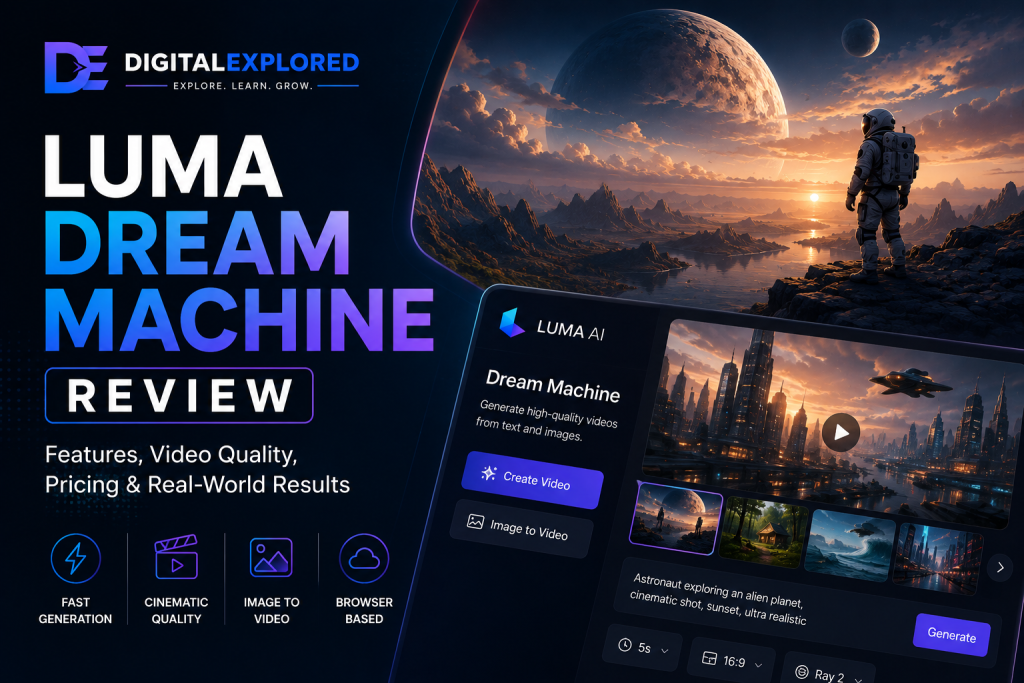
Luma Dream Machine is a cloud-based AI video generation platform developed by Luma AI. It allows users to create short videos from text prompts or still images without needing cameras, filming equipment, or complex editing software. Everything runs directly in your browser, so there’s nothing to install and no requirement for high-end hardware.
Unlike traditional video editors that help you assemble existing footage, Dream Machine focuses on creating entirely new content with artificial intelligence. You describe the scene you want—or upload an image you’d like to animate—and the platform generates a video based on those instructions.
Its development has been guided by a straightforward goal: make high-quality AI video generation fast, accessible, and simple enough for everyday creators while steadily improving realism through Luma AI’s proprietary Ray model family.
Today, Dream Machine is used by a wide range of creators, including:
- YouTubers creating long-form videos and Shorts
- Affiliate marketers producing promotional content
- Designers animating artwork and product images
- Marketing teams developing campaign concepts
- Agencies preparing client presentations and storyboards
- Entrepreneurs creating launch videos without large production budgets
Rather than replacing professional editing software, Dream Machine is designed to speed up the creative process by generating assets that can either stand alone or become part of a larger production workflow.

Company Background
Dream Machine is developed by Luma AI, a company that first gained recognition for its work in computational imaging and neural rendering.
Long before AI-generated video became mainstream, Luma AI specialized in technologies that could reconstruct realistic 3D environments using artificial intelligence. As generative AI evolved, the company expanded naturally into video generation by applying that same expertise in visual understanding.
Instead of building another editing-focused platform, Luma AI chose to solve a different problem:
How can creators generate visually impressive video content as quickly as possible without sacrificing quality?
That philosophy still defines Dream Machine today.
The platform prioritizes rapid generation, cinematic motion, and browser accessibility rather than competing directly with traditional editing suites. It’s a focused strategy that has helped Dream Machine carve out a distinct position in an increasingly competitive AI video market.
What Are Ray Models?
One of Dream Machine’s biggest differentiators is its use of Ray models, the proprietary AI models that power every generated video.
While many competing platforms rarely discuss the technology behind their output, Luma AI places significant emphasis on Ray because it directly influences the quality of the finished videos.
Rather than thinking of Ray as a standalone feature, it’s more useful to view it as the engine responsible for interpreting prompts and transforming them into coherent moving scenes.
In practical terms, Ray models aim to improve:
- Motion realism
- Prompt interpretation
- Camera movement
- Scene consistency
- Visual quality
- Image-to-video animation
- Rendering performance
Most creators don’t need to understand the technical architecture behind Ray.
What matters is the result.
A stronger underlying model generally means fewer failed generations, smoother motion, better prompt adherence, and videos that require less refinement before they’re ready for use.
Luma AI also continues to update the Ray model family over time, allowing users to benefit from quality improvements without learning an entirely new workflow. That’s an important advantage for creators planning to use the platform over the long term.
Luma Dream Machine Pros and Cons
Before diving into the individual features, it’s worth taking a step back and looking at where Dream Machine shines—and where it still has room to improve.
Like every AI video generator, it isn’t perfect. However, its strengths line up extremely well with what most creators actually care about: producing high-quality videos quickly without a complicated workflow.
| Pros | Cons |
| Produces cinematic-looking AI videos | Credit-based pricing can become expensive for heavy users |
| Outstanding image-to-video generation | Character consistency can drift across multiple generations |
| Fast rendering encourages experimentation | Individual clips are still relatively short |
| Browser-based workflow with no installation required | Built-in editing tools are fairly limited |
| Clean, beginner-friendly interface | Native audio isn’t as advanced as some competitors |
| Works well across desktop and mobile browsers | Requires an internet connection |
| Commercial usage available on eligible paid plans | Multiple generations can consume credits quickly |
| Ray models continue to improve over time | Better prompts still produce noticeably better results |
One theme quickly becomes clear.
Dream Machine is at its best when your priority is generating visually impressive AI videos as efficiently as possible. It delivers cinematic output, fast rendering, and a refreshingly straightforward user experience.
On the other hand, it isn’t trying to replace professional editing software or become a complete production platform. If your workflow relies heavily on advanced editing, long-form storytelling, or perfectly consistent recurring characters, you’ll probably still need additional tools alongside it.
The rest of this review takes a closer look at those trade-offs so you can decide whether they matter for the kind of content you create.
Luma Dream Machine Features
At first glance, Dream Machine feels surprisingly simple.
Open the platform, type a prompt, and you’re ready to generate a video within minutes.
That simplicity can be deceptive, though.
Behind its clean interface sits a capable AI video generator that focuses on refining the features creators use most often instead of overwhelming them with endless menus and settings.
Let’s look at the platform’s biggest strengths.
Text-to-Video Generation
Text-to-video generation is the foundation of Dream Machine.
You describe the scene you want using natural language, and the AI transforms that prompt into a short video.
As with every AI video generator, the quality of the output depends heavily on how descriptive your prompt is.
Dream Machine generally performs best when prompts include details such as:
- Subject
- Environment
- Lighting
- Camera movement
- Mood
- Artistic style
- Weather
- Time of day
- Motion
For example, instead of writing:
A mountain.
You might describe something like:
A cinematic drone shot flying above snow-covered mountains at sunrise, with golden light reflecting across frozen lakes as clouds drift slowly through the valleys and the camera glides smoothly forward.
Dream Machine does an impressive job interpreting this kind of descriptive prompt, often producing visually coherent scenes with fewer regeneration attempts than many earlier AI video models.
No AI generator gets every prompt right the first time, but Dream Machine’s prompt understanding is strong enough that refining ideas usually feels creative rather than frustrating.
Image-to-Video Generation
Image-to-video is one of Dream Machine’s standout features—and arguably the reason many creators choose it over competing platforms.
Instead of generating an entirely new scene from a written prompt, you can upload an existing image and ask the AI to animate it.
This works particularly well for:
- Product photography
- Brand assets
- Character artwork
- Concept illustrations
- Landscape photography
- Marketing graphics
- Social media content
For affiliate marketers, it’s an especially valuable feature.
Instead of relying solely on stock footage or static screenshots, you can turn product images into engaging promotional videos for blog posts, YouTube content, or social media campaigns.
Compared with many competing AI video generators, Dream Machine generally preserves the original composition well while adding believable movement and cinematic camera motion.
That often leads to more consistent results than starting entirely from a text prompt—especially when recognizable products or branded assets are involved.
Ray Models
Every video created inside Dream Machine is powered by Luma AI’s proprietary Ray models.
Although users never interact with them directly, these models influence almost every aspect of the generation process.
They handle tasks such as:
- Understanding prompts
- Creating realistic movement
- Managing lighting
- Preserving scene composition
- Simulating camera motion
- Improving temporal consistency
One of the biggest advantages of the Ray model family is that it continues to evolve.
As Luma AI releases new versions, creators benefit from improved output quality without needing to learn a different interface or workflow.
That makes Dream Machine feel like a platform that grows alongside its users rather than one that constantly forces them to adapt.
Camera Motion
Static AI-generated videos rarely feel convincing.
Dream Machine addresses this by introducing realistic virtual camera movement that gives scenes a much more cinematic feel.
Depending on your prompt, generated videos may include:
- Slow push-ins
- Pull-back shots
- Tracking shots
- Smooth pans
- Orbiting movements
- Aerial perspectives
- Dynamic framing
Rather than appearing randomly animated, many clips resemble footage captured using professional camera equipment.
For creators producing YouTube documentaries, cinematic B-roll, travel videos, or advertisements, this subtle camera work significantly improves the perceived production quality.
It’s one of the platform’s strongest visual qualities.
Motion Quality
Natural movement has historically been one of AI video’s biggest weaknesses.
Earlier models often produced:
- Jerky animation
- Distorted limbs
- Unrealistic physics
- Flickering backgrounds
- Abrupt camera transitions
Dream Machine performs much better.
Human movement generally appears smoother, while environmental elements such as water, smoke, clouds, rain, and foliage move in ways that feel surprisingly believable.
Fast action scenes can still expose occasional weaknesses, but for slower cinematic content, documentaries, marketing videos, and product showcases, motion quality ranks among Dream Machine’s biggest strengths.
Fast Rendering
Another feature that immediately stands out is rendering speed.
Generating AI video will always involve some waiting, but Dream Machine is fast enough that it encourages experimentation rather than interrupting it.
Fast rendering allows creators to:
- Test multiple prompts
- Compare different creative directions
- Refine camera movement
- Improve storytelling
- Iterate much more quickly
Instead of waiting several minutes between every generation, you can often produce several variations in a relatively short period.
For marketers, agencies, and content creators working to deadlines, that faster feedback loop can have a meaningful impact on productivity.
Browser-Based Workflow
Unlike traditional creative software, Dream Machine runs entirely in your browser.
That brings several practical advantages.
You can:
- Access projects from different devices
- Continue working without installing software
- Receive updates automatically
- Work across multiple operating systems
Because all processing happens in the cloud, you also don’t need a powerful workstation to generate high-quality AI videos.
For many creators, that’s one of the platform’s biggest quality-of-life benefits. It removes the technical barriers that often come with video production, allowing you to focus on creating rather than configuring hardware.
Ease of Use
One of Dream Machine’s biggest strengths is that it doesn’t overwhelm new users.
Some AI video platforms greet you with dozens of settings, technical options, and unfamiliar terminology before you’ve even generated your first clip. Dream Machine takes the opposite approach, keeping the interface clean and intuitive so you can focus on creating rather than figuring out where everything is.
Getting started is straightforward.
A typical workflow looks like this:
- Enter a text prompt or upload an image.
- Adjust any available generation settings.
- Generate your video.
- Review the results.
- Refine the prompt if needed.
- Download the finished clip.
That’s really all there is to it.
The interface avoids unnecessary distractions, making it approachable for complete beginners while still giving experienced creators enough control to produce polished results.
Learning Curve
Most users should feel comfortable with Dream Machine after a single session.
The biggest challenge isn’t learning the software—it’s learning how to write better prompts.
Like every AI video generator, Dream Machine rewards descriptive prompts that include details about lighting, mood, composition, camera movement, and subject behaviour. The more clearly you communicate your vision, the better the results tend to be.
The good news is that the platform is forgiving.
Even relatively simple prompts often generate usable videos, making it much less intimidating for people who are completely new to AI video creation.
As your prompt-writing skills improve, so does the quality of the output.
That balance between simplicity and creative control is one of Dream Machine’s strongest qualities. It gives beginners a gentle introduction without feeling restrictive as your experience grows.
Video Quality
Ultimately, the success of any AI video generator comes down to one question:
How good do the finished videos actually look?
You can have an attractive interface, quick rendering times, and flexible pricing, but none of that matters if the generated footage feels artificial or inconsistent.
Fortunately, this is an area where Luma Dream Machine consistently performs well.
Powered by the Ray models, it produces videos that look noticeably more polished than many earlier AI video generators. While no current platform is flawless, Dream Machine delivers a level of realism and cinematic quality that’s impressive enough for professional marketing, YouTube content, presentations, and creative projects.
Let’s look at the areas that contribute most to that experience.
Realism
Realism is one of Dream Machine’s biggest selling points.
Across a wide variety of prompts, the platform generally produces:
- Natural lighting
- Convincing environments
- Smooth camera movement
- Believable textures
- Realistic atmospheric effects
- Strong depth and perspective
The finished clips often feel intentionally filmed rather than obviously AI-generated.
This is particularly noticeable when creating:
- Landscapes
- Urban environments
- Nature scenes
- Product showcases
- Cinematic establishing shots
Human subjects have also improved significantly as newer Ray models have been released.
Although you’ll still encounter the occasional visual artifact—particularly with very complex prompts—the overall level of realism is among the best currently available in AI video generation.
Motion Quality
Generating believable movement remains one of AI video’s most difficult technical challenges.
Dream Machine handles it surprisingly well.
Compared with earlier generations of AI video software, it delivers:
- Smoother walking animations
- More natural environmental movement
- Better object interactions
- Cleaner camera transitions
- More convincing physics
Elements such as clouds, flowing water, smoke, rain, and foliage animate in ways that help scenes feel immersive rather than artificial.
Fast-paced action sequences can still expose occasional weaknesses, but slower cinematic content, documentaries, product showcases, and marketing videos consistently benefit from the platform’s strong motion quality.
Prompt Understanding
As AI video generators become more sophisticated, prompt adherence becomes increasingly important.
The more accurately the AI understands your instructions, the fewer generations—and credits—you waste trying to achieve the result you had in mind.
Dream Machine responds particularly well to prompts describing:
- Camera angles
- Lighting
- Subject movement
- Mood
- Weather
- Artistic style
- Time of day
- Environmental details
Instead of requiring rigid prompt structures or technical syntax, it understands natural language remarkably well.
While detailed prompts naturally produce stronger results, even moderately descriptive instructions often generate usable footage.
That makes the platform approachable for beginners while still rewarding creators who invest time in learning more advanced prompting techniques.
Camera Movement
Camera movement is another area where Dream Machine consistently stands out.
Rather than producing static scenes with simple animation, it frequently introduces subtle cinematic movement that gives videos a far more professional feel.
Depending on your prompt, generated clips may include:
- Slow dolly shots
- Tracking movements
- Push-ins
- Pull-backs
- Orbit shots
- Cinematic framing
- Dynamic perspectives
These virtual camera movements add depth and visual interest, making even straightforward scenes feel more engaging.
Combined with realistic lighting and strong composition, they’re a big reason Dream Machine’s videos often look more polished than many competing AI generators.
Image Animation
Image-to-video generation deserves special recognition because it’s one of Dream Machine’s defining features.
Uploaded images typically retain their overall composition while gaining realistic movement and cinematic camera effects.
This makes the feature especially valuable for:
- Ecommerce businesses
- Affiliate marketers
- Product reviews
- Brand campaigns
- Character artwork
- Concept illustrations
Instead of creating every scene from scratch, you can transform existing visual assets into engaging videos with relatively little effort.
For many businesses, that’s far quicker and more cost-effective than organising a traditional video shoot.
Overall Video Quality Verdict
Across every major quality category, Luma Dream Machine performs exceptionally well.
Its biggest strengths include:
- Excellent realism
- Smooth, natural motion
- Cinematic camera movement
- Strong prompt understanding
- Outstanding image-to-video generation
- Fast rendering
Its limitations are the same ones affecting almost every leading AI video generator today:
- Short clip lengths
- Occasional inconsistencies between generations
- Character continuity challenges
- Multiple attempts may still be needed for the perfect result
None of those limitations are unique to Dream Machine.
Overall, it comfortably ranks among the strongest AI video generators currently available for creators who want high-quality, cinematic AI-generated videos without a complicated workflow.
Luma Dream Machine Pricing
Pricing is an important consideration with any AI video generator, especially if you’re creating content regularly.
Unlike traditional video editing software that often uses a one-time purchase or straightforward subscription, AI video platforms typically rely on usage credits because generating videos requires significant computing power.
Luma Dream Machine follows that model.
Rather than charging purely for access to the platform, it combines subscription plans with generation credits, allowing creators to choose a plan that matches how frequently they create videos.
For occasional users, this approach can be very cost-effective. For heavy users producing dozens or even hundreds of videos every month, it’s worth paying closer attention to credit usage.
Free Plan
One of Dream Machine’s biggest advantages is that you can try the platform without immediately committing to a paid subscription.
The free plan is ideal for:
- Learning the interface
- Testing prompts
- Exploring image-to-video generation
- Evaluating video quality
- Experimenting with Ray models
Although free usage comes with limits, it provides enough functionality for most creators to decide whether the platform suits their workflow before upgrading.
That makes it much easier to assess Dream Machine based on your own experience rather than relying solely on reviews.
Paid Plans
Paid subscriptions are designed for creators who generate videos on a regular basis.
Depending on your chosen plan, benefits typically include:
- More monthly generation credits
- Higher usage limits
- Faster generation priority
- Increased production capacity
- Commercial usage rights where applicable
- Continued access to the latest platform improvements
The right plan largely depends on how often you create content.
A YouTuber publishing one or two videos each week will have very different requirements from a marketing agency producing multiple campaigns every day.
Credit System
Like many AI video generators, Dream Machine uses a credit-based generation system.
Each generated video consumes credits based on factors such as the type of generation and the resources required.
That means creators should think carefully before repeatedly generating nearly identical prompts.
A more efficient workflow is usually to:
- Plan your prompts carefully
- Generate several variations
- Select the strongest results
- Refine only where necessary
This approach not only saves credits but also speeds up production.
Most experienced users quickly learn that better prompts are often more valuable than simply generating additional versions.
Is It Good Value?
Overall, Dream Machine offers strong value for creators whose main priority is AI video generation.
You’re paying for:
- High-quality video output
- Fast rendering
- Excellent image-to-video capabilities
- Continuous Ray model improvements
- A browser-based workflow requiring no expensive hardware
Compared with the cost of traditional video production—or even purchasing stock footage—the platform can save both time and money.
The main consideration is volume.
If you’re generating a very large number of videos every month, credit usage can increase costs noticeably. On the other hand, creators producing content at a more moderate pace are likely to find the pricing reasonable given the quality of the results.
Ultimately, Dream Machine delivers good value for creators who consistently make use of its strengths rather than treating it as a tool for endless experimentation.
Real-World Performance
Feature lists are useful, but they don’t always reflect what it’s actually like to create videos day after day.
The real test is how Dream Machine performs when deadlines are approaching, multiple projects are competing for your attention, and you need results that are both visually impressive and practical to produce.
Fortunately, this is where the platform performs particularly well.
Rather than trying to replace every stage of video production, Dream Machine focuses on generating high-quality visual assets quickly, allowing creators to spend more time refining ideas and less time waiting for renders.
Let’s look at how that translates into real-world use.
YouTube Content
Dream Machine is an excellent fit for YouTube creators looking to enhance their videos with cinematic AI-generated visuals.
It works especially well for:
- Documentary-style B-roll
- Travel sequences
- Educational content
- Technology explainers
- Product reviews
- Intro animations
- Atmospheric establishing shots
Because rendering is relatively fast, creators can experiment with several concepts before deciding which clips best support their story.
Most YouTubers will still complete editing in software such as Adobe Premiere Pro or DaVinci Resolve, but Dream Machine significantly reduces the effort required to create visually engaging supporting footage.
Affiliate Marketing
Affiliate marketers are likely to get even more value from Dream Machine.
One of the biggest challenges when reviewing software or digital products is creating engaging visuals without access to original video footage.
Dream Machine solves much of that problem through its image-to-video capabilities.
You can animate:
- Product screenshots
- Landing pages
- Brand graphics
- Marketing assets
- Concept artwork
Instead of relying entirely on static images, you can create promotional videos that feel more dynamic and visually engaging.
For creators publishing comparison articles, product reviews, or YouTube content, this can make a noticeable difference in audience engagement.
Marketing Campaigns
Marketing teams can also benefit from Dream Machine’s rapid generation workflow.
It’s particularly effective for producing:
- Campaign concepts
- Social media videos
- Product launches
- Promotional content
- Visual prototypes
- Creative presentations
Rather than organising expensive shoots for every new idea, teams can quickly generate multiple concepts before deciding which direction to pursue.
That ability to iterate rapidly makes Dream Machine valuable not only for final content but also for early-stage creative development.
Business Use
Dream Machine is also a practical choice for businesses that need high-quality video content without investing heavily in traditional production.
Common use cases include:
- Product demonstrations
- Website hero videos
- Customer education
- Internal presentations
- Brand storytelling
- Promotional campaigns
Because the platform is cloud-based, teams can generate content from virtually any modern computer without purchasing specialized hardware. That lowers the barrier to entry for smaller businesses that want to experiment with AI-generated video while keeping production costs under control.
Creative Projects
Beyond commercial work, Dream Machine is an excellent creative playground for filmmakers, designers, and artists.
Creators frequently use it for:
- Storyboarding
- Mood pieces
- Concept visualization
- Short films
- Music video concepts
- Visual experimentation
Instead of spending hours creating rough visual concepts manually, you can quickly generate multiple interpretations of an idea before deciding which direction to develop further.
That rapid iteration encourages experimentation in a way that traditional video production rarely can.
Overall Performance
Across day-to-day use, Dream Machine consistently delivers on the goals it sets for itself.
Its biggest strengths include:
- Fast rendering
- Excellent cinematic visuals
- Outstanding image-to-video generation
- Smooth camera movement
- Beginner-friendly workflow
- Reliable browser performance
Most of its limitations are shared by nearly every AI video generator currently available.
Users should still expect to:
- Refine prompts over multiple attempts
- Review generated clips carefully
- Assemble longer productions in dedicated editing software
- Accept that character consistency may vary across separate generations
Those aren’t unique shortcomings—they’re simply part of working with today’s AI video technology.
Who Should Use Luma Dream Machine?
Dream Machine isn’t designed to replace every creative tool in your workflow.
Instead, it excels at helping creators generate visually impressive AI videos quickly and with minimal technical friction.
Here are the users who are likely to benefit the most.
Content Creators
Content creators are among Dream Machine’s ideal audience.
Whether you’re producing YouTube videos, educational content, product demonstrations, or social media posts, the platform makes it easy to create professional-looking visuals without organising expensive video shoots.
Its fast rendering and intuitive interface are particularly valuable for creators publishing on a regular schedule.
Affiliate Marketers
Affiliate marketers can use Dream Machine to create engaging visuals for:
- Product reviews
- Comparison articles
- Landing pages
- YouTube reviews
- Social media promotions
- Email marketing campaigns
Its image-to-video capabilities make static screenshots and product images far more engaging, helping content stand out in increasingly competitive niches.
Marketing Teams
Marketing professionals often need to produce concepts quickly before committing to larger production budgets.
Dream Machine works well for:
- Campaign mockups
- Product launches
- Promotional videos
- Client presentations
- Advertising concepts
Fast rendering encourages experimentation, making it easier to compare multiple creative ideas before selecting the strongest approach.
Small Businesses
For smaller businesses without dedicated video teams, Dream Machine offers a cost-effective way to create professional-looking content.
Instead of hiring production crews for every campaign, businesses can quickly generate videos for:
- Websites
- Social media
- Product pages
- Customer education
- Brand awareness
Combined with traditional editing software, these AI-generated assets can become an important part of a broader marketing strategy.
Designers and Creative Professionals
Designers working with illustrations, concept art, or branded graphics can use Dream Machine to bring static visuals to life.
Its image-to-video workflow is particularly useful for:
- Portfolio presentations
- Client concepts
- Product visualizations
- Brand storytelling
- Motion graphics inspiration
Rather than replacing established creative tools, Dream Machine expands what’s possible during the early stages of the design process.
Who Should Look Elsewhere?
As impressive as Dream Machine is, it won’t be the perfect solution for everyone.
Depending on your workflow, another AI video platform may offer a better fit.
You Need Advanced Built-in Editing
If you want to generate, edit, organize, and export complete productions inside a single application, Dream Machine may feel too focused on generation.
Platforms like Runway provide a much broader collection of editing tools that reduce the need for separate software.
You Produce Long-Form Narrative Projects
Dream Machine performs best when generating shorter cinematic clips.
If your work regularly involves long-form storytelling with recurring characters and continuous scenes, you’ll still need careful editing and additional production tools to maintain consistency throughout the project.
You Require Enterprise Collaboration
Dream Machine works well for individuals and small teams, but organizations managing large creative departments may prefer platforms with more advanced collaboration, project management, and administrative features.
You Want the Lowest Possible Cost
Although Dream Machine provides good value, heavy users can consume credits quickly.
If your workflow involves generating very large volumes of AI video every month, you’ll want to compare pricing carefully with competing platforms before committing to a subscription.
Luma Dream Machine Alternatives
Luma Dream Machine is one of the strongest AI video generators available today, but it’s far from your only option.
The best alternative depends on what matters most to you. Some platforms focus on editing, others prioritize cinematic realism, while a few are designed for beginners who simply want to create videos as quickly as possible.
Here are the main competitors worth considering.
Runway
Runway is arguably Dream Machine’s closest competitor.
While Dream Machine concentrates on fast, high-quality AI video generation, Runway provides a much broader creative environment that combines generation, editing, collaboration, and project management in one platform.
Choose Runway if you want:
- AI video generation
- Built-in editing tools
- Team collaboration
- Project organization
- An all-in-one production workflow
Choose Dream Machine if your priority is generating cinematic videos quickly with outstanding image-to-video performance.
For a more detailed look at its features, pricing and real-world performance, read our complete Runway Review.
Google Veo
Google Veo focuses heavily on producing premium cinematic AI-generated video.
Compared with Dream Machine, it offers:
- More advanced prompt interpretation
- Native synchronized audio generation
- Deep integration with Google’s AI ecosystem
- Enterprise and developer capabilities
Dream Machine, however, provides a much simpler experience for individual creators.
If you’re looking for the highest possible generation quality and already work within Google’s ecosystem, Veo is an excellent option. If you value speed, accessibility, and a straightforward workflow, Dream Machine is often the easier choice.
If you want to learn more about Google Veo in detail you can check out our complete Google Veo Review.
Kling AI
Kling AI has built a strong reputation for producing highly realistic AI-generated videos with impressive motion quality.
It’s especially appealing for creators who place realism above everything else.
Compared with Kling AI, Dream Machine offers:
- Faster rendering
- A cleaner browser-based workflow
- Excellent image-to-video generation
- A more beginner-friendly experience
The better choice depends on whether your priority is maximum realism or a faster, more accessible creative process.
If you’re wondering if this might be the actual tool for you, you can learn more about it by reading our full Kling AI Review.
Pika
Pika takes an accessibility-first approach.
Its interface is designed to help beginners generate AI videos with as little friction as possible, particularly for social media content.
Compared with Dream Machine:
- Pika is slightly easier for complete beginners.
- Dream Machine generally produces more cinematic visuals.
- Dream Machine offers stronger image-to-video performance.
- Dream Machine feels better suited to professional marketing and YouTube content.
If your goal is creating higher-quality visual assets, Dream Machine has the advantage. If you simply want to experiment with AI video for the first time, Pika is also worth considering.
If you want to learn more about Pika, you can check our full Pika Review.
Final Verdict
Luma Dream Machine has established itself as one of the strongest AI video generators currently available, and after examining its features, performance, workflow, and overall value, it’s easy to understand why.
Rather than trying to replace every creative application, Luma AI has remained focused on one objective: making AI video generation fast, accessible, and visually impressive.
That focused approach pays off.
Dream Machine consistently delivers:
- High-quality cinematic videos
- Outstanding image-to-video generation
- Smooth camera movement
- Strong prompt understanding
- Fast rendering
- A clean browser-based workflow
For content creators, affiliate marketers, YouTubers, designers, and small businesses, those strengths make it an excellent platform for producing professional-looking visuals without investing in expensive equipment or learning complicated software.
It’s not without limitations.
Like every AI video generator available today, Dream Machine still struggles with character consistency across longer projects, relatively short clip lengths, and the need for external editing when assembling more ambitious productions.
Those limitations aren’t unique to Luma AI—they’re simply part of the current state of AI video generation.
What sets Dream Machine apart is how effectively it balances quality, speed, and simplicity.
Instead of overwhelming users with unnecessary complexity, it provides an intuitive workflow while continuing to improve its Ray models behind the scenes.
Choose Luma Dream Machine if you:
- Want cinematic AI-generated videos
- Need one of the strongest image-to-video generators available
- Create YouTube content
- Produce marketing videos
- Build affiliate websites
- Value fast rendering
- Prefer a browser-based workflow
- Want a beginner-friendly platform
Consider another platform if you:
- Need advanced built-in video editing
- Produce long-form narrative films
- Require enterprise infrastructure and large-scale automation
- Need highly consistent recurring characters
- Want a complete all-in-one production suite
For the vast majority of creators, however, Dream Machine strikes an excellent balance between ease of use, output quality, and production speed.
It’s one of the easiest AI video generators to recommend for creators who want professional-looking AI-generated videos without an unnecessarily complicated workflow.
Overall Rating: 9.3/10
Frequently Asked Questions
Is Luma Dream Machine free?
Yes.
Luma Dream Machine offers a free way to explore the platform before upgrading to a paid subscription.
The free plan includes limitations on generation credits and usage capacity, but it’s more than sufficient for learning the interface, testing prompts, and evaluating overall video quality.
Is Luma Dream Machine worth it?
For creators who regularly produce AI-generated videos, Dream Machine offers excellent value.
Its combination of cinematic output, fast rendering, intuitive design, and outstanding image-to-video generation makes it one of the strongest choices currently available for individual creators and small teams.
Is Luma Dream Machine good for beginners?
Absolutely.
One of Dream Machine’s biggest strengths is how approachable it feels.
Getting started is simple:
- Enter a prompt.
- Upload an image if you want.
- Generate a video.
- Refine the result if necessary.
- Download the finished clip.
Most users can begin creating videos within minutes.
Can Luma Dream Machine generate videos from images?
Yes.
Image-to-video generation is one of the platform’s defining features.
You can upload:
- Product photos
- Artwork
- Illustrations
- Concept designs
- Marketing assets
Dream Machine then animates those images into cinematic video clips using its Ray models.
How good is the video quality?
Dream Machine consistently produces high-quality AI-generated videos featuring:
- Realistic movement
- Natural lighting
- Cinematic camera motion
- Strong prompt understanding
- Excellent image animation
Although occasional imperfections remain, its overall visual quality ranks among the best currently available in AI video generation.
Does Dream Machine include video editing?
Not in the same way as dedicated editing platforms.
Dream Machine focuses primarily on AI video generation rather than comprehensive editing.
Most creators still use software such as Adobe Premiere Pro, DaVinci Resolve, or Final Cut Pro to assemble larger projects.
Is Dream Machine better than Runway?
It depends on your workflow.
Dream Machine generally performs better when your priorities are:
- Fast AI video generation
- Excellent image-to-video quality
- Browser simplicity
Runway offers advantages in:
- AI-assisted editing
- Team collaboration
- Project management
- End-to-end production workflows
Neither platform is objectively better—they simply prioritize different parts of the creative process.
Is Dream Machine good for YouTube?
Yes.
Many YouTubers use Dream Machine to generate:
- Cinematic B-roll
- Documentary visuals
- Intro sequences
- Educational animations
- Storytelling footage
Combined with traditional editing software, these assets can significantly improve production quality while reducing the need for original footage.
Can businesses use Luma Dream Machine?
Yes.
Businesses can use Dream Machine to create:
- Marketing campaigns
- Product demonstrations
- Website videos
- Brand storytelling
- Customer education
- Social media content
Its browser-based workflow makes it particularly attractive for smaller teams that don’t have dedicated production departments.
How does Dream Machine compare with other AI video generators?
Dream Machine competes extremely well with leading platforms such as Runway, Google Veo, Kling AI, and Pika.
Its biggest strengths are:
- Ease of use
- Outstanding image-to-video generation
- Fast rendering
- Cinematic visual quality
Creators who need advanced editing or enterprise infrastructure may prefer other platforms, but if your goal is generating high-quality AI videos quickly, Dream Machine remains one of the strongest choices available.
Conclusion
AI video generation is evolving at an extraordinary pace, and Luma Dream Machine has established itself as one of the platforms leading that transformation.
Rather than attempting to become a complex production suite, Luma AI has focused on making AI video generation as fast, accessible, and enjoyable as possible while continuously improving the Ray models that power the platform.
That strategy has produced a tool that’s equally appealing to beginners experimenting with AI video for the first time and experienced creators looking for an efficient way to generate cinematic footage.
While some competitors provide more advanced editing capabilities or deeper enterprise integrations, Dream Machine excels at what it was built to do: transforming prompts and images into visually compelling videos with impressive speed and simplicity.
If your goal is creating engaging AI-generated content for YouTube, affiliate marketing, social media, advertising, or creative storytelling, Luma Dream Machine deserves a place near the top of your shortlist.
As the Ray models continue to improve, the platform is well positioned to become even more capable, making it an excellent long-term choice for creators who want high-quality AI video generation without unnecessary complexity.
1 thought on “Luma Dream Machine Review”