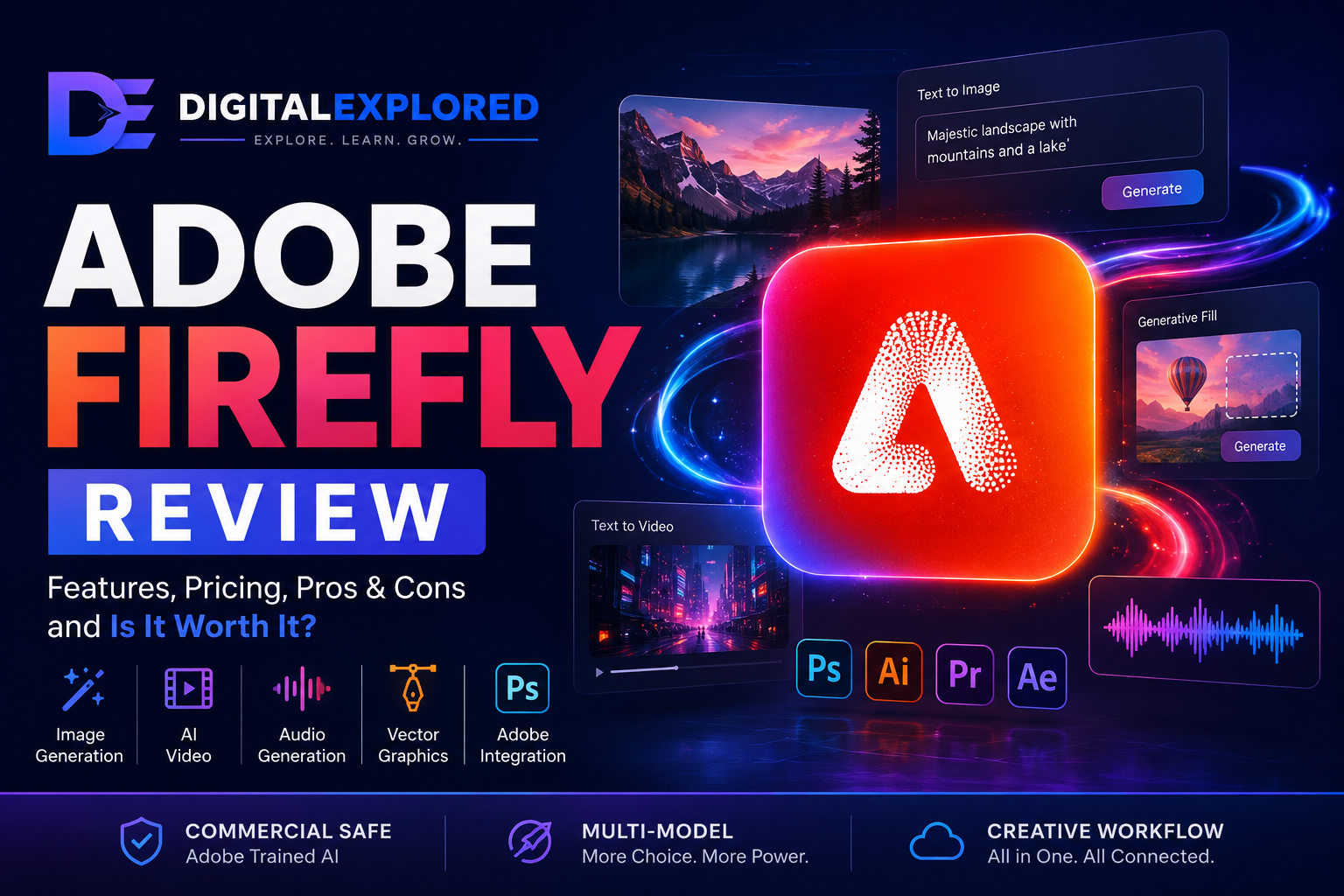
This Adobe Firefly Review looks at a platform that has changed dramatically since Adobe first introduced Firefly as an AI image generator in 2023.
Today, calling Firefly an “AI image generator” barely describes what it has become.
Adobe has expanded the platform across image generation, generative editing, video, audio, vectors, translation, dubbing, creative ideation, and third-party AI models—all while connecting those capabilities to the wider Adobe creative ecosystem.
And that changes how Firefly should be judged.
If you compare Adobe’s own image or video models against the best specialist AI model in every individual category, Firefly isn’t necessarily going to win every time.
If AI video generation is the only thing you care about, a dedicated platform may make more sense. The same applies if your entire workflow revolves around generating artistic images.
Firefly becomes considerably more interesting when you stop treating it as a single AI model.
It’s increasingly a multi-model creative workspace.
You can generate an image, modify it with generative editing, turn visual assets into video, create supporting audio, explore ideas on a Firefly Board, access supported third-party models, and then continue refining your work inside familiar Adobe applications such as Photoshop, Illustrator, or Adobe Express.
That makes Firefly’s biggest advantage less about having the single best AI model and more about reducing the friction between AI generation and actual creative production.
For designers, marketers, agencies, entrepreneurs, content creators, and existing Creative Cloud users, that distinction matters.
Generating an impressive image is useful.
Being able to generate it, modify the background, expand the composition, create additional formats, animate it, and then continue refining it inside professional software is potentially much more useful.
Features such as Generative Fill illustrate this perfectly.
Professional creative work rarely involves generating an entire asset from scratch and publishing whatever the AI produces. More often, you already have something that works and need to change one specific part of it.
Maybe you need to remove an unwanted object.
Maybe the background doesn’t fit the campaign.
Maybe your square image needs to become a 16:9 website banner.
Maybe you need another variation without rebuilding the entire composition.
Firefly is particularly well positioned for these kinds of workflows.
There are trade-offs, however.
Premium generation relies on Adobe’s generative-credit system, and repeated video or partner-model generations can burn through those credits faster than you might expect.
Firefly has also become more complicated as Adobe has added more tools and models. More choice is valuable, but it also means more decisions about which model to use, how many credits it consumes, and whether different commercial terms apply.
That’s especially important when using third-party models.
Accessing another company’s model through Firefly doesn’t automatically mean Adobe’s own approach to training data, licensing, or commercial use applies to that model.
So the real question isn’t simply:
Is Adobe Firefly good?
It’s whether Firefly’s combination of AI generation, editing, model choice, and Adobe integration provides enough value for the way you actually create content.
That’s what we’ll answer in this review.
We’ll examine:
- Image generation
- Generative Fill and Generative Expand
- Vector generation
- AI video
- Audio generation
- Translation and dubbing
- Firefly Boards
- Third-party AI models
- Creative Cloud integration
- Ease of use
- Pricing and generative credits
- Commercial-use considerations
- Performance
- Major limitations
- Who should use Firefly
- Who should probably choose something else
By the end, you should have a clear idea of whether Adobe Firefly belongs in your creative workflow—or whether you’d be better served by a more specialized AI platform.
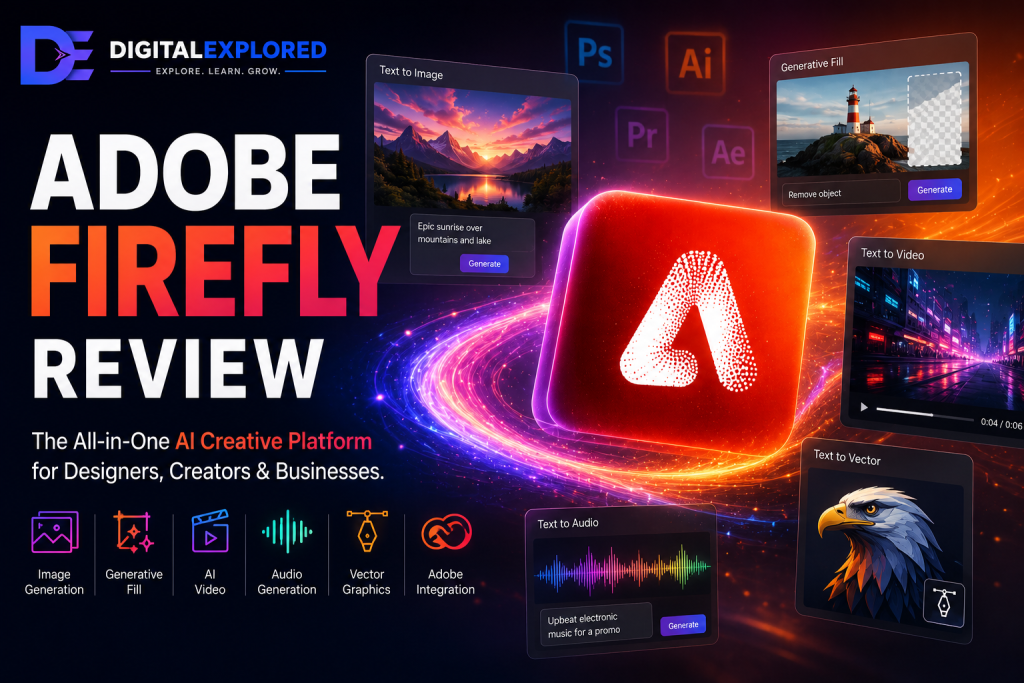
Adobe Firefly Review: Quick Verdict
Adobe Firefly makes the most sense for people who want AI to become part of a larger creative workflow, rather than remain a separate tool they visit whenever they need to generate something.
Its strongest position is with existing Adobe users, designers, marketing teams, agencies, and creators working across several media formats.
The deep connection with Adobe’s creative ecosystem gives Firefly an advantage that standalone AI generators have difficulty replicating.
Generative editing is a particularly important part of that advantage.
Creating an entire image from a prompt gets most of the attention in generative AI, but professional creative work often involves modifying something that already exists.
You might need to:
- Remove an unwanted object
- Replace a background
- Extend an existing composition
- Create another aspect ratio
- Refine a campaign asset
- Produce variations of an existing design
Firefly is particularly well suited to these tasks.
Its expansion into partner models makes the platform even more interesting.
Depending on the feature and current availability, Firefly can provide access to supported models from companies including Google, OpenAI, Runway, Luma AI, Kling AI, Black Forest Labs, and ElevenLabs.
That means using Firefly no longer necessarily means choosing an Adobe model instead of one of its competitors.
In some workflows, Firefly can become the environment through which you access those competitors.
That’s a significant change.
There are still plenty of reasons you might prefer another platform.
If you primarily generate large volumes of AI video, a dedicated video generator may offer a more focused workflow or better economics.
If you’re interested almost exclusively in artistic image generation, a specialist image generator could be the better choice.
And if Photoshop, Illustrator, Adobe Express, and the rest of Adobe’s ecosystem aren’t relevant to your work, one of Firefly’s biggest advantages disappears.
The credit system also deserves careful attention.
Premium features and partner models can consume generative credits, and unsuccessful generations still affect the economics of creating your final asset.
The meaningful calculation isn’t simply:
How much does one generation cost?
It’s:
How much does it cost to produce one generation that’s actually good enough to use?
That difference becomes increasingly important as you move into premium video, audio, and partner-model workflows.
Quick Assessment
| Category | Assessment |
| Best For | Adobe users, designers, agencies, marketers, and multi-format creators |
| Biggest Strength | Combining AI generation and editing with Adobe’s professional creative ecosystem |
| Generative Editing | One of Firefly’s strongest practical advantages |
| Image Generation | Broad capabilities through Adobe and supported partner models |
| Video | Useful and expanding, although dedicated AI video platforms remain strong alternatives |
| Audio | Speech, sound effects, soundtracks, translation, and dubbing workflows |
| Vectors | Particularly valuable for designers and Illustrator users |
| Partner Models | Major strength, although terms and credit consumption can differ |
| Ease of Use | Accessible, but increasingly complex as the platform expands |
| Value | Strongest when you use several Firefly capabilities or already work inside Adobe |
| Overall Verdict | A compelling creative AI ecosystem, but not automatically the best specialist generator |
Firefly makes the most sense if you:
- Already use Adobe Creative Cloud.
- Need image, video, audio, or vector tools rather than one isolated AI feature.
- Regularly edit and refine generated assets.
- Want access to multiple AI models from a broader creative environment.
- Produce marketing campaigns or content across several formats.
- Value professional finishing workflows as much as raw generation quality.
Consider an alternative if you:
- Only need one specialist AI generator.
- Primarily care about high-volume AI video generation.
- Want the strongest possible artistic image generator regardless of ecosystem.
- Have little interest in Adobe software.
- Need local or self-hosted AI.
- Primarily use one third-party model and can get better value directly from its provider.
The simplest way to summarize Firefly is this:
It’s more compelling as a platform than as a single AI model.
That distinction runs through almost every part of this review.
What Is Adobe Firefly?
Adobe Firefly is Adobe’s generative AI platform for creating and editing images, video, audio, and vector graphics.
When Adobe originally launched Firefly in March 2023, the concept was considerably narrower.
Firefly was primarily presented as a family of Adobe-developed generative AI models focused on images and text effects.
Since then, the platform has expanded substantially.
By 2026, “Adobe Firefly” can refer to several connected parts of Adobe’s AI ecosystem:
- Adobe-developed Firefly models
- Firefly’s web and mobile creative applications
- Access to supported third-party AI models
- Generative AI capabilities integrated throughout Adobe’s broader creative software ecosystem
Those final two points are particularly important.
Firefly is no longer simply a prompt box where you type a description and receive an Adobe-generated image.
Its capabilities now span workflows involving:
- Text-to-image generation
- Reference-guided image generation
- Generative Fill
- Generative Expand
- Prompt-based image editing
- Text-to-vector generation
- Text-to-video
- Image-to-video
- AI-assisted video editing
- Speech generation
- Sound-effect generation
- Soundtrack generation
- Audio translation
- Video translation
- AI dubbing
- Firefly Boards
- Third-party AI models

A useful way to think about the broader platform is through four stages:
Generate → Edit → Explore → Integrate
You might start by exploring several visual directions inside Firefly Boards.
Once you’ve found a direction you like, you could generate campaign images, compare results from different models, refine your preferred image, animate that asset into video, add supporting audio, translate the finished content, and then continue polishing everything inside another Adobe application.
That workflow highlights the fundamental difference between Firefly and a dedicated AI generator.
A specialist platform might be exceptionally good at one particular stage.
Adobe is attempting to connect more of the stages together.
Firefly Has Become a Multi-Model Platform
One of the biggest changes to Firefly is Adobe’s decision to incorporate third-party AI models.
Depending on the feature and current availability, Firefly supports partner models from companies including:
- OpenAI
- Runway
- Luma AI
- Kling AI
- Black Forest Labs
- ElevenLabs
This gives creators significantly more flexibility without requiring every generation to come from an Adobe-developed model.
Imagine you’re developing a campaign.
One model might produce the strongest image for the concept you’re exploring, while another might be better suited to turning that image into video.
Firefly’s increasingly multi-model approach allows creators to make those decisions within the Adobe environment rather than treating every AI provider as an entirely separate workflow.
There’s an important caveat.
Adobe models and partner models aren’t interchangeable from a policy perspective.
Training methods, licensing terms, intellectual-property considerations, credit consumption, capabilities, and commercial protections can differ between providers.
That distinction becomes particularly important for professional and commercial work, and we’ll examine it in much more detail later in this review.
Firefly Doesn’t Replace Traditional Adobe Software
Firefly is better understood as a way to accelerate creative work than as a replacement for Adobe’s professional applications.
Consider a traditional Photoshop workflow.
A designer might need to manually select an object, create masks, composite several elements, retouch an image, and refine the finished result.
Generative AI can shorten parts of that process.
Instead of manually creating every modification, you can describe the change you want and generate several possibilities.
The generated result then becomes a starting point for more precise editing.
That relationship between AI speed and manual creative control is arguably more important to Firefly’s value than the novelty of generating an image from a sentence.
And it’s one of the biggest reasons Firefly becomes significantly more compelling for people who already work inside Adobe’s ecosystem.
:::
Adobe Firefly Pros and Cons
Firefly’s breadth creates some genuine advantages, but it also introduces compromises that become more noticeable as you use the platform more heavily.
| Pros | Cons |
| Supports image, video, audio, and vector workflows | Adobe’s own models don’t necessarily lead every generation category |
| Deep integration with Adobe’s creative ecosystem | Premium and partner-model generations can consume credits quickly |
| Generative Fill and Expand solve practical editing problems | Unused monthly generative credits don’t roll over |
| Access to multiple supported third-party models | More tools and models make the platform increasingly complex |
| Strong Photoshop, Illustrator, and Adobe Express workflows | Partner models introduce separate licensing and commercial considerations |
| Firefly Boards supports ideation and moodboarding | Video editing is less mature than dedicated professional editing software |
| Adobe-developed models have a commercially focused training-data strategy | Specialist users may get better value from dedicated platforms |
| Useful for professional finishing rather than generation alone | Primarily cloud-based rather than a typical local or self-hosted AI solution |
| Free access provides a way to evaluate the platform | Credit economics become increasingly important with heavy premium usage |
The strongest advantages have one thing in common: workflow.
Generative Fill isn’t useful simply because it uses AI. It’s useful when it saves a designer from manually rebuilding part of an image.
Text-to-vector isn’t interesting just because Firefly can generate another type of content. It becomes valuable when that generated vector can move directly into Illustrator and remain editable.
Partner models aren’t useful because Adobe can display a long list of AI providers. They matter when choosing between those models inside the same environment genuinely reduces the number of disconnected tools involved in producing something.
The weaknesses follow the same pattern.
More models mean more choice, but they also mean more decisions.
More premium capabilities create more possibilities, but they can make credit consumption harder to predict.
And while a broad creative platform can replace parts of several different workflows, someone who only needs one capability may end up paying for breadth they never actually use.
Those trade-offs become much clearer once you look at Firefly’s individual features.
Adobe Firefly Features
Firefly’s feature set has become large enough that simply listing everything it can do isn’t particularly helpful.
A better question is:
What does each feature actually contribute to a creative workflow?
| Feature | What It Does | Best For |
| Text-to-Image | Generates images from written prompts | Ideation, marketing visuals, creative concepts |
| Generative Fill | Adds, removes, or replaces selected areas | Professional image editing |
| Generative Expand | Extends an image beyond its existing boundaries | Resizing and adapting assets |
| Text-to-Vector | Generates editable vector graphics | Designers and Illustrator workflows |
| AI Video | Generates video from text or images | Creators and marketers |
| Audio Tools | Generates speech, sound effects, and soundtracks | Multimedia production |
| Translation & Dubbing | Localizes audio and video | International content and campaigns |
| Firefly Boards | Supports visual ideation and moodboarding | Agencies, teams, and creative planning |
| Partner Models | Provides access to supported external AI models | Multi-model creative workflows |
Text-to-Image
Text-to-image remains one of Firefly’s core capabilities, but it no longer defines the platform.
The basic workflow is familiar.
You describe the image you want, Firefly generates several visual interpretations, and you choose the result that best fits your idea. Reference-guided generation can provide additional direction where supported, and the resulting assets can then become starting points for further editing.
Potential uses include:
- Marketing concepts
- Website graphics
- Social media assets
- Campaign imagery
- Blog visuals
- Advertising concepts
- Design exploration
- Presentation artwork
Where Firefly becomes more interesting is model choice.
The addition of partner models means evaluating “Firefly image quality” as though every image comes from the same Adobe model no longer makes much sense.
Your output can depend heavily on:
- The model you select
- Your prompt
- Reference material
- Creative controls
- The type of image you’re trying to create
Adobe’s proprietary models don’t consistently outperform specialist alternatives in every scenario, and there’s little value in pretending otherwise.
Firefly’s advantage appears after the image has been generated.
Instead of treating generation as the end of the workflow, the asset can continue through Firefly’s editing tools or into other Adobe applications.
Generative Fill
Generative Fill is one of the clearest examples of why Adobe’s connection to professional editing matters.
Instead of asking AI to generate an entirely new image, you can select a specific part of an existing asset and modify only that area.
You might use it to:
- Add an object
- Remove an unwanted element
- Replace a background
- Change part of a scene
- Repair an awkward area
- Adapt existing photography
Consider a product photograph.
You already have the correct product, the right angle, and most of the composition. The only problem is the background.
Generating an entirely new product image creates unnecessary risk. The AI could change the shape, packaging, logo, color, or other details of the product you’re trying to represent.
Generative Fill offers a more targeted approach.
Keep the part that’s already correct and modify the area that actually needs changing.
The same principle applies to advertising, ecommerce imagery, photography, and social content.
And that’s why generative editing can sometimes be more valuable professionally than complete AI generation.
You’re not asking AI to recreate everything correctly.
You’re asking it to accelerate one specific part of a production process.
Photoshop integration makes this even more useful because the AI-generated modification doesn’t have to be the final result. A designer can generate several possibilities, choose the strongest one, and then manually refine it.
Generative Fill therefore represents something more important than another feature on a checklist.
It demonstrates one of Adobe’s biggest advantages over standalone generators: generative AI embedded within an established professional editing workflow.
Generative Expand
Generative Expand applies the same basic philosophy to the boundaries of an image.
Instead of cropping an asset because you need a different aspect ratio, Firefly can generate additional visual information beyond the original frame.
The commercial applications are immediately obvious.
Imagine you’ve created a square image for social media, but now you need the same campaign creative as a wide website banner.
Or perhaps your photograph looks good, but there isn’t enough negative space beside the subject for a headline.
You could manually reconstruct the missing environment or search for another source image.
Generative Expand gives you another option: extend the existing scene to fit the new canvas.
That makes it useful for:
- Social media adaptations
- Website banners
- Display advertising
- Campaign variations
- Presentation layouts
- Different device formats
For marketers and creators producing the same campaign across multiple platforms, this can turn an annoying repetitive task into a much faster workflow.
Again, the real value isn’t simply that Firefly can generate more pixels.
It’s that AI generation is being applied to a specific production problem.
Text-to-Vector
Text-to-vector generation is another area where Adobe’s existing ecosystem gives Firefly a meaningful advantage.
Firefly can generate vector artwork from written prompts, supporting assets such as:
- Icons
- Decorative graphics
- Illustrations
- Design elements
- Patterns
- Campaign graphics
The important distinction here is that these are vectors.
A generated raster image and an editable vector graphic serve very different purposes.
Designers often need assets that can be resized, manipulated, recolored, and incorporated into larger compositions without treating whatever the AI generated as a flattened final image.
Firefly’s connection with Illustrator makes this especially relevant.
If your main interest is photorealistic AI imagery, text-to-vector generation may not be particularly important.
For a graphic designer creating scalable campaign elements, illustrations, or branded visual assets, it’s considerably more useful.
And once again, the pattern is the same:
Generate with AI, then refine with professional tools.
That’s where Firefly starts to separate itself from a basic AI generator.
Adobe Firefly AI Video Generation
Video represents one of Firefly’s biggest expansions beyond its original image-generation roots.
Adobe’s Firefly Video Model brought text-to-video and image-to-video capabilities into the platform, putting Firefly into competition with dedicated AI video tools.
But Adobe’s strongest argument isn’t necessarily that its proprietary video model will outperform every specialist alternative on raw generation quality.
The more interesting question is:
What can you do with the video after it’s generated?
Text-to-Video
Firefly’s text-to-video workflow follows the basic process now familiar across AI video platforms.
You describe the scene you want, configure the available controls, and generate a video based on those instructions.
Prompts can specify elements such as:
- Subject
- Environment
- Action
- Camera movement
- Shot composition
- Lighting
- Mood
- Visual style
This makes text-to-video useful for producing:
- B-roll
- Marketing footage
- Establishing shots
- Social media clips
- Advertising concepts
- Storyboards
- Presentation visuals
- Creative prototypes
For creators who don’t have the time or budget to film every scene themselves, AI-generated footage can fill gaps that previously required stock footage or original production.
Firefly also provides creative controls intended to give users more influence over the resulting footage instead of forcing them to rely entirely on prompt wording.
That matters in professional work.
A clip can look impressive and still be completely unusable if the framing, composition, or camera movement doesn’t fit the rest of the project.
Greater control improves the chances that generated footage becomes something you can actually use rather than another impressive AI demo sitting in your downloads folder.
Image-to-Video
Image-to-video takes a different approach.
Instead of asking the AI to invent an entire scene from text, you provide an existing still image as the starting point and ask Firefly to introduce motion.
Potential source material includes:
- Product imagery
- Campaign photography
- Illustrations
- Concept art
- Social media graphics
- Existing AI-generated images
For marketers, this creates a particularly interesting workflow.
You could generate or edit a campaign image inside Firefly, choose the strongest version, and then use that image as the foundation for an animated variation.
Your original concept no longer has to remain static.
One visual direction can potentially become several different media formats for different placements.
This is another situation where Firefly’s multi-format approach becomes more interesting than the individual feature itself.
Firefly Video Editor
Adobe has also expanded Firefly beyond isolated video generation with a browser-based video editor.
That’s a logical addition because AI-generated footage rarely arrives completely ready for publication.
Creators generally still need to:
- Choose the strongest clips
- Arrange footage
- Trim unwanted sections
- Add audio
- Adjust timing
- Combine generated and existing assets
- Refine the final sequence
Having an editing environment inside Firefly reduces the distance between generating a clip and turning it into something useful.
However, Firefly’s video editor shouldn’t be confused with a mature professional non-linear editor.
For sophisticated post-production, Adobe Premiere remains the more appropriate environment.
Likewise, creators who spend most of their time generating AI video may find dedicated AI video platforms offer more mature generation-centric workflows.
Firefly’s editor makes more sense as another bridge between generation and production rather than as a replacement for professional editing software.
Is Firefly Good for AI Video?
Yes—but whether it’s the right AI video platform for you depends heavily on your workflow.
If AI video is one component of broader creative work, Firefly becomes considerably more attractive.
The same ecosystem can also handle images, vectors, audio, editing, localization, and other creative tasks.
If AI video is essentially your entire workflow, dedicated platforms deserve serious consideration.
Firefly’s multi-model strategy partly addresses this weakness.
Instead of requiring you to rely exclusively on Adobe’s proprietary video model, supported partner models can expand the generation options available from within Firefly.
That shifts the question.
Rather than asking:
“Is Adobe’s video model always the best?”
A more useful question becomes:
“Is Firefly a useful environment for generating and working with AI video?”
For many Adobe-centric workflows, the answer is yes.
:::
Adobe Firefly Audio Tools
Video and image generation tend to get most of the attention in generative AI, but visual content rarely exists in isolation.
Videos need narration.
Advertisements need sound effects.
Social content often needs music.
International campaigns may need the same message delivered in several languages.
Adobe has steadily expanded Firefly into these areas, giving creators a growing collection of AI-powered audio tools alongside its visual capabilities.
That expansion reinforces the same theme running throughout the platform: Firefly is becoming less about generating one type of asset and more about supporting an entire creative workflow.
Generate Speech
Firefly’s Generate Speech feature converts written text into spoken audio.
Creators can choose from different voices and adjust characteristics such as:
- Accent
- Pacing
- Emotion
- Delivery
This can be useful for:
- YouTube narration
- Product demonstrations
- Training videos
- Social media content
- Advertising
- Internal presentations
For smaller creators and businesses, AI-generated speech can remove one of the most frustrating bottlenecks in video production.
You don’t necessarily need to record every voiceover manually or hire a voice actor for every early-stage concept.
A marketer, for example, could write several versions of an advertisement, generate narration for each one, combine those voiceovers with different visuals, and quickly compare the finished concepts.
That’s a much more practical use of generative AI than simply generating speech because the technology exists.
Generate Soundtrack
Firefly can also generate instrumental music for video projects.
The basic idea is straightforward: rather than searching through a stock-music library and trying to find something that roughly matches your footage, you can generate a soundtrack based on the creative direction of the project.
That can be useful for:
- Social media videos
- Product promotions
- Presentations
- YouTube content
- Advertisements
- Creative concepts
For creators working across several media formats, having soundtrack generation alongside video generation reduces another point of friction.
You can move from visuals to supporting audio without immediately leaving the platform.
Generate Sound Effects
Sound effects are easy to overlook until you start editing video.
A visually impressive AI-generated clip can still feel strangely lifeless without the sounds that viewers expect to accompany the action.
Firefly’s sound-effect generation can help create audio for elements such as:
- Footsteps
- Weather
- Traffic
- Mechanical sounds
- Environmental ambience
- Interface interactions
Instead of searching through large audio libraries, creators can generate effects specifically for the scene they’re working on.
That can be particularly useful for AI-generated footage, where no original production audio exists in the first place.
Translate Audio and Video
Translation is another area where Firefly’s broader workflow becomes useful.
Adobe supports AI-powered translation for audio and video, allowing creators to adapt existing content for different languages and markets.
Depending on the workflow, Firefly can help preserve characteristics of the original speaker while producing translated speech.
For businesses and creators publishing internationally, that can dramatically reduce the effort required to localize content.
Instead of:
- Transcribing the original audio
- Translating the script
- Hiring another voice actor
- Recording the translation
- Synchronizing it with the video
- Exporting another version
AI can automate significant portions of that process.
This doesn’t mean human review becomes unnecessary.
Translations intended for customers, advertising, education, or professional communication should still be checked carefully for meaning, tone, pronunciation, and cultural context.
But Firefly can make the first stage of localization substantially faster.
Lip-Sync and Dubbing
Adobe has also been developing Firefly’s dubbing and lip-sync capabilities.
The goal is to make translated dialogue appear more natural by aligning spoken audio with the person visible on screen.
This could become particularly useful for:
- International marketing
- Training content
- Product demonstrations
- Educational videos
- Global social media campaigns
Traditional dubbing can require translation, voice recording, editing, and synchronization.
AI-assisted dubbing has the potential to compress much of that process into a significantly faster workflow.
As with AI translation, professional use still benefits from human quality control.
A technically synchronized video isn’t necessarily a culturally appropriate or accurate localization.
Firefly Boards
Firefly Boards is one of the platform’s more interesting additions because it focuses on what happens before the final asset is created.
Creative work rarely begins with a perfectly formed prompt.
More often, it begins with fragments:
- Reference images
- Rough concepts
- Color palettes
- Typography ideas
- Product photography
- Screenshots
- Existing campaign assets
- Half-developed creative directions
Boards provides a collaborative visual environment where those ideas can be explored and organized.
Think of it as an AI-assisted moodboard and ideation workspace.
Rather than generating isolated assets and trying to remember which direction worked best, creators can visually arrange concepts and develop them together.
That makes Boards particularly useful for:
- Moodboarding
- Campaign planning
- Storyboarding
- Client presentations
- Brand exploration
- Product concepts
- Team ideation
Why Boards Matters
Generative AI has made producing images dramatically faster.
But producing more images doesn’t automatically make creative decision-making easier.
In fact, it can create the opposite problem.
If you can generate 50 concepts in a few minutes, you now have 50 concepts to evaluate.
Boards helps address that problem by giving those generations context.
Instead of thinking about each output independently, teams can compare visual directions, organize references, and decide which ideas deserve further development.
That makes Firefly useful earlier in the creative process—not only when it’s time to produce the final asset.
Collaborative Ideation
Boards also supports collaborative workflows.
For agencies and marketing teams, that means multiple people can contribute to the same creative direction rather than passing disconnected files and screenshots between applications.
A simplified campaign workflow might look like:
- Collect references.
- Build a moodboard.
- Generate several visual concepts.
- Compare model outputs.
- Select a creative direction.
- Refine the chosen assets.
- Move into production.
The advantage isn’t that every individual step is impossible elsewhere.
It’s that Firefly is trying to connect them.
Third-Party AI Models
Third-party model support may be one of the most strategically important changes Adobe has made to Firefly.
Instead of requiring creators to use Adobe models exclusively, Firefly increasingly acts as a gateway to models from other major AI companies.
Depending on current availability and the feature you’re using, supported partners include companies such as:
- OpenAI
- Runway
- Luma AI
- Kling AI
- Black Forest Labs
- ElevenLabs
This changes the platform’s value proposition considerably.
Imagine you’re producing a campaign containing images, video, and audio.
Previously, you might have needed separate accounts and workflows for several different AI platforms.
A multi-model Firefly workflow can potentially centralize more of that experimentation.
Why Multi-Model Access Matters
Different models excel at different tasks.
One image model might interpret a particular artistic style better.
Another may produce stronger photorealistic results.
A particular video model might handle movement better than the alternatives.
Another could offer more useful camera control.
A multi-model environment allows creators to choose based on the task instead of committing their entire workflow to one provider.
That’s particularly valuable because AI model leadership changes quickly.
The model that performs best today isn’t guaranteed to remain the best six months from now.
A platform capable of incorporating multiple providers is potentially more resilient to those changes than one built entirely around a single proprietary model.
The Important Catch
There’s one major caveat:
Using a partner model inside Firefly doesn’t turn it into an Adobe model.
That’s important for professional users.
Adobe’s own Firefly models have their own training approach, commercial positioning, and terms.
Third-party models operate under their respective providers’ terms and policies.
Depending on the model, differences may involve:
- Training data
- Intellectual-property policies
- Commercial-use terms
- Content credentials
- Indemnification
- Data handling
- Generation limits
- Credit consumption
So you shouldn’t assume that every model available through Firefly carries identical commercial protections simply because you’re accessing it through Adobe’s interface.
For casual experimentation, this distinction may not matter much.
For agencies, enterprises, and businesses producing client-facing or commercial work, it matters considerably.
Before relying on a particular partner model professionally, check the applicable terms for that model.
Credit Consumption Can Also Differ
Partner models may consume Firefly generative credits at different rates.
A generation using one model may therefore cost substantially more credits than a similar generation using another.
This becomes important when comparing Firefly with subscribing directly to the original provider.
If you occasionally use several different models, paying through one Firefly subscription may be convenient.
If most of your work depends on one specific partner model, going directly to that provider could potentially offer better economics.
The value of Firefly’s partner ecosystem therefore comes down to flexibility and convenience, not necessarily the lowest possible cost for every individual model.
Adobe Creative Cloud Integration
If Firefly has one structural advantage that’s difficult for standalone AI platforms to replicate, it’s Adobe’s existing creative ecosystem.
Adobe already owns many of the applications professionals use to finish creative work.
That includes tools such as:
- Photoshop
- Illustrator
- Premiere
- Adobe Express
This matters because AI generation is usually only one stage of a larger process.
A generated image may still need retouching.
A vector may need manual adjustment.
A video may need editing, sound design, color work, and titles.
A campaign concept may need to become multiple assets for different platforms.
Firefly can accelerate the generation stage while Adobe’s established applications handle the precision work that comes afterwards.
Photoshop
Photoshop is arguably the clearest example.
Generative Fill and Generative Expand can accelerate tasks that previously required much more manual work.
A designer can use AI to generate possibilities while retaining Photoshop’s traditional tools for:
- Masking
- Layers
- Compositing
- Color correction
- Retouching
- Detailed manual adjustments
This hybrid approach gives creators both speed and control.
Illustrator
Text-to-vector becomes much more useful when the resulting artwork can move into Illustrator for further editing.
Instead of receiving a flattened AI image, designers can continue manipulating scalable graphic elements within a familiar professional environment.
For branding, illustration, and graphic design workflows, that’s a meaningful advantage.
Adobe Express
Adobe Express brings Firefly’s capabilities into a more accessible environment aimed at fast content creation.
This can be particularly useful for:
- Social media posts
- Promotional graphics
- Small-business marketing
- Quick campaign assets
- Content variations
Not every user needs Photoshop-level control.
For creators who prioritize speed and simplicity, Express can provide a more approachable route from AI generation to finished content.
Premiere and Video Workflows
Video generation becomes more valuable when generated footage can become part of a larger editing workflow.
Adobe’s broader video ecosystem allows creators to combine AI-generated clips with:
- Original footage
- Voiceovers
- Music
- Graphics
- Titles
- Existing project assets
Firefly doesn’t need to replace Premiere to be useful.
It only needs to make certain parts of the production process faster.
And that’s an important distinction when evaluating Adobe’s overall AI strategy.
The company’s biggest advantage may not be building AI that eliminates traditional creative software.
It may be building AI that makes traditional creative software considerably faster to use.
:::
Ease of Use
Firefly is relatively easy to start using, but the experience has become more complicated as Adobe has expanded the platform.
When Firefly primarily revolved around image generation, the workflow was straightforward:
Enter a prompt, adjust a few settings, generate several images, and choose your favorite.
That’s still possible.
But Firefly now includes:
- Multiple media types
- Adobe-developed models
- Partner models
- Firefly Boards
- Video generation
- Audio tools
- Translation
- Generative editing
- Creative Cloud integrations
More capability inevitably creates more complexity.
The challenge isn’t necessarily figuring out how to generate something.
It’s figuring out which Firefly tool and model you should use to generate it.
Beginner Experience
For someone completely new to generative AI, Firefly remains approachable.
Adobe uses familiar creative terminology throughout the interface, and basic generation doesn’t require technical knowledge.
You don’t need to understand diffusion models, machine learning, or prompt engineering before creating your first asset.
Most beginners can start with simple natural-language prompts and gradually explore more advanced controls.
The free tier also lowers the barrier to experimentation because you don’t necessarily need to purchase a subscription before understanding how the platform works.
The Multi-Model Learning Curve
Partner models introduce another layer.
Instead of simply asking, “What prompt should I use?” creators may also need to consider:
- Which model fits this task?
- How many credits does it consume?
- Does it support the controls I need?
- What commercial terms apply?
- Would another model produce a better result?
Experienced AI users may see this flexibility as a major advantage.
Beginners may find it overwhelming.
Firefly therefore occupies an interesting position.
It’s easy to start using, but increasingly difficult to master completely.
Creative Cloud Users Have an Advantage
Existing Adobe users are likely to have the easiest transition.
Many of Firefly’s concepts fit naturally into workflows they already understand.
A Photoshop user doesn’t need to rethink their entire process to understand Generative Fill.
An Illustrator user already understands why editable vectors matter.
A Premiere user already understands where generated footage belongs within a larger production workflow.
That familiarity reduces the learning curve considerably.
Ease-of-Use Verdict
Firefly succeeds at making individual AI features accessible.
The complexity comes from the sheer number of things the platform can now do.
For basic image generation, it’s extremely approachable.
For multi-model, multi-format professional workflows, expect to spend some time learning how the different pieces fit together.
Adobe Firefly Pricing
Pricing is one of the areas where Firefly requires the most careful evaluation.
Adobe uses a generative-credit system for premium AI features.
Depending on your plan, you receive a monthly allocation of credits that can be used across eligible Firefly capabilities.
The important thing to understand is that not every generation costs the same amount.
Credit consumption can vary depending on:
- The feature
- The selected model
- Whether you’re using an Adobe or partner model
- The type of media being generated
- The computational resources required
That means evaluating Firefly’s pricing isn’t as simple as comparing monthly subscription prices.
You also need to consider how many usable assets those credits are likely to produce.
Free Access
Adobe provides free access to Firefly with limited generative credits.
For most new users, that’s the best place to start.
The free option allows you to:
- Explore the interface
- Test image generation
- Experiment with supported tools
- Evaluate output quality
- Understand the credit system
If you’re considering a paid subscription, using the free tier first gives you a much better idea of how quickly your own workflow consumes credits.
Paid Firefly Plans
Adobe offers paid Firefly plans with larger monthly generative-credit allowances and broader access to premium features.
Depending on the current plan structure, those subscriptions can support workflows involving:
- Image generation
- Premium image models
- Video generation
- Audio generation
- Partner models
- Other premium generative features
Some Creative Cloud subscriptions may also include generative credits.
The exact value depends heavily on which Adobe products you already pay for and how frequently you use Firefly.
For an existing Creative Cloud subscriber, Firefly can be considerably easier to justify because it extends tools already present in your workflow.
For someone with no interest in Adobe’s wider ecosystem, the calculation is different.
Understanding Generative Credits
The most important pricing concept is that credits are tied to generation, not necessarily successful output.
Suppose a premium generation costs a certain number of credits.
If you need five attempts before getting something you’re willing to use, the effective cost of your finished asset isn’t the price of one generation.
It’s the price of all five attempts.
This matters because generative AI is inherently iterative.
Even excellent models can produce:
- Incorrect details
- Poor compositions
- Unwanted artifacts
- Inconsistent characters
- Weak motion
- Results that simply don’t match your creative direction
So when comparing Firefly with competing tools, think in terms of:
Cost per usable output, not merely cost per generation.
That’s particularly important for AI video, where individual generations can consume substantially more resources than basic image generation.
Partner Model Credit Costs
Partner models make this calculation even more important.
Different models can consume different numbers of Firefly credits.
You may therefore find that one model is inexpensive enough for frequent experimentation while another is better reserved for final generations.
This encourages a more deliberate workflow.
For example, you might:
- Explore concepts using a lower-cost model.
- Narrow the project down to a few promising directions.
- Switch to a premium partner model for the strongest concepts.
- Use Firefly’s editing tools to refine the result instead of regenerating everything.
That kind of workflow can significantly improve the value you get from your monthly allocation.
Unused Credits Don’t Roll Over
Another limitation worth understanding is that unused monthly generative credits generally don’t accumulate indefinitely.
If your subscription includes a monthly allocation and you don’t use it, you shouldn’t assume those credits will simply build up for future projects.
That makes Firefly’s plans better suited to creators with relatively consistent AI usage.
If you generate heavily one month and barely touch the platform for the next two, a recurring credit subscription may feel less efficient.
Is Adobe Firefly Expensive?
The answer depends almost entirely on how you use it.
Firefly can provide strong value when:
- You already subscribe to Adobe software.
- You use several types of generative AI.
- Generative editing saves significant production time.
- You benefit from switching between multiple models.
- You use Firefly as part of paid professional work.
It becomes harder to justify when:
- You primarily use one specialist model.
- You generate large volumes of premium video.
- You rarely use Adobe applications.
- Most of your monthly credits go unused.
- You can access your preferred model more cheaply elsewhere.
This is why Firefly’s pricing needs to be evaluated as part of your entire creative stack, not as an isolated AI subscription.
Pricing Verdict
Firefly isn’t automatically cheap or expensive.
Its value depends on how much of the platform you actually use.
For a designer who already works in Photoshop and Illustrator, uses Generative Fill regularly, experiments with multiple models, and occasionally creates video or audio, the subscription can replace several disconnected workflows.
For someone who only wants access to one particular AI video model, paying directly for a specialist platform may make more sense.
Before choosing a plan, estimate how many premium generations you’ll realistically make each month—and remember to account for failed attempts and experimentation.
Commercial Use and Content Credentials
Commercial use is one of the most important parts of Firefly’s positioning, particularly for agencies, businesses, and professional creators.
Adobe has deliberately emphasized how its proprietary Firefly models are trained and how generated content fits into professional creative workflows.
But there’s an important distinction that needs to remain clear throughout this discussion:
Adobe Firefly models and third-party partner models don’t necessarily have the same commercial terms.
Adobe’s Proprietary Firefly Models
Adobe’s own Firefly models have been developed with commercial creative workflows in mind.
Adobe has emphasized training sources such as:
- Licensed content
- Adobe Stock
- Public-domain material where copyright has expired
That approach is intended to reduce some of the intellectual-property uncertainty surrounding generative AI.
For businesses producing advertisements, client work, branded assets, or commercial campaigns, that positioning can be a meaningful advantage.
It doesn’t mean every possible legal question surrounding generative AI disappears.
But Adobe has clearly made commercial usability a central part of Firefly’s development strategy.
Partner Models Are Different
This is where professional users need to pay attention.
If you select a third-party model inside Firefly, you shouldn’t automatically assume Adobe’s own training-data approach or commercial protections apply.
The underlying model belongs to another provider.
Its:
- Training methodology
- Licensing terms
- Commercial-use rules
- Data policies
- Intellectual-property protections
may differ.
For casual experimentation, you may never think about this distinction.
For an agency producing a major advertising campaign, it’s essential.
Always evaluate the terms associated with the specific model you’re actually using.
Content Credentials
Adobe also supports Content Credentials, which can attach provenance information to digital assets.
The broader goal is to make it easier to understand information about how content was created or modified.
As AI-generated and AI-edited media becomes more common, provenance is likely to become increasingly important.
For professional creators, Content Credentials can help support greater transparency around AI-assisted workflows.
That doesn’t solve every question surrounding synthetic media, but it gives Adobe another meaningful advantage in environments where provenance matters.
Enterprise Considerations
Commercial protections become even more relevant at enterprise scale.
Large organizations tend to care about issues that individual creators may barely consider, including:
- Intellectual-property risk
- Data governance
- Content provenance
- Model training policies
- Legal protections
- Administrative controls
Adobe’s long-standing relationships with professional creative teams and enterprise customers give it a strong foundation in this area.
For those organizations, the question isn’t simply whether Firefly can generate an impressive image.
It’s whether generative AI can be introduced into existing production processes without creating unacceptable legal, operational, or governance risks.
Firefly is clearly being developed with that audience in mind.
Adobe Firefly Performance
Firefly’s performance is difficult to summarize with a single rating because you’re no longer evaluating one model or even one media type.
Image generation, generative editing, vectors, video, audio, and partner models all behave differently.
The better approach is to judge Firefly according to the kind of work you’re actually trying to accomplish.
Image Generation
Firefly’s image-generation capabilities are strong enough for a wide range of professional and commercial workflows.
Results can work particularly well for:
- Marketing concepts
- Advertising visuals
- Product backgrounds
- Social media assets
- Creative ideation
- Design exploration
That doesn’t mean Adobe’s proprietary image models will always produce the most impressive result compared with every specialist competitor.
The addition of partner models makes that comparison increasingly less important.
If another supported model fits the task better, Firefly’s value lies partly in letting you use it without abandoning the wider workflow.
Generative Editing
Generative editing is arguably where Firefly makes its strongest practical case.
Generative Fill and Expand address problems professional creators encounter constantly.
Rather than replacing an entire asset, they allow you to modify the parts that actually need changing.
That produces a workflow that feels less like:
“Ask AI to make something.”
and more like:
“Use AI to accelerate editing.”
For professional creative work, the second use case may ultimately be more important.
Video Generation
Firefly’s video capabilities are useful and continue to expand, but this remains one of the categories where specialist platforms deserve serious consideration.
If you occasionally need AI-generated footage as part of a larger Adobe workflow, Firefly is compelling.
If you’re producing AI video all day, every day, a dedicated platform may provide:
- More specialized controls
- A more focused interface
- Different generation economics
- Faster access to certain cutting-edge capabilities
Partner-model support again helps Firefly here because the platform doesn’t necessarily require you to choose Adobe’s own video model exclusively.
Audio Performance
Audio generation significantly broadens Firefly’s usefulness for multimedia creators.
Speech, sound effects, soundtracks, translation, and dubbing all address real production needs.
The advantage is less about replacing specialist audio software and more about eliminating additional steps from common creative workflows.
A creator producing a short marketing video could potentially generate the visuals, narration, soundtrack, and sound effects without jumping between several unrelated services.
That’s where Firefly’s breadth begins to create genuine practical value.
Speed and Workflow Efficiency
Raw generation speed matters, but workflow speed matters more.
A standalone generator might produce an image slightly faster.
But if you then need to:
- Download it.
- Import it into another application.
- Modify the background.
- Resize it.
- Create another format.
- Export it again.
the faster initial generation may not save much time overall.
Firefly’s deeper advantage is reducing those transitions.
For creators already working inside Adobe’s ecosystem, that can make the total production process faster even when another platform wins an isolated benchmark.
Overall Performance Verdict
Firefly performs best when judged as an integrated creative environment rather than as a single generative model.
Its strongest areas are:
- Generative editing
- Multi-format workflows
- Creative Cloud integration
- Multi-model flexibility
- Professional creative production
Its weaker position appears when the task becomes extremely specialized.
If all you care about is producing the absolute best output from one specific AI category, specialist platforms remain highly competitive.
If you routinely move between ideation, generation, editing, video, audio, vectors, and professional finishing, Firefly becomes much harder to replace.
:::
Who Should Use Adobe Firefly?
Firefly isn’t automatically the best AI platform for everyone.
Its value increases dramatically when your work spans several creative formats or already happens inside Adobe’s ecosystem.
For some users, that makes Firefly an unusually strong fit.
For others, a more specialized AI tool will be the better investment.
Designers
Designers are arguably among the users who benefit most from Firefly.
The combination of:
- Generative Fill
- Generative Expand
- Text-to-vector
- Image generation
- Photoshop integration
- Illustrator integration
fits naturally into existing design workflows.
Instead of asking AI to replace the design process, Firefly can accelerate individual parts of it.
A designer might generate an initial concept, modify a specific element with Generative Fill, extend the composition for another format, and then finish the asset manually in Photoshop.
For vector work, AI-generated elements can move into Illustrator for more precise editing.
That ability to move between generation and manual refinement is one of Firefly’s strongest advantages.
Marketing Teams
Marketing teams rarely produce just one type of asset.
A single campaign might require:
- Website graphics
- Display advertisements
- Social media images
- Short-form videos
- Voiceovers
- Product visuals
- Multiple aspect ratios
- Localized versions for different markets
Firefly’s multi-format approach makes considerable sense in that environment.
Instead of using a separate AI service for every stage, teams can centralize more of the creative process while still moving into Adobe’s professional applications when necessary.
Generative Expand can help adapt campaign imagery across formats.
Video generation can create supporting footage.
Audio tools can provide narration, music, and sound effects.
Translation and dubbing can help localize finished content.
Boards can support the early ideation process.
The individual features matter, but the ability to connect them is where Firefly becomes especially useful for marketing teams.
Agencies
Agencies face many of the same requirements as internal marketing teams, but usually at a larger scale and across multiple clients.
Firefly can help agencies:
- Explore campaign directions
- Produce moodboards
- Generate concept art
- Create client mockups
- Develop advertising assets
- Produce video concepts
- Localize campaigns
- Iterate quickly on feedback
Firefly Boards is particularly relevant here because agencies often need to communicate creative direction before final production begins.
Rather than presenting disconnected generations, teams can organize references and concepts into a more coherent visual workspace.
Adobe’s commercial positioning and Content Credentials may also matter more to agencies than they do to casual creators, particularly when AI-generated assets are being used for client work.
Existing Creative Cloud Users
This is probably the easiest recommendation.
If Photoshop, Illustrator, Premiere, Adobe Express, or other Adobe applications are already central to your workflow, Firefly deserves serious consideration.
You don’t necessarily need Firefly to replace the tools you’re already using.
Its value comes from making parts of those workflows faster.
A Photoshop user can accelerate repetitive editing.
An Illustrator user can generate vector starting points.
A Premiere user can incorporate AI-generated footage into larger projects.
An Adobe Express user can create campaign variations more quickly.
The more heavily you already rely on Adobe software, the more valuable that integration becomes.
Content Creators
Firefly can also work extremely well for creators producing content across multiple channels.
A YouTube creator, for example, might need:
- Thumbnail concepts
- B-roll
- Narration
- Sound effects
- Social media graphics
- Promotional clips
- Translated versions of existing content
Firefly potentially addresses several of those needs from one environment.
That doesn’t necessarily mean it replaces every specialist tool in the creator’s stack.
A dedicated AI video generator might still produce better results for a particular project.
A specialist voice platform might provide features Firefly doesn’t.
The advantage is having a broad toolkit available when you need it.
Small Businesses
Small businesses frequently face a simple problem:
They need professional-looking creative assets but don’t have a full design or production department.
Firefly can help produce:
- Website imagery
- Social media content
- Promotional graphics
- Product visuals
- Short videos
- Advertising concepts
Adobe Express integration can make these workflows especially accessible for users who don’t need the complexity of professional applications such as Photoshop.
For small teams already paying for Adobe products, Firefly may also reduce the need to maintain subscriptions to several separate generative AI services.
Enterprise Teams
Firefly becomes particularly interesting at enterprise scale because the evaluation criteria change.
Large organizations aren’t only asking:
“How good is the image?”
They’re also asking:
- Where did the training data come from?
- What happens to our data?
- Can this be used commercially?
- What provenance information is available?
- What protections exist?
- How can AI fit into established workflows?
Adobe’s emphasis on commercially oriented proprietary models, Content Credentials, and enterprise creative workflows gives Firefly a strong position with organizations that care about governance alongside generation quality.
Again, partner models need to be evaluated separately because their terms and protections may differ.
Who Should Consider an Alternative?
Firefly’s breadth is a major advantage, but it can also be unnecessary.
If your needs are highly specialized, another platform may provide a better experience or better value.
Dedicated AI Video Creators
If almost everything you do revolves around generating AI video, platforms such as Runway, Luma Dream Machine, Kling AI, or Google Veo deserve serious consideration.
Dedicated video platforms can provide:
- More specialized generation workflows
- Different creative controls
- Alternative pricing structures
- Features focused specifically on AI video
Firefly becomes more compelling when video is one component of a larger creative process.
If video is the entire process, compare the specialist alternatives carefully.
Pure AI Image Enthusiasts
Users interested primarily in artistic image generation may prefer specialist platforms that focus almost entirely on that experience.
Firefly offers capable image generation and access to partner models, but much of its broader value comes from editing, integration, and multi-format production.
If those things don’t matter to you, you may not benefit from the full platform.
Users Who Don’t Need Adobe
Firefly’s Creative Cloud integration is one of its strongest advantages.
If you don’t use Photoshop, Illustrator, Premiere, Adobe Express, or other Adobe tools—and don’t intend to—part of the value proposition disappears.
Firefly can still be useful as a standalone web application, but it faces much stronger competition when Adobe integration isn’t part of the equation.
High-Volume Premium Generators
Heavy AI generation can consume credits quickly, particularly when using premium video or partner models.
If your workflow involves hundreds or thousands of generations every month, compare the economics carefully.
Direct subscriptions to specialist providers may offer better value depending on the model and your usage pattern.
Users Who Need Local or Self-Hosted AI
Firefly is primarily built around Adobe’s cloud ecosystem.
If you require local inference, self-hosted models, offline workflows, or deep control over the underlying infrastructure, Firefly isn’t designed around those needs.
Open-source alternatives are likely to be a better fit.
Adobe Firefly Alternatives
Firefly now overlaps with enough creative categories that there isn’t one obvious alternative.
The best replacement depends on which part of Firefly you’re actually interested in.
Runway
It offers a more video-focused environment with generation and production tools built around moving-image workflows.
Choose Runway if AI video is central to your work.
Choose Firefly if video is one part of a broader workflow involving images, vectors, audio, and Adobe applications.
Luma Dream Machine
Luma Dream Machine is another strong alternative for AI video creators.
Its focused workflow makes it appealing to users who want cinematic AI-generated footage without the broader complexity of Firefly.
If your main goal is generating impressive video clips quickly, Luma may offer a more direct experience.
If you regularly move between multiple creative formats, Firefly has the broader toolkit.
Kling AI
Kling AI is worth considering for users focused heavily on AI-generated video and realistic motion.
Like Luma and Runway, its narrower focus can be an advantage when video generation is the primary requirement.
Firefly makes more sense when that generated footage needs to become part of a larger Adobe-centered production process.
Google Veo
Google Veo is another major option for high-end AI video generation.
Creators prioritizing sophisticated video generation should compare Veo directly with Firefly’s available video options.
However, Firefly’s multi-model approach complicates the comparison because supported Google models may also be accessible through Adobe’s platform depending on current availability.
The decision can therefore become less about which model is better and more about where you prefer to manage your creative workflow.
Specialist Image Generators
If image generation is your only priority, specialist image platforms remain strong alternatives.
They may offer:
- Different visual styles
- More specialized controls
- Different pricing
- More active model-specific communities
Firefly counters this with generative editing, partner models, and integration with Photoshop and Illustrator.
Which side matters more depends on whether you care primarily about generating the image or what happens after generation.
Is Adobe Firefly Worth It?
For the right user, yes.
But Firefly is easiest to justify when you look beyond individual model benchmarks.
If your entire evaluation comes down to questions such as:
“Which model makes the most photorealistic image?”
or:
“Which model generates the best ten-second video?”
Firefly may not always win.
That’s not where its strongest advantage lies.
Firefly becomes much more compelling when your questions sound like:
“How quickly can I turn this idea into a finished campaign?”
“Can I generate something and then keep editing it professionally?”
“Can my team explore several models without constantly changing platforms?”
“Can I create images, video, vectors, and audio without building a completely separate workflow for each?”
That’s the context in which Firefly makes the most sense.
Firefly Is Worth It If You:
- Already use Creative Cloud
- Regularly work in Photoshop or Illustrator
- Need generative editing as well as generation
- Create content across multiple media formats
- Want access to several supported AI models
- Produce commercial creative work
- Value Adobe’s broader professional ecosystem
- Need tools for both ideation and production
Firefly May Not Be Worth It If You:
- Only use one type of generative AI
- Don’t use Adobe applications
- Primarily need high-volume AI video generation
- Want a local or self-hosted workflow
- Rarely generate enough content to justify recurring credits
- Can get better economics directly from your preferred specialist provider
For existing Adobe users, the decision is relatively straightforward: Firefly deserves serious consideration because it can enhance software and workflows you’re already using.
For everyone else, the calculation requires more thought.
Firefly needs to replace enough separate tools—or save enough production time—to justify becoming part of your creative stack.
Final Verdict
Adobe Firefly has evolved far beyond the image generator Adobe introduced in 2023.
It’s now better understood as an increasingly broad generative AI layer across Adobe’s creative ecosystem.
That distinction matters.
Firefly doesn’t need to produce the absolute best result in every isolated AI category to be valuable.
Its strength comes from connecting:
- Image generation
- Generative editing
- Vector creation
- Video
- Audio
- Translation
- Ideation
- Partner models
- Professional Adobe applications
into a more cohesive workflow.
Generative Fill and Generative Expand remain particularly compelling because they solve problems creators encounter constantly.
Text-to-vector gives designers something many general-purpose generators don’t prioritize.
Video and audio broaden Firefly into multimedia production.
Boards moves the platform into ideation.
Partner models reduce the pressure on Adobe’s proprietary models to be the best option for every possible task.
And Creative Cloud integration provides the connective tissue between AI experimentation and professional finishing.
There are meaningful weaknesses.
The generative-credit system can become expensive when you rely heavily on premium features.
Credits that aren’t used don’t simply accumulate forever.
Partner models introduce additional complexity around costs and commercial terms.
And if your entire workflow revolves around one specialized type of generation, a dedicated platform may still provide a better experience.
But those limitations don’t undermine Firefly’s central advantage.
Adobe isn’t simply building another AI generator.
It’s building generative AI into the infrastructure many creative professionals already use.
Adobe Firefly Rating
Overall Rating: 9.1/10
| Category | Rating |
| Ease of Use | 9.0/10 |
| Generative Editing | 9.7/10 |
| Creative Cloud Integration | 9.8/10 |
| Image Generation | 9.0/10 |
| AI Video | 8.6/10 |
| Audio & Localization | 8.8/10 |
| Multi-Model Flexibility | 9.4/10 |
| Value for Adobe Users | 9.5/10 |
| Value for Specialist-Only Users | 8.1/10 |
For designers, agencies, marketing teams, and existing Creative Cloud users, Firefly is one of the most compelling generative AI platforms available.
For specialist users, the decision is less obvious.
If all you want is the best possible tool for one specific type of generation, compare Firefly carefully against dedicated alternatives.
But if you want AI embedded throughout a professional creative workflow rather than isolated in another browser tab, Firefly’s value becomes much harder to ignore.
Frequently Asked Questions
What is Adobe Firefly?
Adobe Firefly is Adobe’s generative AI platform for creating and editing images, video, audio, and vector graphics.
It includes Adobe-developed Firefly models as well as access to supported third-party AI models, with additional integration across Adobe’s broader creative ecosystem.
Is Adobe Firefly free?
Adobe provides free access to Firefly with a limited allocation of generative credits.
Paid plans provide additional credits and broader access to premium generation features.
Is Adobe Firefly worth paying for?
It can be, particularly if you already use Adobe Creative Cloud or regularly create content across several formats.
Its value is strongest when you benefit from generative editing, partner models, and Adobe application integration rather than using Firefly solely as a basic image generator.
Can Adobe Firefly generate videos?
Yes.
Firefly supports AI video workflows including text-to-video and image-to-video generation.
Adobe has also expanded Firefly with browser-based video editing capabilities and access to supported partner models.
Can Adobe Firefly generate audio?
Yes.
Firefly includes AI audio capabilities for tasks such as generating speech, sound effects, and soundtracks, alongside translation and dubbing workflows.
What is Generative Fill?
Generative Fill allows you to select an area of an existing image and use generative AI to add, remove, or replace content within that selection.
It’s particularly useful for targeted editing because you can preserve the parts of an image that already work instead of regenerating the entire asset.
What is Generative Expand?
Generative Expand extends an image beyond its original boundaries by generating new visual content around the existing composition.
This is useful when adapting an asset to different aspect ratios or creating additional space for text and other design elements.
Does Adobe Firefly work with Photoshop?
Yes.
Firefly technology is integrated into Adobe’s wider creative ecosystem, with Photoshop being one of the most important examples.
Features such as Generative Fill and Generative Expand allow generative AI to become part of established image-editing workflows.
Can Adobe Firefly create vectors?
Yes.
Firefly supports text-to-vector generation, making it useful for creating scalable graphics and design elements that can be incorporated into Illustrator workflows.
Does Firefly include third-party AI models?
Yes.
Firefly has expanded into a multi-model platform that supports selected models from external AI providers.
Availability varies by feature and model, so the specific options accessible inside Firefly can change over time.
Are partner models covered by Adobe’s Firefly training approach?
Not necessarily.
Third-party models retain their own training methodologies, terms, licensing arrangements, and commercial considerations.
Using a partner model through Firefly shouldn’t be treated as equivalent to using an Adobe-developed Firefly model.
Can I use Adobe Firefly commercially?
Adobe has positioned its proprietary Firefly models around commercial creative workflows.
However, users should still review the applicable terms for their specific plan, feature, and model—particularly when using third-party partner models.
Do Firefly generative credits roll over?
Monthly generative credits generally don’t accumulate indefinitely.
Users should therefore consider their typical monthly usage when deciding which subscription level provides the best value.
Is Adobe Firefly better than Runway?
It depends on what you’re creating.
Runway is more specialized around AI video generation and production.
Firefly covers a broader range of creative workflows including images, generative editing, vectors, video, audio, and Adobe Creative Cloud integration.
Creators focused primarily on AI video may prefer Runway, while users working across several creative formats may get more value from Firefly.
Is Adobe Firefly good for professional work?
Yes, particularly when Firefly is used alongside Adobe’s established professional creative applications.
Its generative editing tools, Creative Cloud integration, Content Credentials, and commercial positioning make it especially relevant for designers, agencies, marketers, and enterprise creative teams.
Conclusion
Adobe Firefly is no longer just another AI image generator.
It has evolved into something considerably more ambitious: a multi-model generative AI platform designed to sit alongside—and increasingly inside—the tools creative professionals already use.
That’s also the best way to judge it.
Firefly isn’t necessarily going to beat every specialist AI platform at its own game.
A dedicated video generator may be the better choice for someone producing AI footage all day.
A specialist image platform may be more appealing to someone whose only interest is artistic image generation.
But professional creative work rarely stops at generation.
Images need editing.
Campaigns need multiple formats.
Videos need audio.
Assets need resizing.
Content needs localization.
Ideas need refinement.
And finished work often needs the precision of professional software.
Firefly’s biggest advantage is its ability to connect more of those steps.
For existing Adobe users, that makes the platform particularly compelling. Firefly doesn’t require you to abandon Photoshop, Illustrator, Premiere, or Adobe Express in favor of an entirely AI-driven workflow.
Instead, it inserts generative AI into processes you already understand.
For new users, the decision is more nuanced.
If you need several forms of generative AI and value having them available inside one broader creative environment, Firefly is an excellent option.
If you only need one highly specialized capability, compare it carefully with dedicated alternatives before subscribing.
Ultimately, Adobe Firefly’s strongest argument isn’t that it contains the best AI model for every possible task.
It’s that AI generation becomes much more useful when it stops being the final destination and starts becoming part of the creative process.
That’s exactly where Firefly is strongest.
:::
1 thought on “Adobe Firefly Review”